Logistics
Querri uses AI to clean and analyze data to help optimize complex and manual processes across the supply chain. Predictive analytics enables better demand forecasting and inventory management.
Consolidate, Clean, Join, and Analyze your Data
Querri pulls data from anywhere—WMS, TMS, ERP, spreadsheets—and gives you instant control.
With no code and no technical skills required, you can clean, analyze, and visualize your data in minutes. Querri's dashboards stay connected to your data, refreshed on a schedule you set, so you can go from high-level insight to root-cause analysis in a click—spotting problems faster and saving time, money, and sanity.
Curious about how Querri can help with specific KPIs?
Perfect Order Rate (POR)
Cost per Shipment/Order
Freight cost as percentage of sales
Bring your spreadsheets to life with interactive visualizations
- ✓ Take messy data, clean it up
- ✓ Turn addresses into latitude & longitude coordinates, mapping them out with an interactive interface
- ✓ Analyze your data to optimize shipping lanes, delivery routes and ultimately profit
- ✓ Streamline your scheduling
Ready to transform your data?
Start Free TrialDemand forecasting and inventory management
Querri's Natural Language Processing and data analysis capabilities can ingest raw data from a variety of sources and automatically build out models based on the data given.
This makes it easier to analyze past demands across a wide range of conditions and predict future needs for inventory, seasonal workers, replacement parts and more.
Improve costs & timing across different shipping methods and shippers
Querri can use its data exploration and visualization tools to uncover patterns and help you understand the relationships between time needed and costs across various shipping methods.
By typing your questions in natural language, you can ask Querri anything related to your data and it can visualize the answers.
In the app
Your shipment data, asked and answered
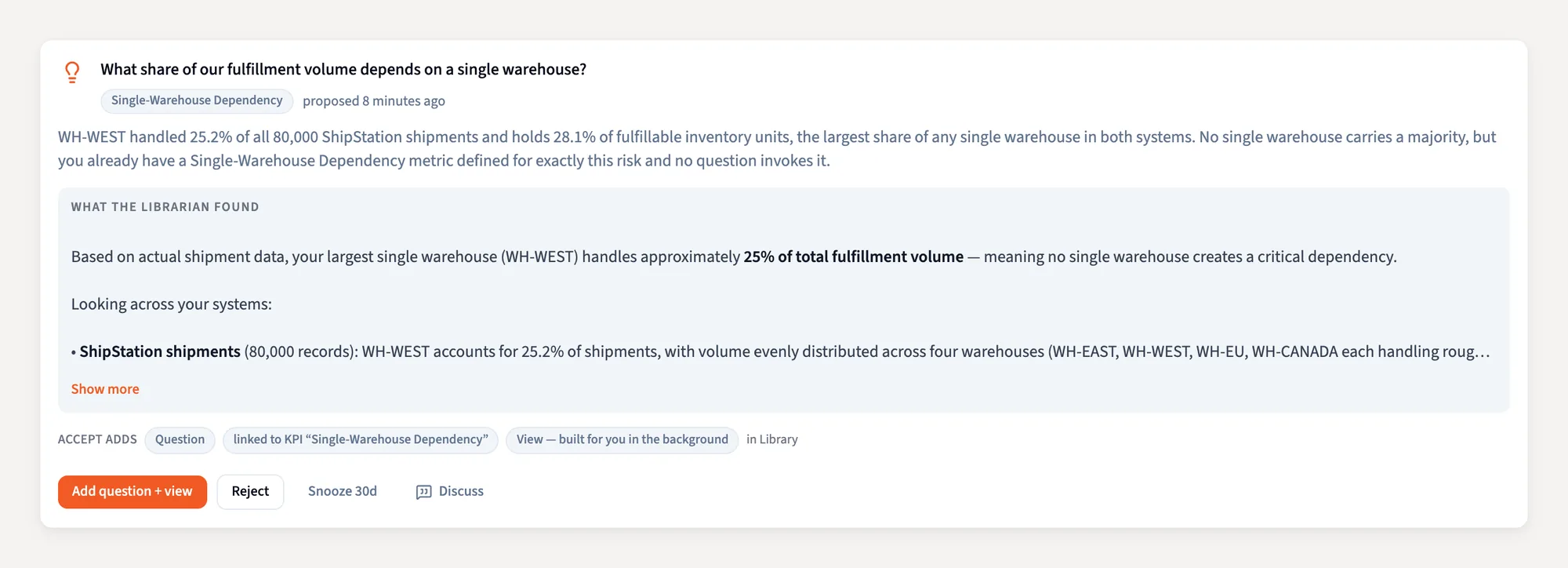
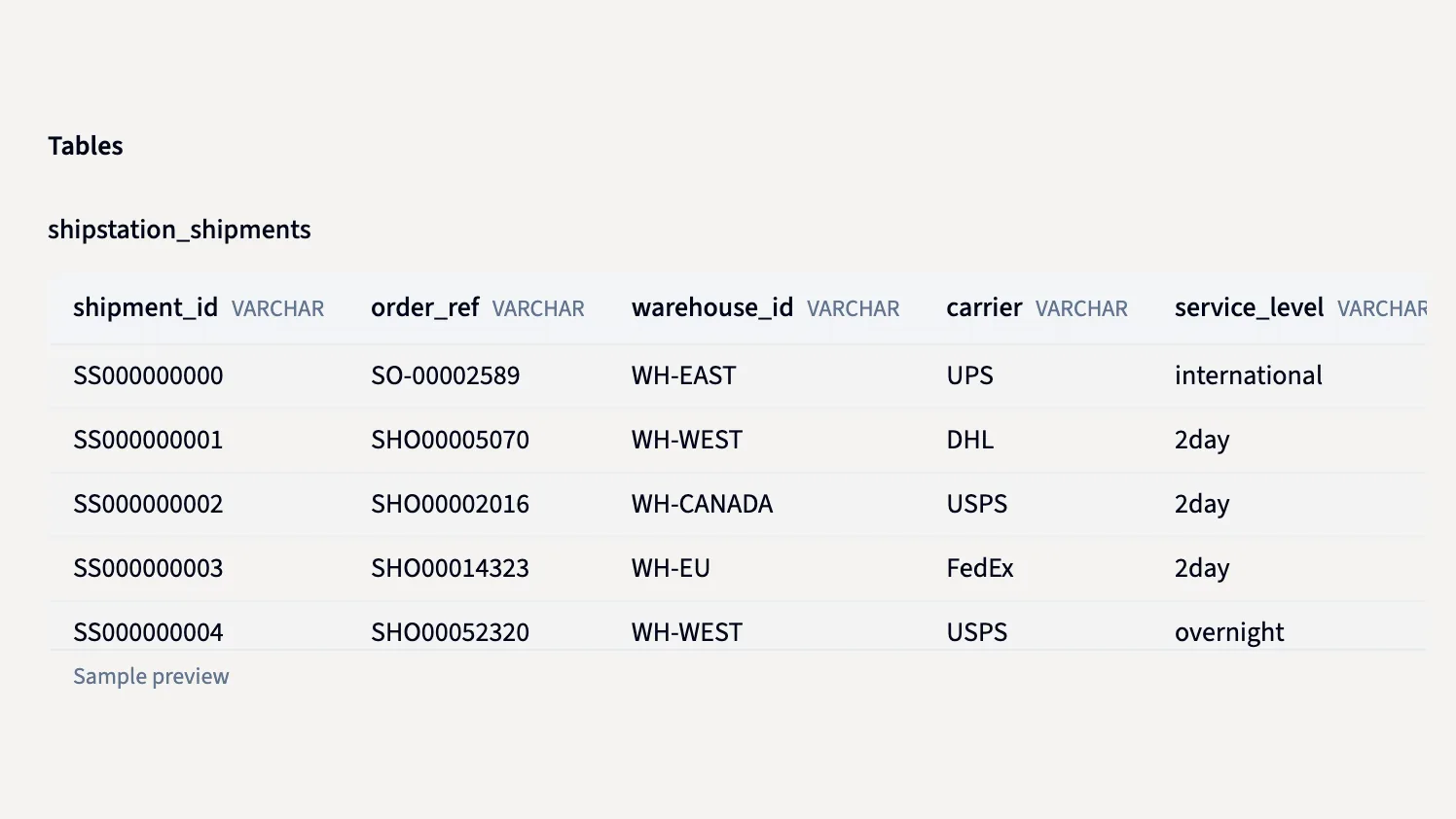
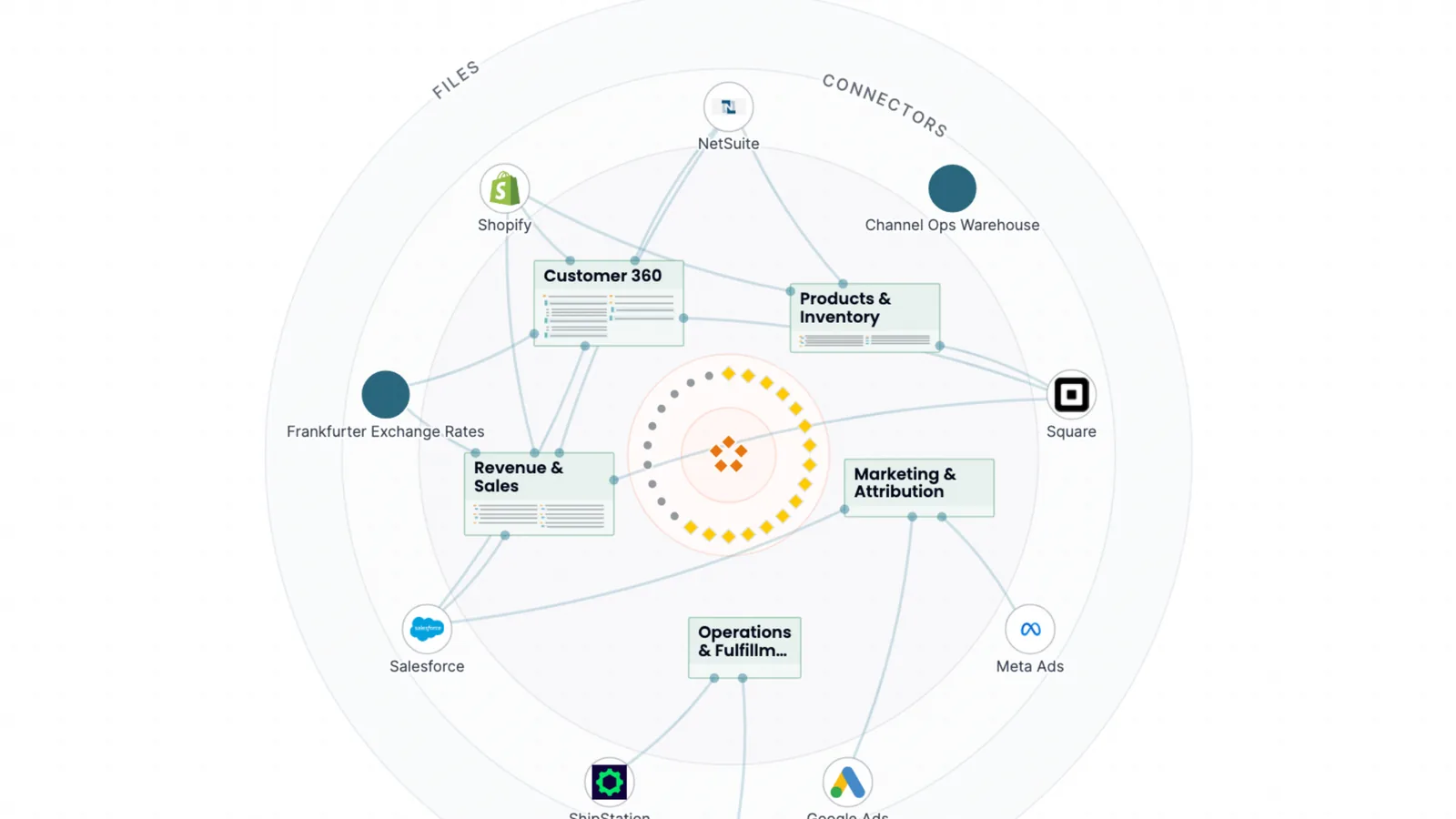
These are screenshots of Querri with a demo company's data: ShipStation shipments synced as a table, a warehouse question Querri checked on its own, and the Library map that ties ShipStation to your other systems.
Frequently Asked Questions
What logistics KPIs can Querri help analyze?
Querri helps logistics teams analyze key KPIs including Perfect Order Rate, cost per shipment, freight cost as a percentage of sales, on-time delivery rate, inventory turnover, and carrier performance. Connect your WMS, TMS, or ERP exports and ask questions in plain English to get answers with charts and trend analysis.
Does Querri connect to WMS, TMS, and ERP systems?
Querri accepts CSV and Excel exports from any WMS, TMS, or ERP platform, and connects natively to databases including BigQuery, PostgreSQL, MySQL, SQL Server, and Redshift. Data from multiple logistics systems is joined automatically, so you can analyze across your full supply chain stack without manual reconciliation.
Can Querri help with demand forecasting and inventory optimization?
Yes. Querri analyzes historical order and inventory data to identify demand patterns, seasonal trends, and potential stockout risks. Ask plain-English questions about your inventory levels, reorder points, and fulfillment rates to surface the signals your operational dashboards don't show.
How does Querri handle messy logistics data with inconsistent formats?
Querri's agentic preprocessing automatically detects and fixes common logistics data issues — inconsistent carrier name formats, duplicate shipment records, missing timestamps, and address formatting errors — before analysis runs. This means you can load a raw WMS or TMS export and get reliable analysis without manual data prep.
Can supply chain and logistics teams without SQL skills use Querri?
Yes. Querri was built for operations managers and analysts who understand logistics, not data engineers who write SQL. Ask questions the same way you'd ask them in a team meeting — 'What were our top 5 shipping cost drivers this quarter?' — and get structured answers with charts and narrative you can share directly with leadership.
Why Logistics Teams Choose Querri
Simple ways to do hard things
Talk to your data through a chat interface and watch it transform in a spreadsheet view.
Reliable, repeatable data workflows
Clean, merge, and analyze once. Then set up your data workflows to run on your schedule.
Designed for humans, not machines
It’s not a black box. See an explanation of the data workflows behind every Querri.