Querri for Data Migration Clean and reformat your lists so the import works the first time
Moving to a new CRM, ERP or billing system means getting years of records into the exact shape the new system expects. Connect the old system or upload its export, and Querri cleans, standardizes and reformats the data in minutes. Save the steps and the next batch is ready just as fast.
Why Dirty Lists Break Migrations
Anyone who has moved a customer list, a vendor file or a CRM export knows the pain.
Imports fail on missing required fields, inconsistent formats, duplicates and junk entries. The error report tells you which row failed, not how to fix the other four thousand.
You lose hours fixing errors after the fact. Or the bad data loads anyway and causes problems in the new system for years. And because migrations usually run in several batches, you do the same cleanup again each time.


How Querri Gets a List Ready to Move
Connect the system you are leaving, or upload its export, and describe what the new system needs. You can give Querri the target template and tell it exactly how each field should be formatted.
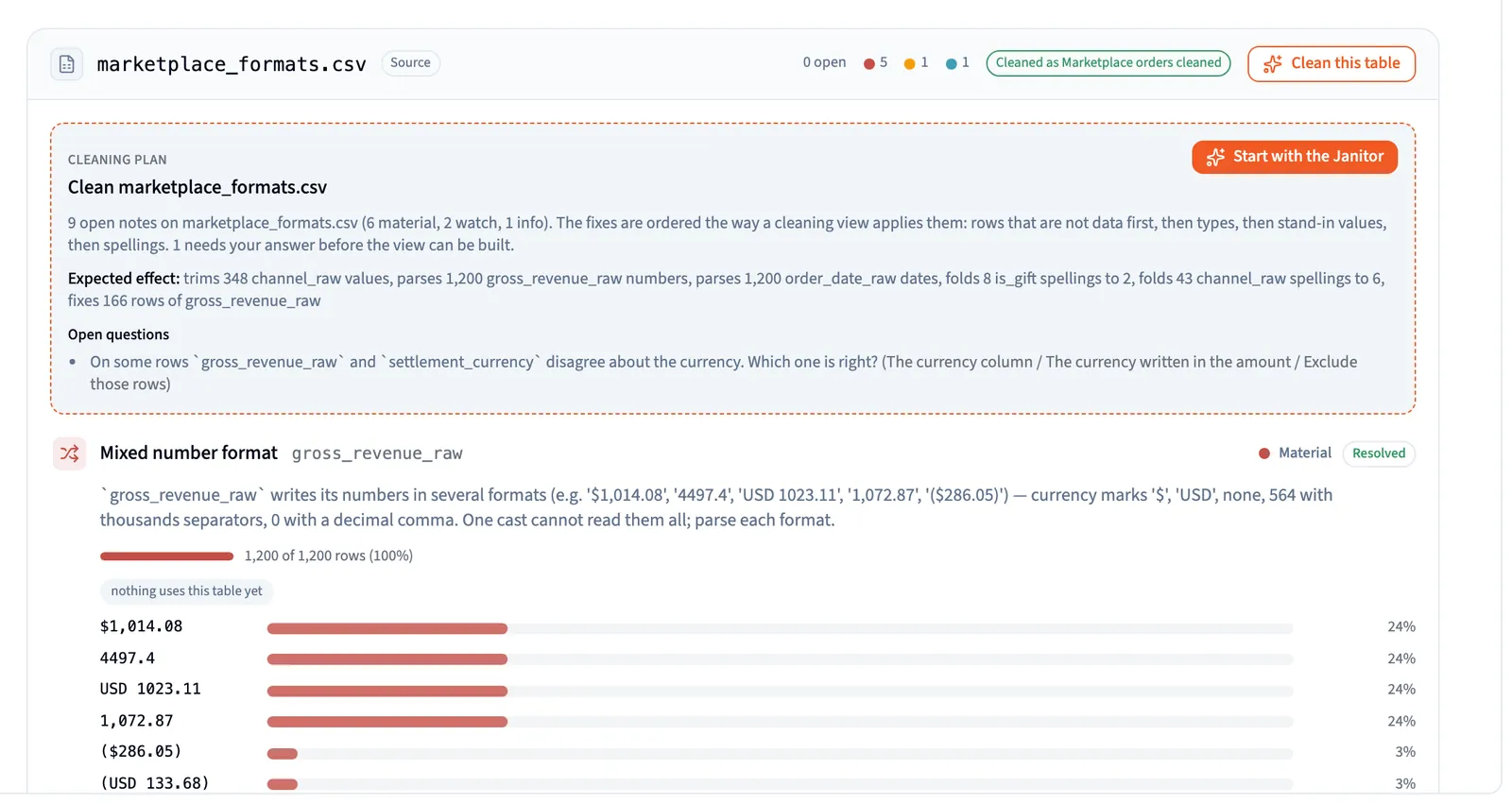
Querri checks the data as it arrives and flags inconsistent state codes, duplicate entries, missing values and formatting quirks. It asks you the judgement calls, such as which duplicate to keep, and applies the rest.
Every fix is a step you can open and read. When the second batch arrives, the same steps replay on the new data, so the tenth load is as clean as the first.
What You'll Gain from Clean, Reliable Lists
Fewer import errors
Data loads that work the first time
A new system that starts with clean records
Cleanup saved once and reused for every batch
A written record of every change made
Better analytics from day one
How-To in Five Simple Steps
1 Connect or Upload Your List
Bring in your contact, customer, lead or vendor list. Upload Excel or CSV files, or connect the source system, Google Sheets or cloud storage from 125+ connectors.
2 Identify and Fix Problems
Querri checks the list as it arrives and flags duplicates, inconsistent formatting, missing values and outliers. Prompt: "Fix phone number formats and flag any missing states." Prompt: "Remove duplicates based on email and full name."
3 Match the Target Format
Turn inconsistent values into the ones the new system accepts, and rename and reorder columns to fit its import template. Prompt: "Standardize state names into 2-letter abbreviations." Prompt: "Rename and reorder the columns to match this import template." Save the approach as a skill, and a colleague preparing the next list follows the same recipe.
4 Review and Export
Check the cleaned table, then download it as CSV or Excel, ready for the import tool.
5 Save It for the Next Batch
Migrations rarely happen in one go. Rerun the project on the next export, or click Automate to run it on a schedule until cutover. The steps are saved with the project, so anyone on your team can run the next batch.

Best Practices
Start With a Clear Key
Decide what makes a record unique: email address, phone number, or name plus company. Reliable deduplication depends on it.
Work Back From the Target
Get the new system's import template and required fields first, and give them to Querri. It is faster to clean toward a known format than to guess.
Watch for Hidden Inconsistencies
"New York" vs. "NY", "Inc." vs. "Incorporated". Small differences create duplicate accounts in the new system. Ask Querri to standardize categories and text fields.
Don't Skip the Review
Read the list of fixes and scan the result for edge cases before you export. A wrong merge is much harder to undo after the import.
Test With a Small Batch
Import a few hundred rows first. If the new system rejects something, adjust the step in Querri and rerun it on the full list.
FAQs
What if my list has lots of missing fields?
Can I merge multiple lists before cleaning?
How does Querri decide what a duplicate is?
Will it fix inconsistent phone or date formats?
Can Querri pull the data straight from my old system?
Does Querri load the data into the new system for me?
Can I reuse this every time a new list comes in?

Step-by-Step Playbooks for This Job
Each playbook walks through one real report: the data to connect, the prompts to use and a recording of the result.
Do Shopify Payouts and Amazon Settlements Match the Books?
Match Shopify payouts and Amazon settlements to NetSuite deposits and journals in Querri to find what the books are missing and what is only timing.
Read playbookFinanceWhich Carrier Bills Came In Above the Agreed Rate, or Twice?
Match QuickBooks Online carrier bills to your Tai loads and Macropoint stop times in Querri to catch repeat bills, rates above the confirmation, and detention worth billing the shipper.
Read playbookRevOpsDid Last Quarter's Closed-Won Deals Start Billing and Get Used?
Join Salesforce closed-won deals, Stripe subscriptions and invoices, and product usage in Querri to follow every deal to its first invoice, give each gap between booked and billed ARR a cause, and see which new customers use under 40% of their seats.
Read playbookAfter the Migration
The cleanup you build for a migration keeps paying off once the new system is live, for you and for the colleagues who take over.
Connect the new system
Once you are live, connect the new system too. Compare record counts and totals against the old one to confirm nothing was lost.
Browse connectorsCatch problems as they arrive
Every table is checked as it lands, so a bad batch is flagged before it reaches the import tool.
Automatic data cleaningReplay the same steps
Each fix is saved as a step. Rerun the project and the exact code runs again on the next export.
How projects workMove rows in code
Read cleaned tables from your own scripts and pipelines with the REST API, Python SDK and CLI.
API, SDK and CLI