Querri vs Power BI
81.5% of Power BI users cite a steep learning curve with DAX formulas. Querri delivers the same insights through natural language—no formulas, no training, no waiting on IT.
Feature-by-Feature Comparison
See how Querri and Power BI compare across the dimensions that matter most.
| Dimension | Querri | Power BI |
|---|---|---|
| Easy to Use | Natural language interface—ask questions in plain English | Requires DAX formulas and data modeling expertise |
| Deploy Fast | Minutes from signup to first insight | Weeks of data modeling and IT setup required |
| Just Works | AI handles data cleaning and analysis automatically | Manual data preparation and formula debugging |
| All-in-One Platform | Clean, analyze, visualize, and share in one tool | Separate Desktop, Service, and Gateway components |
| Proactive Insights | AI surfaces trends and anomalies you didn't ask for | Copilot limited to pre-defined data model metrics |
| Embedded Analytics | Lightweight SDK with white-label support | Power BI Embedded available with additional licensing |
| Cross-Platform | Works in any browser on any device | Desktop app is Windows-only; Mac and Linux limited |
| Transparent Pricing | Published plans from $16/user/mo with AI included | Pro $14/user, PPU $24/user, Fabric capacity extra |
Easy to Use
Natural language interface—ask questions in plain English
Requires DAX formulas and data modeling expertise
Deploy Fast
Minutes from signup to first insight
Weeks of data modeling and IT setup required
Just Works
AI handles data cleaning and analysis automatically
Manual data preparation and formula debugging
All-in-One Platform
Clean, analyze, visualize, and share in one tool
Separate Desktop, Service, and Gateway components
Proactive Insights
AI surfaces trends and anomalies you didn't ask for
Copilot limited to pre-defined data model metrics
Embedded Analytics
Lightweight SDK with white-label support
Power BI Embedded available with additional licensing
Cross-Platform
Works in any browser on any device
Desktop app is Windows-only; Mac and Linux limited
Transparent Pricing
Published plans from $16/user/mo with AI included
Pro $14/user, PPU $24/user, Fabric capacity extra
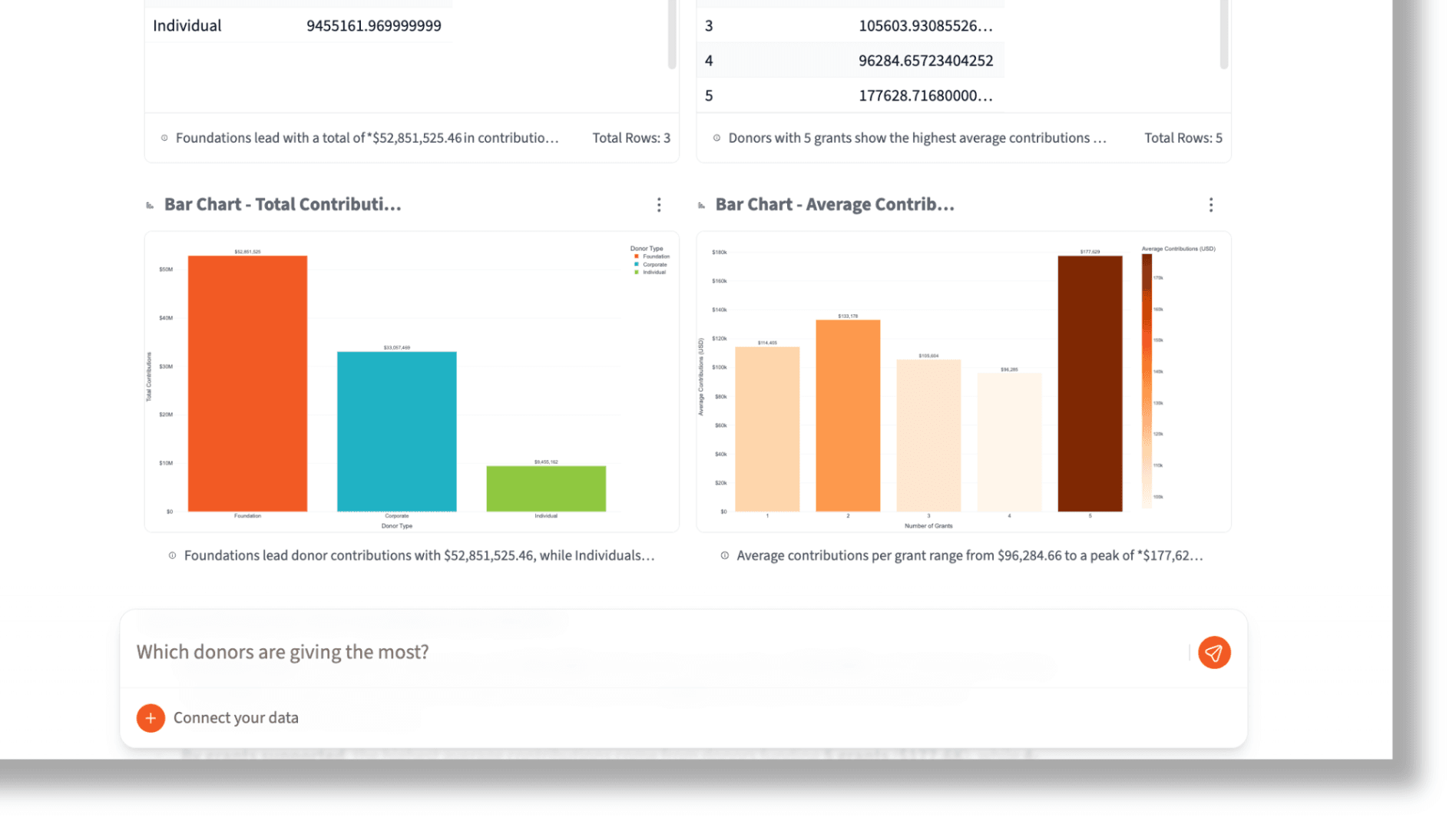
No DAX, No Problem
Power BI's DAX formula language is powerful—but it creates a bottleneck. Business users wait on analysts to write calculations, and 81.5% of users report struggling with the learning curve.
With Querri, anyone on your team can ask questions in plain English and get instant visual answers. No formulas, no training, no gatekeepers between your team and their data.
Natural Language
Ask questions the way you think, not the way a formula works
Zero Training
Start getting insights in minutes, not after weeks of courses
Self-Service
Empower every team member to explore data independently
Deploy in Minutes, Not Months
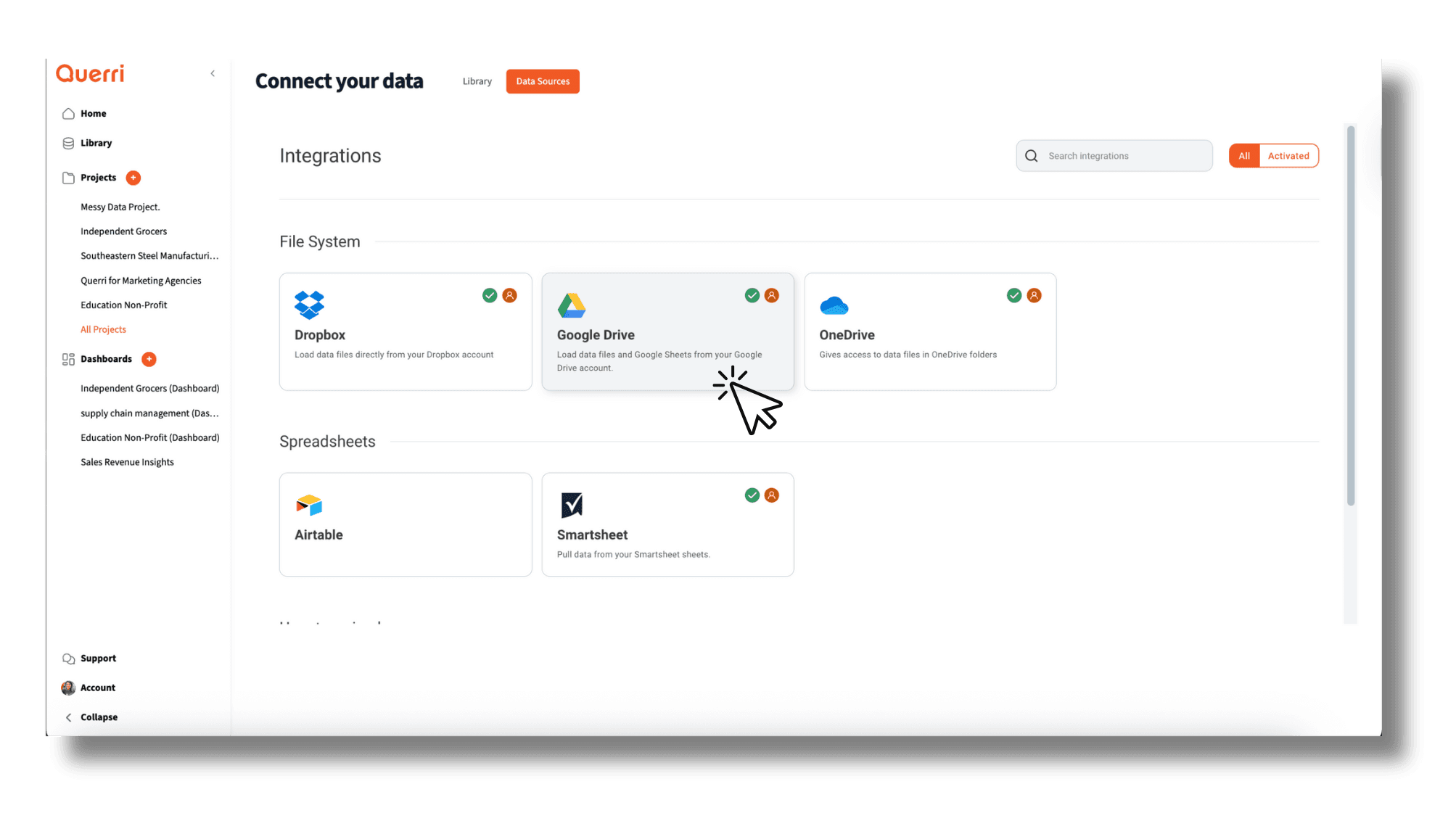
A typical Power BI deployment requires data modeling, gateway setup, workspace configuration, and user training—often taking weeks or months before anyone sees a dashboard.
Querri's AI handles the heavy lifting. Connect your data source, ask a question, and start making decisions. No IT tickets, no implementation projects, no waiting.
Instant Setup
Connect data sources and start analyzing immediately
AI-Powered Cleaning
Automatic data preparation without manual ETL
No Infrastructure
Cloud-native platform with nothing to install or manage
Predictable Costs, No Surprises
Power BI's licensing tiers add up fast. Between Pro seats at $14/user, Premium Per User at $24/user, and Fabric capacity charges starting at $262/month for Copilot access, mid-market organizations typically spend $30K–$96K per year.
Querri's published pricing starts at $16/user/month with AI capabilities included in every plan—no premium tiers required for natural language features, no separate capacity charges for AI access.
AI Included
Natural language features in every plan, not locked behind premium tiers
Published Pricing
Plans from $16/user/month, visible before you talk to sales
Scale Predictably
Add users without complex licensing calculations
Total Cost of Ownership
A realistic look at what you'll actually pay.
| Cost Category | Querri | Power BI |
|---|---|---|
| Per-User License | From $16/user/mo (Core) to $50/user/mo (Pro) | Pro: $14/user/mo, PPU: $24/user/mo |
| AI / NL Features | Included in all plans | Fabric capacity required ($262–$321/mo) |
| Implementation | Self-service, minutes to start | Weeks of data modeling and gateway setup |
| Training | No training required | DAX and data modeling training needed |
| Typical Mid-Market Annual | $2K–$6K/year for most teams | $30K–$96K/year |
See More Comparisons
See how Querri stacks up against other analytics platforms.
Frequently Asked Questions
Common questions about how Querri compares to Power BI.
81.5% of Power BI users cite a steep learning curve, according to Gartner's 2025 survey. The primary barrier is DAX (Data Analysis Expressions), a formula language required for custom calculations and measures. Querri eliminates this barrier entirely by letting users ask questions in plain English instead of writing formulas.
Power BI Pro costs $14-15/user/month after a 40% price increase in April 2025. Premium Per User is $24/user/month, and Fabric capacity starts at $262/month for AI features like Copilot. A mid-market deployment typically runs $30K-$96K/year. Querri starts at $16/user/month with AI included in every plan.
The best Power BI alternative depends on what frustrates you most. If DAX formulas and Windows-only Desktop are pain points, Querri is a strong fit. It works in any browser on any device, uses natural language instead of formulas, and includes AI capabilities in every plan rather than requiring separate Fabric capacity charges.
Yes, DAX is essential for any meaningful Power BI analysis beyond basic drag-and-drop charts. Creating custom measures, calculated columns, and time intelligence all require DAX knowledge. Querri requires no formula language at all. You describe what you want to know in conversational English, and the AI handles the calculations.
Power BI offers Copilot for natural language interaction, but it requires Fabric capacity ($262-$321/month) and can only work with metrics that have been pre-defined in the data model. It cannot derive new metrics on its own. Querri's AI can derive new metrics from your raw data and is included in every plan at no extra cost.
Non-technical users can view Power BI dashboards, but creating reports requires understanding DAX formulas, data modeling, relationships, and the distinction between Desktop, Service, and Gateway components. Querri is designed for non-technical users from the ground up, with natural language as the primary interface.
The fundamental difference is the interaction model. Power BI requires users to learn DAX, build data models, and use a Windows desktop application. Querri lets users ask questions in natural language from any browser on any device, with AI that automatically handles data preparation and analysis.
At the per-user level, Querri Core ($16/user/month) is comparable to Power BI Pro ($14-15/user/month). However, Querri includes AI features in every plan while Power BI requires Fabric capacity ($262+/month) for Copilot access. When you factor in total cost including AI, training, and implementation, Querri is typically less expensive.
Querri can replace Power BI for teams that need data analysis without the DAX learning curve. It handles data ingestion, cleaning, analysis, and visualization in one browser-based platform. Teams that rely heavily on Power BI's deep Microsoft 365 integration may want to evaluate both, but for standalone analytics Querri offers a faster path to insights.
Power BI Desktop is Windows-only. Mac users are limited to the web-based Power BI Service, which has reduced functionality compared to Desktop. There is no native Mac application. Querri works in any modern browser on any operating system, including Mac, Windows, Linux, and mobile devices.
Power BI offers some predictive capabilities through R and Python integrations, but these require coding knowledge. Copilot adds limited AI features but only works with pre-defined metrics. Querri's AI can analyze trends, detect anomalies, and surface predictive insights automatically from your data without any coding.
A typical Power BI deployment requires data modeling, gateway setup, workspace configuration, and DAX training, often taking weeks or months. Querri can be set up in minutes: sign up, connect your data source, and start asking questions. No gateway infrastructure or data modeling required.
Power BI's Q&A feature and Copilot offer some natural language capability, but Copilot requires Fabric capacity licensing and can only reference pre-defined metrics. It cannot derive new insights from raw data. Querri's natural language interface is the core of the platform and can derive new metrics directly from your data.
Small businesses often find Power BI's DAX learning curve and Windows-only Desktop limiting. Querri offers a free tier (15-50 queries/month), works on any device, and requires zero technical training. Most small teams can go from signup to their first data insight in under five minutes.
Power BI Desktop is free but requires Windows and only supports local file publishing. To share dashboards, collaborate, or access cloud features, you need Pro ($14-15/user/month) or higher. Querri's free plan includes cloud-based collaboration, AI-powered analysis, and 15-50 queries per month with no operating system restrictions.