Still building a copy of every report for every manager?Answers for everyone. Control stays with IT.
Set each team up once: a workspace per team, and a row filter that follows each person into chat, dashboards, Claude and the API. Share one dashboard with everyone. Each person still sees only their own rows.
SOC 2 Type II, HIPAA and ISO 27001:2022 certified, and your data never trains a model.
One dashboard. It re-runs for each signed-in viewer.
Who can see what
Open your data to the people who need it. Keep control of all of it.
A workspace for each team, sharing for the one person outside it, a view lent to another department, and a link for someone with no account. Underneath them all, an access policy filters the rows person by person, wherever they open the data.
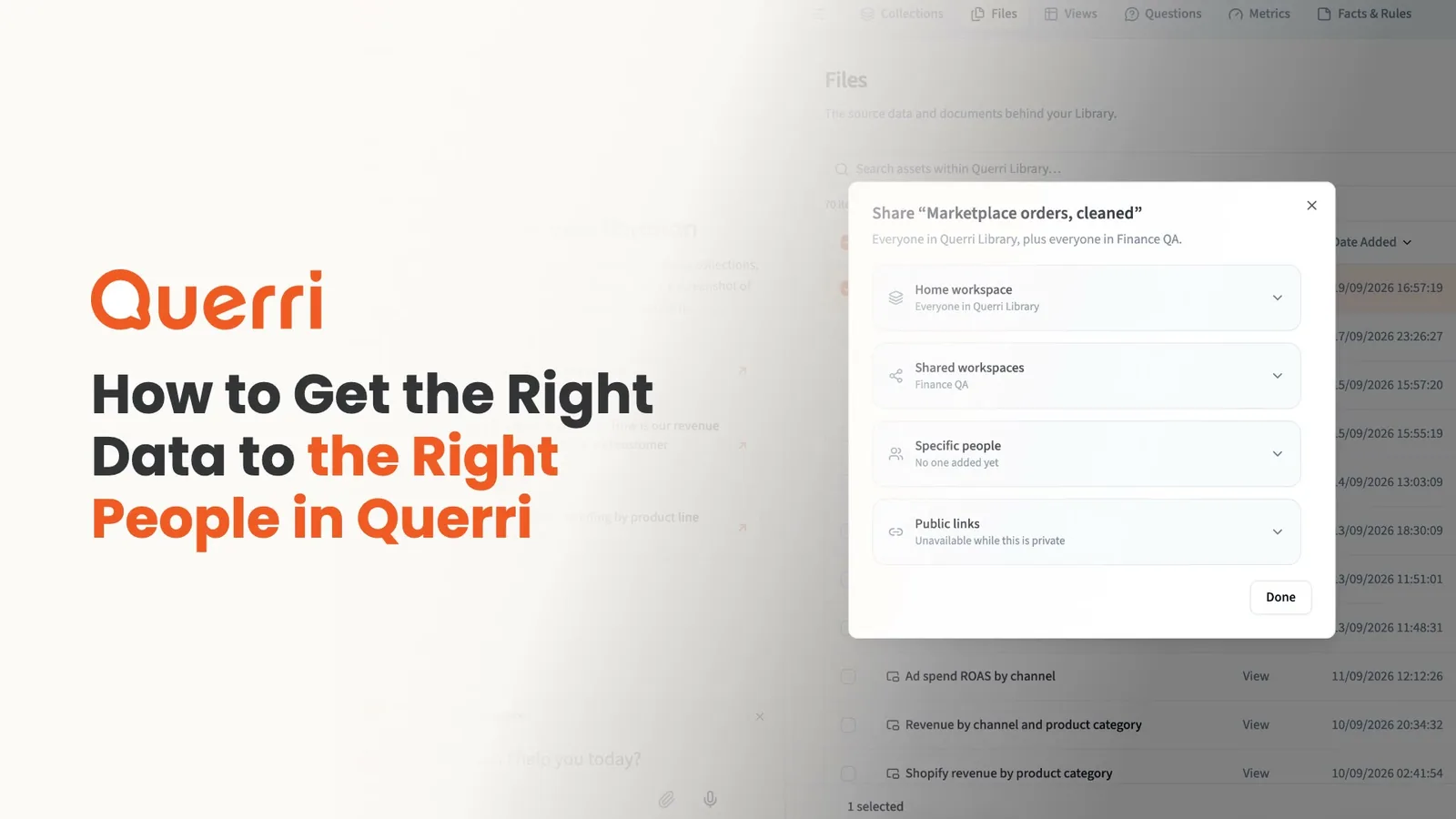
A narrated walkthrough of the four ways to give people access in Querri: workspaces, sharing an item, lending a view to another team, and links, plus access policies that filter rows for each person.
One dashboard. Each manager sees only their own stores.
Set each manager's filter once, and it holds across chat, dashboards, Claude, the API and embeds. No regional copies to rebuild every month.
- Write the rule in plain terms: store_id is one of STORE-002, STORE-004.
- Check it with Preview Access before anyone signs in.
- The AI writes its query against data that's already filtered.
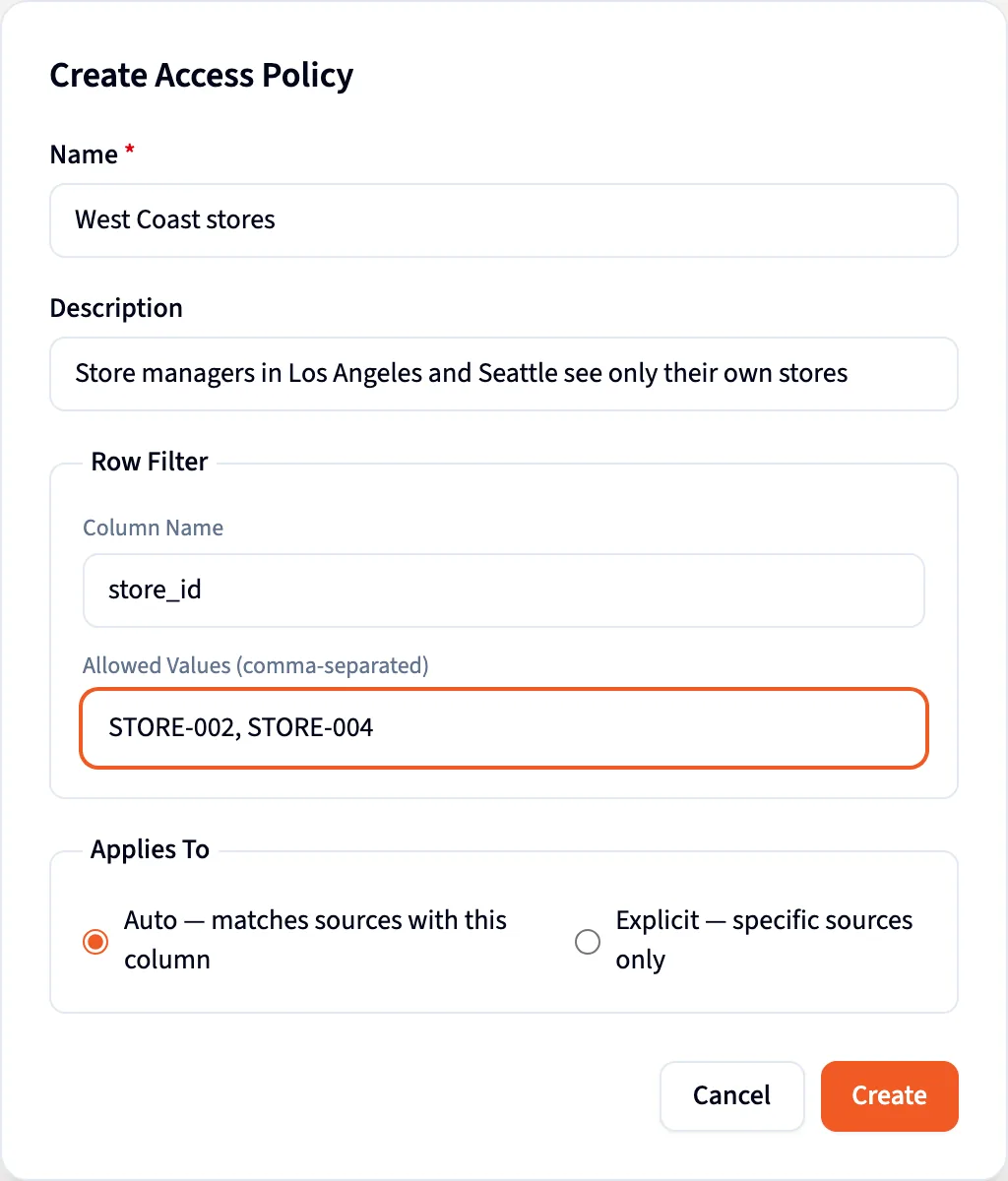
In the app
Teams, row filters and sharing, set up in Querri.
These are screenshots of Querri with a demo company's data, set up with one workspace per team.
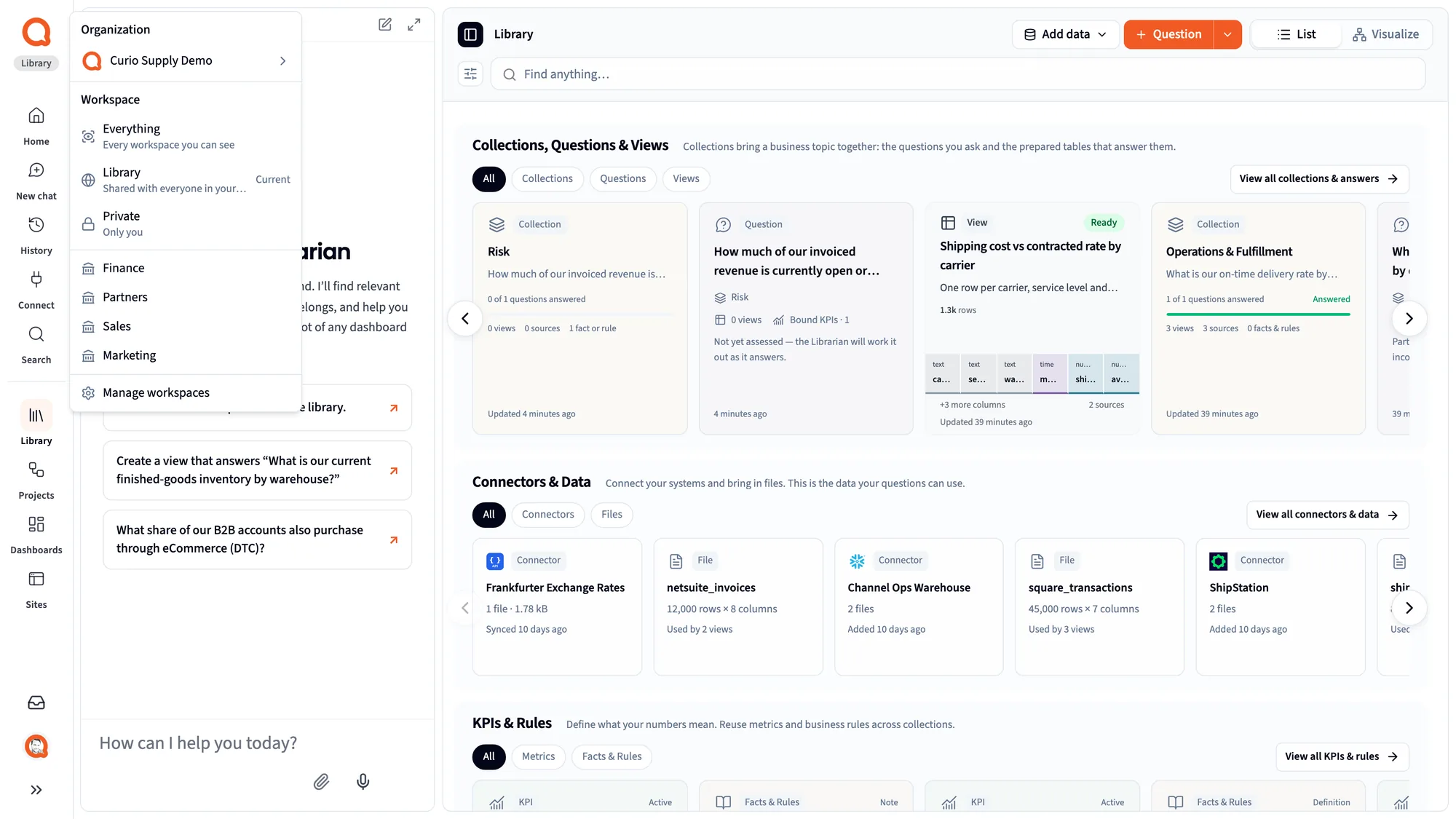
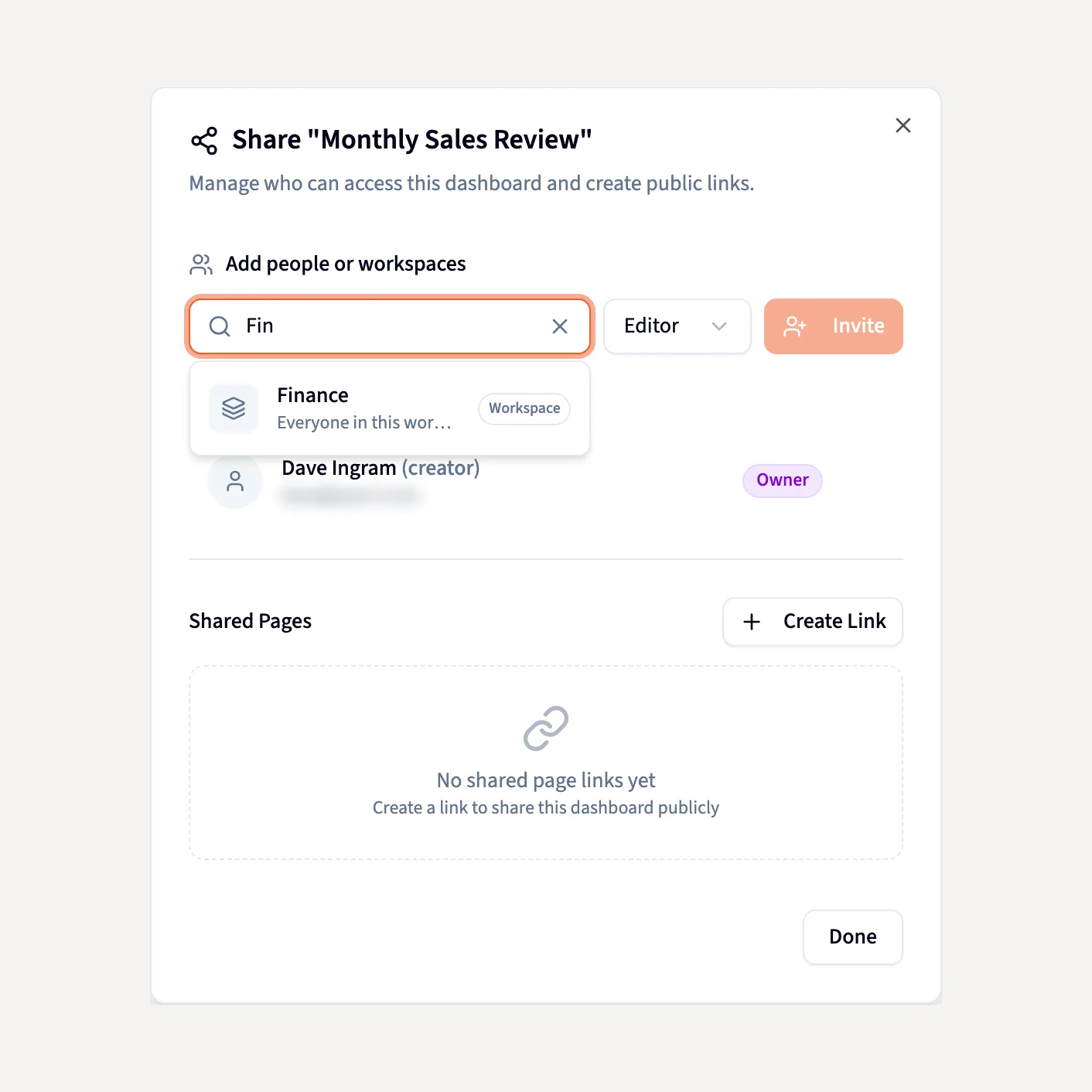
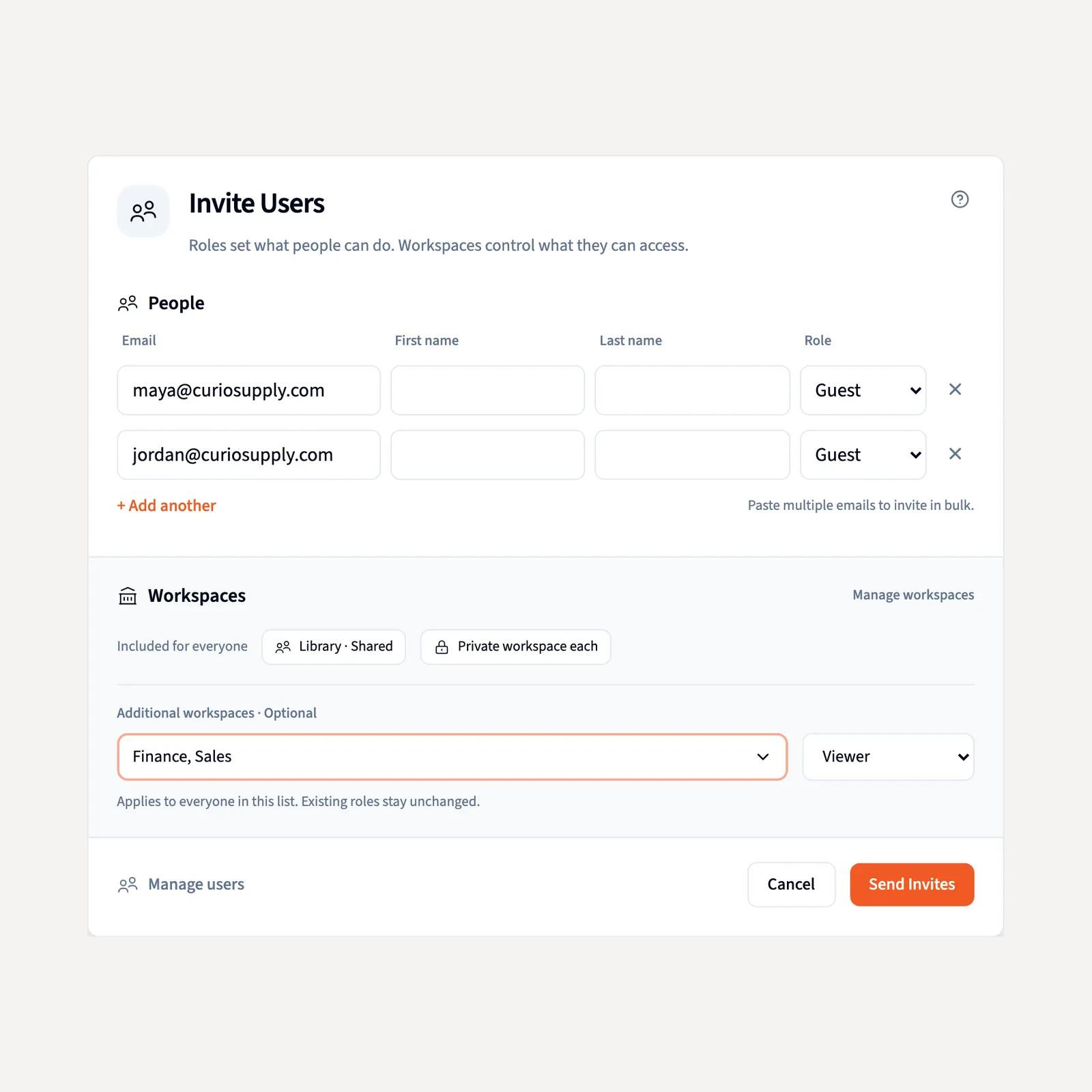
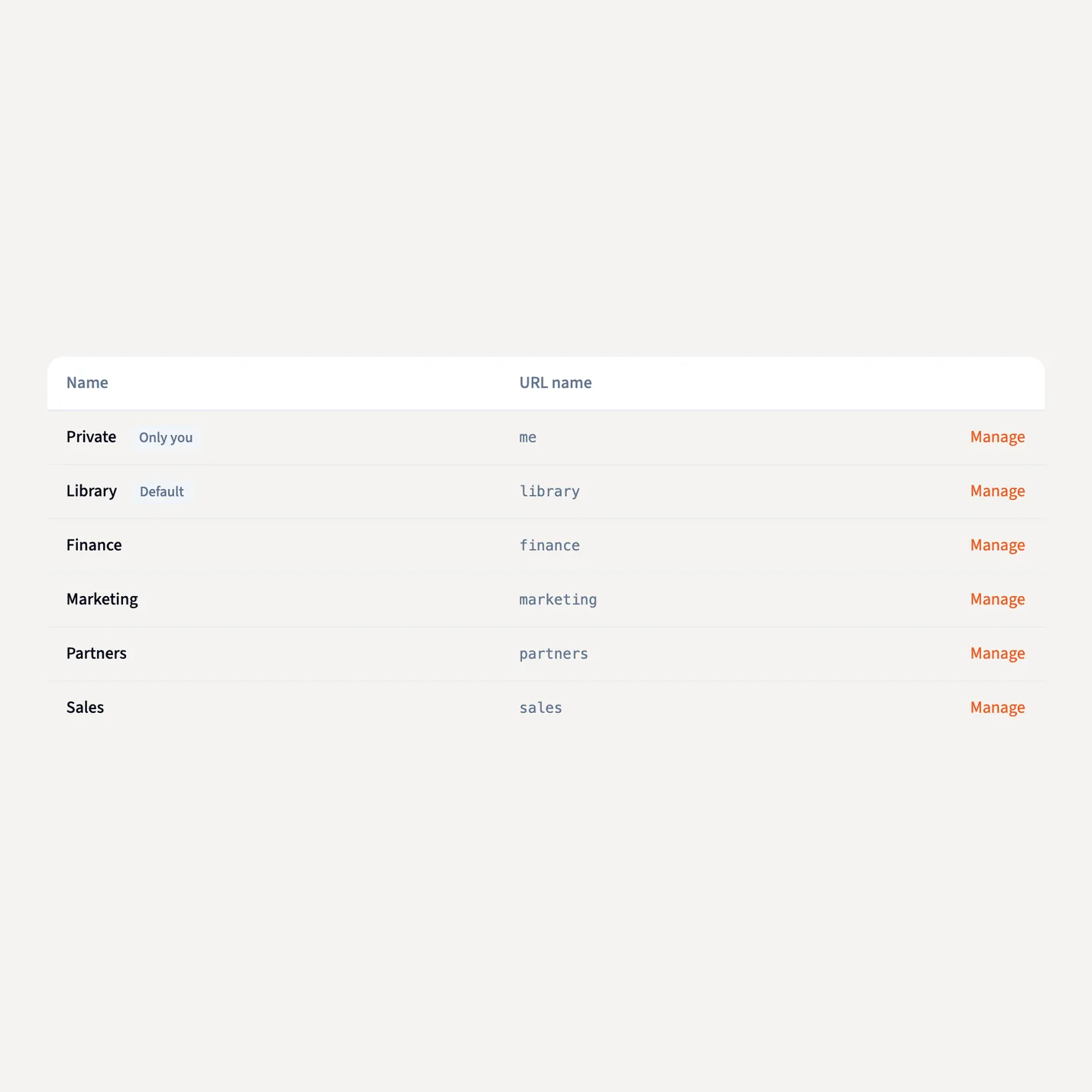
Every team gets its own space, on one set of definitions.
A workspace gives a team its own members, data, dashboards and overnight work inside the one Library. A switcher at the top scopes everything to Everything, Private or a named workspace like Finance.
- Private is only you. The company workspace is shared with everyone in your organization.
- Share a Finance view into Sales, view-only, without moving or copying it.
- Organizations keep companies apart, so an agency can run one per client and flip between them.
- Each workspace runs its own Nightly insights budget and schedule.
Set a person's filter once. It holds everywhere they ask.
An admin writes the rule in plain terms and assigns it to people or to an API key. It applies in chat, the Librarian, dashboards, Claude and ChatGPT through MCP, the API and embeds.
- Preview Access shows the exact filter a person gets.
- Name the column once, and every new source with it is covered.
- Write the rule without code. Nothing to rebuild per report.
- Access policies work on every plan.
The AI writes its query against data that's already filtered.
The AI never touches your data directly. It writes code, and the code runs inside Querri with your access rules applied first, so no prompt can talk its way past a filter. Even the AI's written summary is drawn from filtered results.
- To answer a question, the AI sees only small samples of your data.
- It runs on Amazon Bedrock and Microsoft Azure in the US, under strict security controls.
- Each customer's data lives in its own database and storage, encrypted at rest with AES-256.
- Your data, prompts and results never train any model.
Bring in everyone who only reads, without adding licenses.
Querri is priced on usage, not per seat. Roles use the same plain words everywhere, and a shared dashboard re-runs for each signed-in viewer, so everyone sees only their own rows.
Roll it out to the whole company. Keep the record.
Colleagues sign in with the company login and land in the company account. Every access change is on the record, and finance gets a number it can plan around.
Sign-in and rollout
Google, Microsoft, email and password or a one-time code, plus single sign-on that Querri connects for you. Anyone who signs up with a verified company address is offered the organization, and Invite Users drops a pasted list into the right workspaces.
Audit log
Every access-policy change, every API key created, revoked and used, and every admin access grant, with who, when, what and the IP address. Changes the AI makes are signed as the AI's.
Usage you can plan around
Every charge by user, project, tool and model. Alerts at 80% of the plan, and a monthly credit limit for any person, so one heavy user is paused while everyone else keeps working.
Set it up once. Then everyone just asks.
Create the workspaces
Add Finance, Sales or any team you need. Paste a list of addresses into Invite Users and pick the workspaces they join.
Write each person's row rule
Say it in plain terms, like store_id is one of 101, 102, and check it with Preview Access.
Everyone asks, anywhere
Chat, dashboards, Claude, the API and embeds all apply the same filter, with no code and nothing to rebuild per report.
IT sets the guardrails. The people who know the data set the meaning. Everyone else just asks.
Data consumers
Sign in with the company login and get answers scoped to you, in chat, on dashboards and in Claude, on the same numbers as everyone else.
Data owners
Set up each team once. A workspace per team and a row filter that follows each person everywhere: no permissions rebuilt per dashboard, no regional spreadsheets emailed out.
Data team and IT
Single sign-on including Microsoft Entra, row filters applied before the AI's query runs, an audit log of every access change, usage by person, and certifications your security review will recognize.
Questions IT asks first
Can the AI show someone rows they shouldn't see?
No. The filter is applied to the data before the AI's query runs, so there's nothing beyond that person's rows for it to reach. Even the AI's written summary is drawn from filtered results.
Do I have to rebuild permissions for every dashboard?
No. You write each person's rule once, in plain terms, and it applies in chat, the Librarian, dashboards, Claude and ChatGPT through MCP, the API and embeds. A shared dashboard re-runs for each signed-in viewer.
What happens when we connect a new source?
An access policy can cover every source with a given column name, so a new source with that column is filtered the day it lands. You can also limit a policy to the sources you pick.
Do people who only read dashboards need a license?
No. Querri is priced on usage, not per seat, so you can bring in everyone who only reads without adding licenses.
How do people sign in?
With Google, Microsoft, email and password or a one-time code. Companies with an identity provider get single sign-on, including Microsoft Entra, which Querri connects for them.
Is Querri certified, and does it train on our data?
Querri is SOC 2 Type II, HIPAA and ISO 27001:2022 certified, and your data, prompts and results never train any model. Each customer's data lives in its own database and storage, encrypted at rest with AES-256 using keys in AWS KMS.
Which plans include access policies?
Access policies work on every plan.
Keep exploring
The Library
Your company's shared understanding of its data, organized into workspaces.
Dashboards
Share one dashboard. Each viewer still sees only their own rows.
API, SDK and CLI
Row rules apply to data read through a key, just as in the app.
White label
Keep every client's data apart, with its own workspace and row filter.
Answers for everyone. Control stays with IT.
See Preview Access, the query behind an answer and the audit log in a 20-minute walkthrough.