Querri vs Tableau
Tableau makes beautiful dashboards. Querri answers the question that isn't on one yet.
Same data. Different people asking.
Tableau is one of the best visual analytics tools ever made, built for analysts who design dashboards for everyone else. Querri is the question-first data platform. It starts from the questions your business asks and builds what's needed to answer them, so the people who need the next answer can ask for it themselves, on one predictable bill.
Time, cost and reach
Answers for everyone who needs them, on a bill you can plan
Tableau is built for the analysts who make dashboards. Querri is built for everyone who needs an answer, including the questions no dashboard covers yet. Here's what that difference means for the business.
-
Answers the same day, not after the queue
In Tableau, a new question usually waits for a Creator to build or change a dashboard. With Querri, the person asking connects a system or uploads a file and asks.
-
One plan that covers everyone
Tableau licenses every person by role, and its AI agent comes in editions quoted by sales. Querri is one predictable bill: a monthly credit allowance tied to the work your team does, alerts before you reach it, and no automatic overage charges.
-
No specialist between people and their numbers
Calculated fields and LOD expressions take real skill. In Querri, the people who know the business say what the numbers mean in plain language, and everyone asks the same way.
-
Secure, auditable, nothing to rip out
SOC 2 Type II, HIPAA and ISO 27001:2022, and your data never trains a model. Every number shows its query, and your Tableau dashboards stay where they are.
Where each one fits
Pick by who needs the answers
We'd rather you pick the right tool than pick us for the wrong reason. Here's where each one fits.
Choose Tableau when
- Your analysts design dashboards for a living and want precise control over every visual, calculation and interaction.
- You're standardizing BI across a large organization, with certified data sources, lineage and site-level governance.
- You need Tableau Server on your own infrastructure, or live queries against your warehouse with no copy of the data.
- You run Salesforce and your CRM edition already includes Tableau Next and Tableau Agent.
- You want a huge community and a deep pool of people who already know the tool.
Choose Querri when
- Most of the people who need answers aren't analysts, and shouldn't have to learn calculated fields to get one.
- The question isn't on any dashboard yet, and you don't want to wait in a queue for one.
- Your data is spread across CRM, accounting, ERP, payments and spreadsheets, and the hard part is joining it.
- You want AI in the plan, not in a premium edition quoted by sales.
- You want dashboards shared with the whole company, with unlimited viewers and the next question one click away.
Feature by feature
The detailed comparison
Every row says where each one is stronger. Where Tableau wins, we say so. Facts are current as of October 2026 and linked in the sources.
Tableau prices are US list from Tableau's and Salesforce's pricing pages as of October 2026, billed annually. Contract prices vary; Vendr's figures are buyer-reported. Embedded figures are a third-party estimate, not Tableau's price.
Pricing
Per-person pricing is predictable. Reaching everyone is the hard part.
Tableau's role-based licenses are one of the most predictable prices in BI: count the Creators, Explorers and Viewers, sign an annual contract, and the bill is known. The cost grows with every person who needs to see a number, and the AI agent sits in editions quoted by sales. So the question is rarely the monthly bill. It's how many people the budget lets in.
How Tableau is billed
- Creator, Explorer and Viewer cost $75, $42 and $15 a person a month on Standard, and $115, $70 and $35 on Enterprise. Annual contract only; there are no monthly plans.
- Every deployment needs at least one Creator, and someone on several Tableau Cloud sites needs a license for each one.
- Tableau Agent in Cloud and Pulse needs Cloud+ or the Tableau+ Bundle, both quoted by sales. The bundle includes 250K Data 360 credits.
- Tableau Next starts at $40 a user a month, billed annually, and "Data Services Credits and/or Flex Credits costs may still apply."
- Data Management (scheduled Prep flows, Catalog, row-level data policies) comes with Enterprise and above, and is no longer sold as a separate add-on.
- Vendr's median Tableau contract is $29,386 a year, across 734 purchases.
When per-user licensing is the better deal
If a stable group of analysts builds dashboards for a known set of people, role-based licensing is simple to buy and easy to forecast, and Tableau says exactly that. For very broad internal audiences, capacity-based Viewer Blocks cover viewing with no overage charges. If that's your situation, and your analysts love the tool, Tableau is a strong choice, and the guides below help you get the most from every license.
What it looks like when only a few people can build
Choosing Tableau? Get the most from every license.
If Tableau is the right call for you, these are Tableau's own guides to licensing the right people, keeping dashboards fast and trusted, and growing adoption.
- Set the right site roles Match each person's license to what they actually do. Tableau Help
- Use Admin Insights See adoption across your site before the renewal conversation. Tableau Help
- Certify trusted data Help people find the data sources your team stands behind. Tableau Help
- Optimize workbook performance Tableau's own advice for dashboards that load fast. Tableau Help
- Learn LOD expressions The calculations behind advanced analysis, explained step by step. Tableau Help
- Follow Tableau Blueprint Tableau's framework for adoption, governance and data culture. Tableau Help
How Querri keeps the bill predictable
- One bill, no surprises. One plan for the whole organization, with the AI, storage and unlimited dashboard viewers included. See plans and pricing.
- One simple credit. A credit is a unit of business work, like answering a question or syncing a source, so usage is easy to understand and easy to plan for.
- Unlimited dashboard viewers on every plan. Viewing, uploads, exports and the Library never cost credits.
- Usage alerts at 80% of the plan, when it's over and on a spike, plus a monthly limit for any person.
- No automatic overage charges. We tell you as you approach your limit, and you decide what happens next.
- AI in every plan. No premium edition to unlock the agent, nightly insights or MCP.
Total cost
What it takes to reach everyone with answers
Tableau's license is only part of the cost. Someone builds the data sources, writes the calculations and changes the dashboards when the questions change. Here's a typical Tableau setup for 50 people (5 Creators, 10 Explorers and 35 Viewers), next to Querri.
The Tableau path is our arithmetic from Tableau's list prices and a Glassdoor salary range reported by DataCamp, not a quote. It leaves out the AI editions, which are quoted by sales, and any warehouse. If you already have the team, the people line is a cost you've already chosen.
Built in, not assembled
Everything between your data and the answer, in one product
Next to Tableau, these are usually separate jobs: a pipeline to get the data in, a prep flow to clean it, a data source to define it and a developer to build each view. In Querri they're one chain: new data rebuilds the views on it, KPIs recompute and every dashboard refresh replays its saved query, so any number traces back to its source.
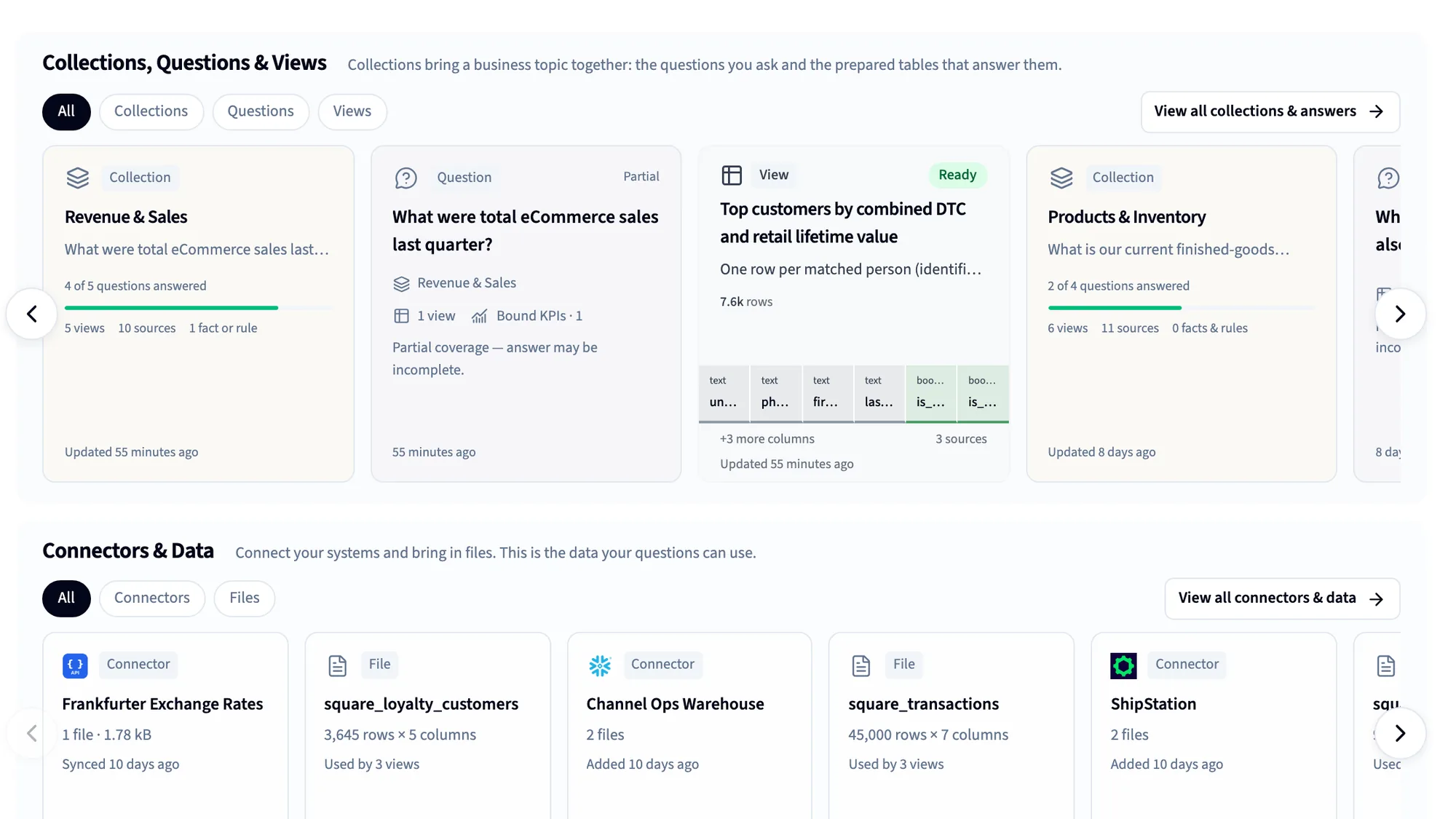
125+ connectors
CRM, accounting, ERP, payments, ads and databases, plus spreadsheets and files.
Automatic data cleaning
More than 180 checks on every table, and the Janitor to fix what they find.
The Library
A business-first semantic layer: definitions, KPIs and rules, taught by saying them.
Dashboards
Built by asking or from a screenshot, shared with unlimited viewers.
Nightly insights and Monitors
Querri works through your data overnight and shows what changed.
MCP for Claude and ChatGPT
Every assistant answers from the same definitions, under each person's access.
Reports and Excel
Scheduled projects, formatted workbooks and decks, delivered for you.
White label and embed
Bring the same understanding inside your own product, under your brand.
Using both
How Tableau and Querri work together
Plenty of teams will run both, and that's a good setup. Keep Tableau for the dashboards your analysts build and your leaders rely on, and let Querri be where everyone else asks, including the questions nobody built a dashboard for. Querri doesn't read Tableau workbooks. It connects to the same sources Tableau reads from.
Keep in Tableau
- The executive dashboards your analysts design
- Pixel-perfect, highly interactive visual analysis
- Certified data sources and site governance
- Live queries where data can't be copied
Do in Querri
- Questions nobody built a dashboard for
- Definitions the business owns, in plain language
- Dashboards for everyone, with unlimited viewers
- AI answers in Querri, Claude and ChatGPT
How they fit together
-
Querri has no Tableau connector. It connects directly to the sources Tableau reads, such as Snowflake, BigQuery, SQL Server, PostgreSQL, Salesforce and your spreadsheets, and syncs a copy on the schedule you set.
-
Paste a screenshot of a Tableau dashboard you use today, and Querri rebuilds it on your own data. Then anyone can ask it the next question.
-
Data exported from Tableau as Excel or CSV can be uploaded to Querri, which finds the table even in a messy sheet.
-
Querri never writes back to your sources or changes your Tableau content, and your data is never used to train any model.
FAQ
Questions people ask when comparing Querri and Tableau
Is Querri a replacement for Tableau?
For many teams it doesn't need to be. Tableau keeps serving the dashboards your analysts build, and Querri serves the people and questions it doesn't reach: plain-language answers, Excel out, and Claude or ChatGPT. For a team that has no Tableau yet and wants business answers without a BI developer, Querri covers connecting, cleaning, defining, dashboards and AI in one product.
How much does Tableau cost?
Tableau lists Creator at $75, Explorer at $42 and Viewer at $15 per person per month on Standard, and $115, $70 and $35 on Enterprise, billed annually with no monthly plans. Cloud+, which adds Tableau Agent, and the Tableau+ Bundle are quoted by sales, and Tableau Next starts at $40 a user a month. Vendr reports a median contract of $29,386 a year. Querri is one predictable plan with AI included; see current plans.
Is Tableau good for small businesses?
It can be, if you have someone who enjoys building dashboards and a small group who view them. The cost and learning curve add up as more people need access, since every viewer needs a license and every deployment needs a Creator. A small business without an analyst may get further, faster, with a tool where people ask in plain language.
Is Tableau hard to learn?
Viewing a Tableau dashboard is easy. Building one well takes practice, especially calculated fields and LOD expressions, which control the level at which a number is computed. Reviewers in 2026 still describe a learning curve for advanced calculations. Querri needs no formula language: you ask in plain language and can open the query to see exactly what ran.
Does Tableau have AI?
Yes. Tableau Agent helps author calculations and visualizations and answers questions in Pulse, Tableau Pulse monitors metrics in every Cloud edition, and Tableau Next adds an agent and semantic layer on Salesforce's Data 360. The agent in Tableau Cloud and Pulse needs Cloud+ or the Tableau+ Bundle. Querri includes its AI agent, nightly insights and MCP in every plan.
What is Tableau Next, and do I need it?
Tableau Next is a separate, cloud-only platform on Salesforce's Data 360, with Tableau Agent, Tableau Semantics and Slack built in. It's included in Salesforce's Core, Advanced and Max editions for Sales, Service and Industries, so check whether you already own it. It works best when your data already lives in Data 360; Tableau Semantics isn't available without it.
Does Tableau work with Claude and ChatGPT?
Yes. Tableau runs a hosted MCP server for Tableau Cloud, with a connector in Claude's directory and a plugin for ChatGPT, and it respects each user's Tableau permissions. It works from the data sources and content already published in Tableau. Querri's MCP brings its Library's definitions and dashboards into the same assistants, on every plan.
How much does it cost to embed Tableau?
Tableau doesn't publish embedded pricing; deals are quoted. One third-party estimate puts the first year at $80,000 to $150,000 for 100 embedded users and $150,000 to $350,000 for 1,000, including services. Querri's white label and embed come with the Scale plan, and each customer sees only their own rows.
Can Querri connect to Tableau?
Not directly. Querri has no Tableau connector and doesn't read Tableau workbooks. It connects to the same databases, warehouses, business systems and spreadsheets Tableau reads from, and you can upload data you've exported from Tableau as Excel or CSV.
Can Querri rebuild my Tableau dashboards?
Yes, from a screenshot. Paste an image of a Tableau dashboard, or a sketch, and Querri rebuilds it on your own data, which you can then change by asking. It rebuilds what the dashboard shows, not the workbook file, so check the numbers against your Tableau version the first time.
How does Querri's cost compare to Tableau?
It depends on how many people need access. Tableau licenses each person by role, so the bill grows as more people view and ask. Querri is one predictable plan for the organization, with AI and unlimited dashboard viewers included, usage alerts and no automatic overage charges. Embedding is where the difference is usually largest. See current plans.
What's the best Tableau alternative for business users?
One where people who aren't analysts can get an answer without learning a BI tool. Querri connects your systems, cleans the data automatically, learns your definitions in plain language and builds dashboards by asking, on one predictable plan. If your analysts love Tableau, keep it and add Querri for everyone else.
Is Tableau going away under Salesforce?
No. Salesforce is investing in Tableau Next, Agentforce and MCP, and Tableau Pulse keeps shipping updates. Salesforce no longer reports Tableau on its own: it sits inside a Data 360 category, and Tableau's CEO stepped down in February 2026. If you run Tableau Server, ask your account team about its roadmap.
Can I try Querri on my own data first?
Yes. You can start on the free plan with no credit card, connect a source and ask. See plans for what each includes. Or bring a screenshot of your favorite Tableau dashboard to a 20-minute walkthrough.
Sources
Where these facts come from
Checked October 15, 2026. Tableau updates pricing and products often; if something here is out of date, tell us and we'll fix it.
- Tableau pricing (editions, Viewer Blocks, Tableau Next) Tableau
- Tableau Cloud pricing (role prices, edition features, Tableau MCP, Cloud+ and Tableau+) Tableau, Sep 2026
- Tableau Next pricing (role-based, credits, CRM editions) Salesforce
- Tableau Semantics ("not available without" Data 360) Salesforce
- Tableau MCP (hosted server, OAuth 2.1) Tableau on GitHub
- Tableau MCP: popular client integrations (Claude, ChatGPT, Slack) Tableau MCP docs
- Tableau Pulse release notes Tableau Help, Oct 2026
- About Data Management Tableau Help
- Keep flow data fresh (Prep Conductor) Tableau Help
- Create Level of Detail expressions Tableau Help
- Set users' site roles Tableau Help
- Use Admin Insights Tableau Help
- Use certification to help users find trusted data Tableau Help
- Optimize workbook performance Tableau Help
- Tableau Blueprint Tableau Help
- 2026 Gartner Magic Quadrant for Analytics and BI Platforms (Leader, 14th year) Tableau
- Tableau contract data (median contract) Vendr
- Tableau embedded analytics pricing (third-party estimate) DataBrain (sells embedded analytics), May 2026
- Tableau reviews AWS Marketplace reviews, Oct 2026
- "Is Tableau dead?": "a tool of a priesthood" Hacker News, Feb 2024
- "Too many production reports have already been written in Tableau" Hacker News, Feb 2024
- "Faster ways to go from question to reliable answer" Hacker News, Feb 2024
- "Almost unaffordable to share Tableau dashboards with your customers" Hacker News, Feb 2024
- Tableau CEO steps down GeekWire, Feb 2026
- Salesforce Q2 fiscal 2027 results Salesforce, Aug 2026
- Tableau developer salary guide (Glassdoor range) DataCamp
- Querri pricing Querri
- Predictable credit use Querri docs
Bring the question your dashboards can't answer
Connect a system or drop in a spreadsheet, paste a screenshot of a Tableau dashboard, and ask the question that matters most. You'll see the query behind every answer. If Tableau is the better fit, we'll tell you.