The same report, rebuilt by hand every Monday, by the one person who knows the steps.
The analyst's work, without the analyst's queue. In Querri the AI builds the workflow once, as steps you can open, and then the workflow runs: re-running replays the exact code on fresh data, so the number never drifts.
Inside a project
Keep asking. Every request becomes a step you can open.
Querri pulls in your sources, cleans and joins them, and draws the charts you ask for, with every step on the data flow so you can see how each number was built. Refine a step, send it to a dashboard, save it as a Skill, or run the whole project again on a schedule.
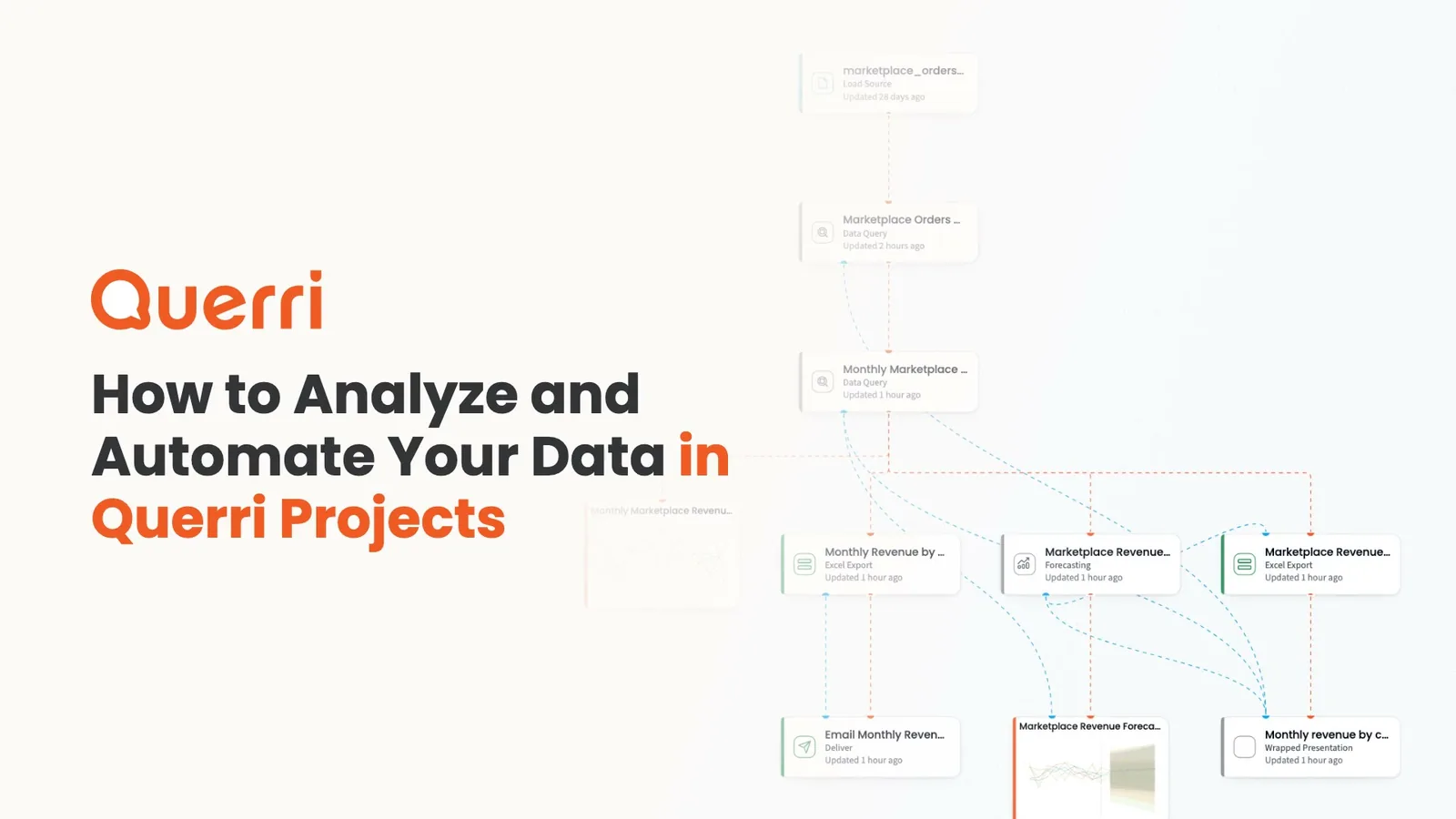
A narrated walkthrough of projects: going deeper than a quick answer, with steps you can see, specialized tools you can add, and a schedule.
In the app
A real project, step by step.
These are screenshots of Querri with a demo company's data. One question became a project of steps you can open, re-run and schedule.
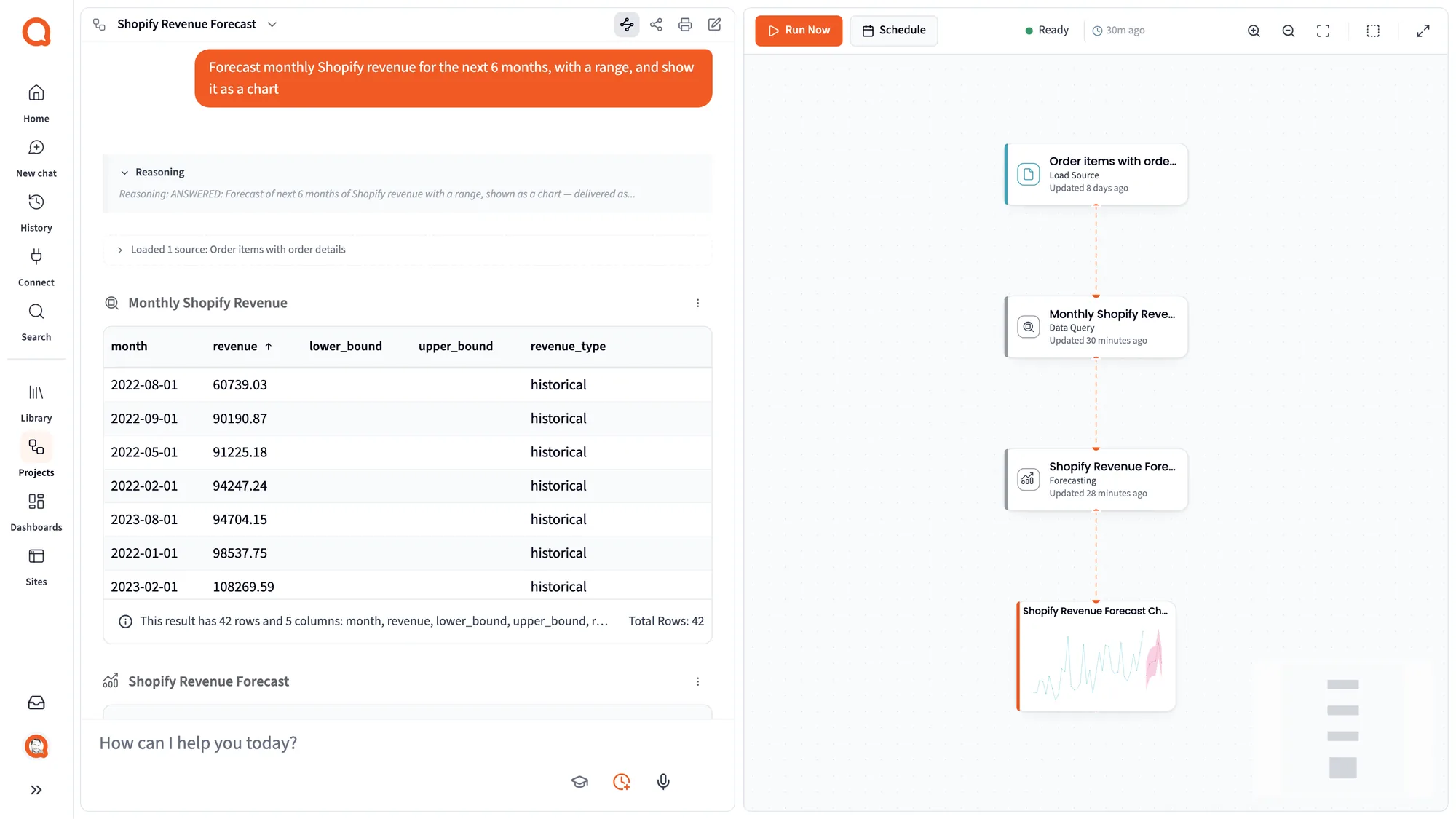
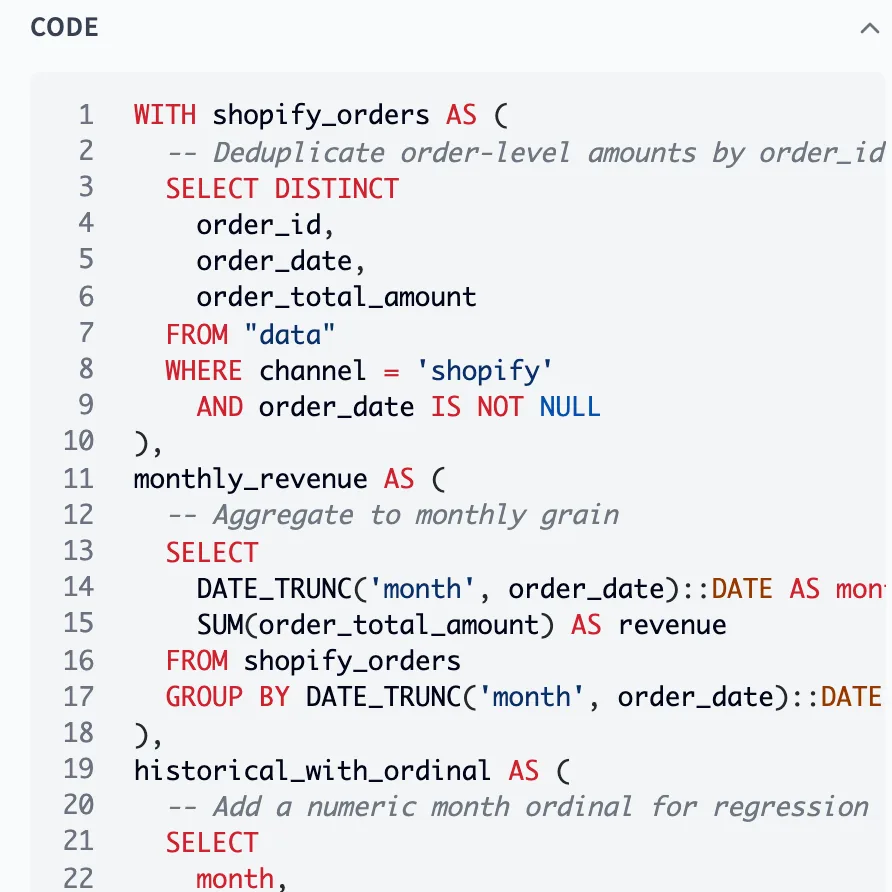
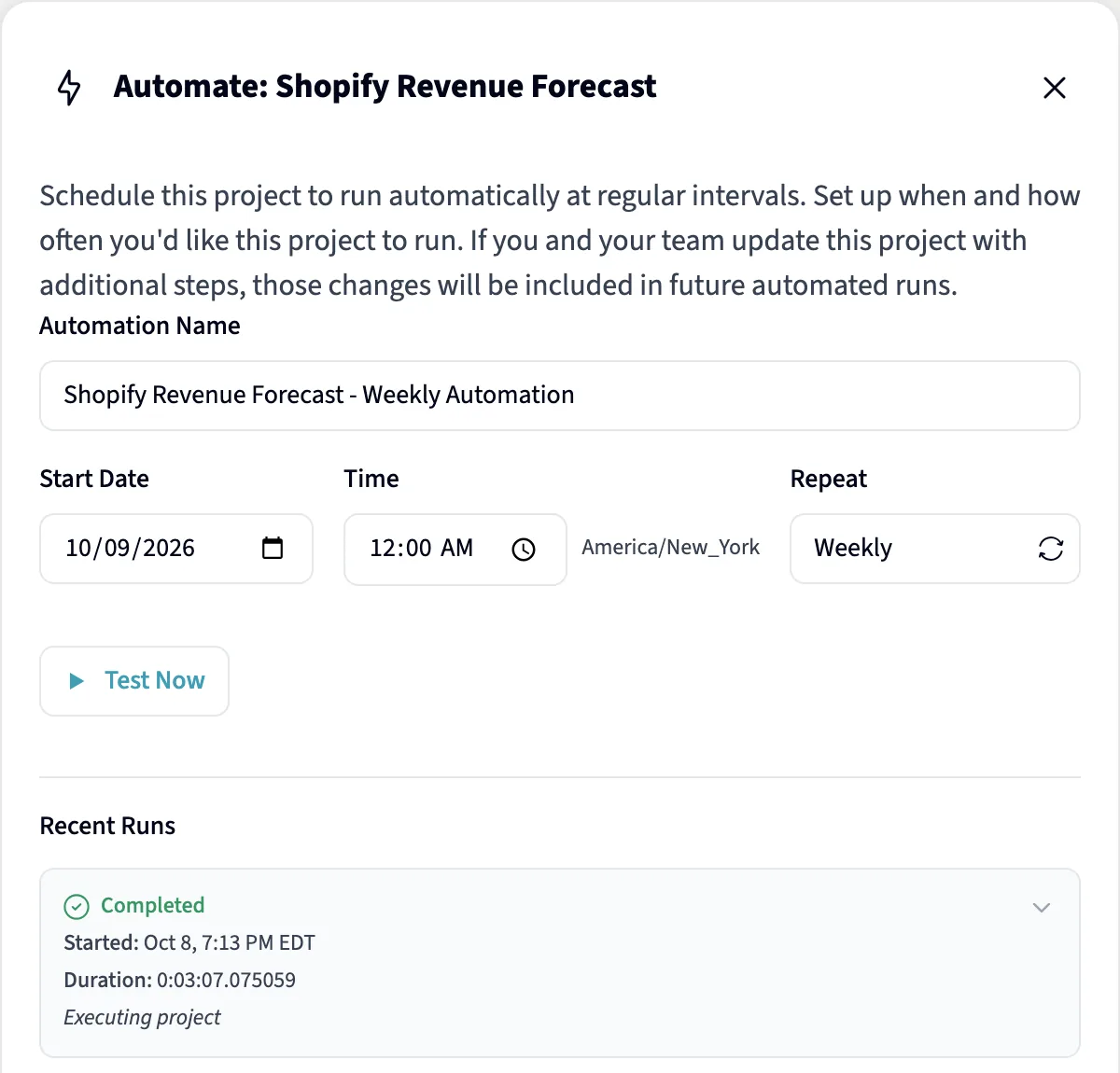
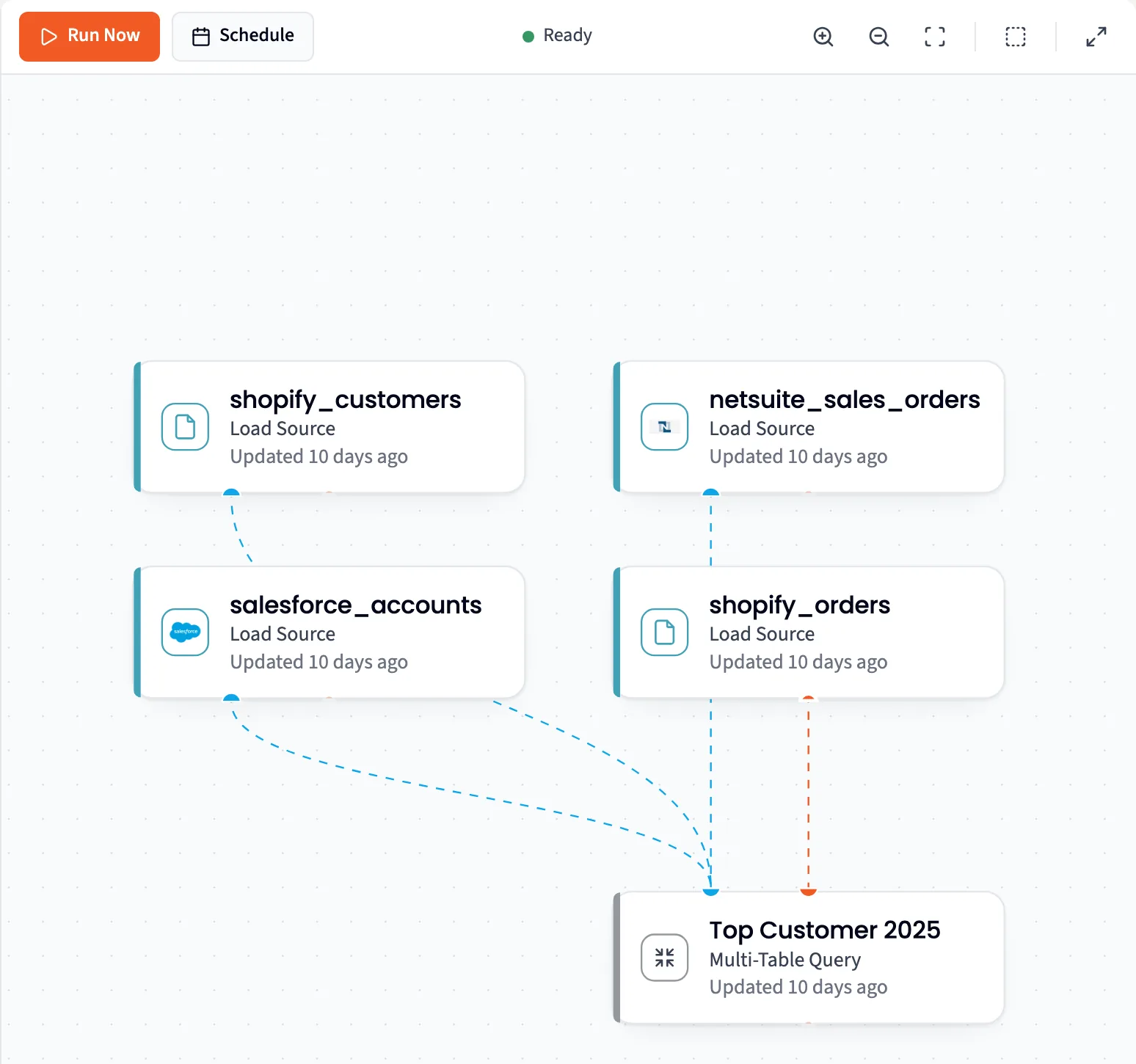
A chat answer isn't a system. A project is.
Ask a question and the agent answers with real steps on the Data Flow: Load Source, Data Query, Code and Visualization. Each one is SQL or Python you can read, from cleaning a messy export to a forecast, and you never have to save your work.
- Start from Describe what you want, Choose from your Library, or a Librarian hand-off
- Open any step for its Result summary, Caveats, Explanation and Code
- Every number has a path back to its source, through the Library
Ask once. Run it every Monday.
A step's code is written once. Run Now, a schedule or a dashboard refresh replays the stored SQL and Python against the latest data, with no model asked to redo the math, so the number never drifts. The same workflow runs the dashboard and the automation, and a refresh costs compute, not AI tokens.
Steps that call a model on purpose, such as Researcher, Categorize and Wrapped decks, call it again on each run.
Fix one step in plain language, without redoing the rest.
Refine rewrites a single step, like “sort descending” or “show it as a percentage”, re-runs only that step and keeps the old version.
Every row read. Every row in a column you can count.
The text people type is where the reasons live: deal notes, tickets, survey comments, work orders. Researcher and Categorize read it and turn it into columns you can count, as steps that run again on next month's data.
Researcher
Reads every row and fills in the columns you ask for, including sorting rows into categories you already know. Querri writes the instructions from your own rows and shows them working on 30 rows before it runs the rest.
Categorize
Finds the categories nobody listed yet. It groups similar text, names each group and puts every row in one at the level you pick (Broad, Medium or Specific), with a confidence score per row.
Every row, up to your plan's row limit.
Find the categories you didn't know you had
Nobody can read every comment, so the reasons go uncounted. Categorize groups the text into themes, puts every row in one, and the themes become a column you can chart.
Built in as steps, saved and re-run with everything else.
Forecasting
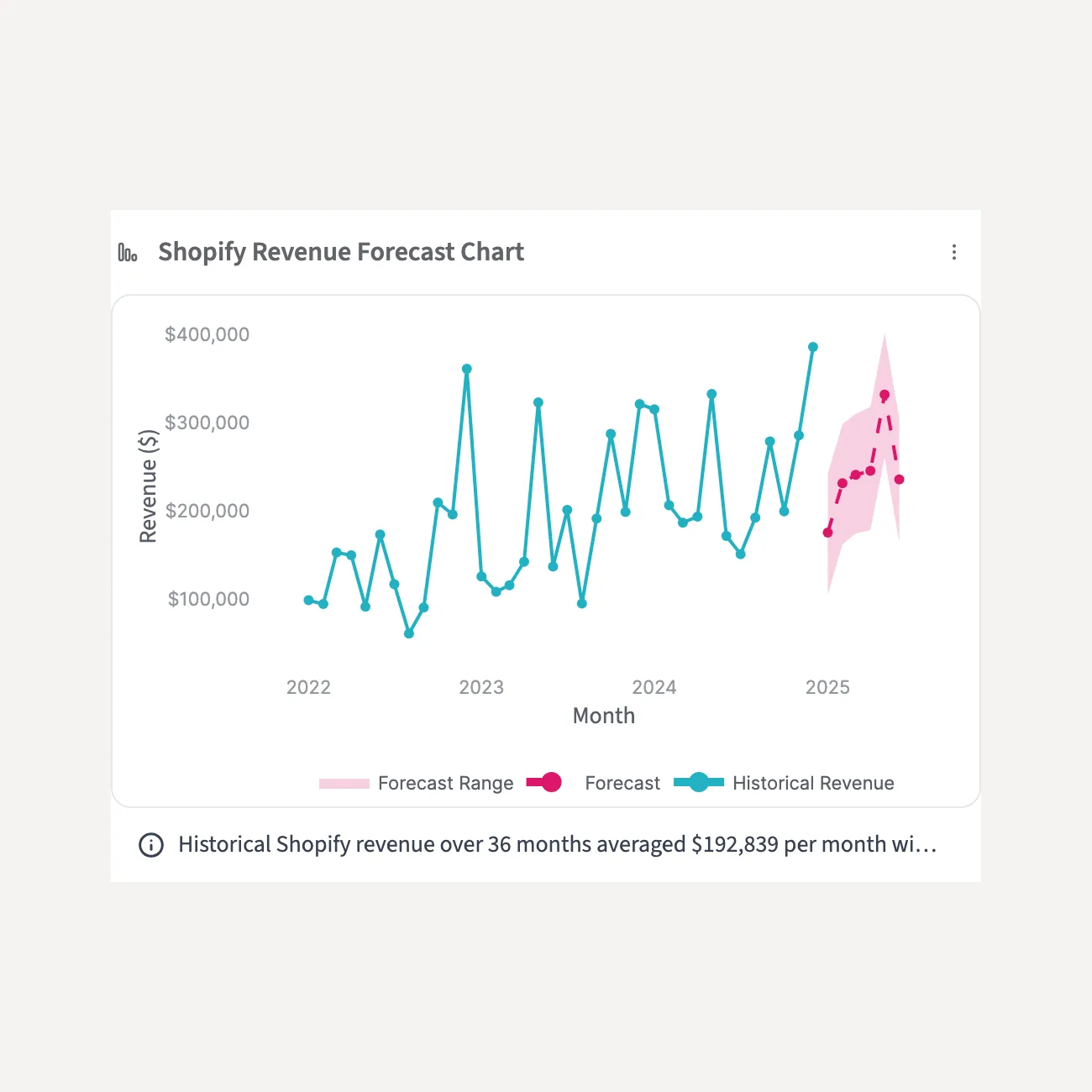
Observed and predicted values with lower and upper estimates, using ARIMA, ARIMAX or Prophet as the data suits, seasonality included.
Statistics
Checks whether two things are related, like ad spend and daily purchases, and writes up what it found. It can split a series into trend, seasonal and residual parts when you ask why a number moved.
Financial Statements
An income statement or cash flow statement from general-ledger or QuickBooks data.
Scheduling
Assigns jobs to people or slots under your rules, and checks each rule pass or fail.
Geospatial
Coordinates from addresses and back, distances, travel times and nearby places.
Ask once. Open every step. Run it again.
Ask in plain language
Describe what you want, choose from your Library, or let the Librarian hand you a project with a written brief.
Querri builds the steps
Load Source, Data Query, Code and Visualization appear on the Data Flow, each one SQL or Python you can open and refine.
It runs again
Run Now, a schedule or a dashboard refresh replays the stored code on the latest data.
Do the analysis once. Next month's run is a click.
Data consumer
The number on Monday's dashboard came from the same steps as last Monday's, run on this week's data, and you can open any step to see how it got there.
Data owner
Do the analysis once by asking, then put it on a schedule or a dashboard. It runs on new data without you or the AI redoing it.
Data team and IT
One chain from source to dashboard, every link stored and traceable, every step SQL or Python your team can read, and refreshes that spend compute instead of AI tokens.
Questions people ask
Does re-running a project ask the AI again?
Not for the math. A step's code is written once, and Run Now, a schedule or a dashboard refresh replays the stored SQL and Python against the latest data. Steps that call a model on purpose, such as Researcher, Categorize and Wrapped decks, call it again on each run.
If an AI builds the workflow, how can the number never drift?
The promise is about re-runs. Once you've checked a workflow, re-running replays the exact code, so the number never drifts. A new question is worked out fresh, with Querri's checks, and every step is there to inspect.
Can't a chat assistant already build this for me?
It can write the code once. Ask again and the model writes it again, so the result can shift and each rebuild costs tokens. In Querri, the workflow the AI built once is what runs. Keep using your assistant: Querri connects to it.
Our analysts already use notebooks. Why projects?
Keep the notebooks. Projects give the same repeatability to people who don't code, and every step is SQL or Python your analysts can read and check.
How many rows can Researcher and Categorize handle?
Both run on every row up to your plan's limit: 1,000 rows on the free plan and 100,000 rows on paid plans. Researcher first shows its instructions working on 30 rows, and runs the rest once you approve them.
When should I use Researcher, and when Categorize?
Use Researcher when you know what you want filled in, such as a loss reason from a fixed list or a sentiment column. Use Categorize when you don't know the categories yet: it finds the themes, puts every row in one and scores how sure it is.
Is the forecast just a trend line?
No. Forecasting uses ARIMA, ARIMAX or Prophet as the data suits, models seasonality, and returns observed and predicted values with lower and upper estimates, drawn as a dashed line with its range.
Related
Which report do you rebuild every month?
Bring it to a walkthrough. Ask for it once, open every step, then run it again.