Stop re-explaining the same rule every week. Teach it once. It stays right.
Tell Querri that sales means paid orders only, or upload the policy that says so, and every question, view and analysis on that data reads it the same way from then on.
Sales means paid orders only.
Applied to every question on orders, from anyone.
Where your rules live
Tell the Librarian once what counts as a sale.
Most of a business's definitions live in someone's head. Say a rule in chat, or accept a Worth remembering card in your Inbox, and it's recorded under Facts and Rules in your Library. Every later question and view on that data starts from it.
A narrated walkthrough: you tell the Librarian what counts as a sale once, it's recorded under Facts and Rules, and Querri applies it whenever the question comes back.
In the app
One sentence in chat. One rule on the data.
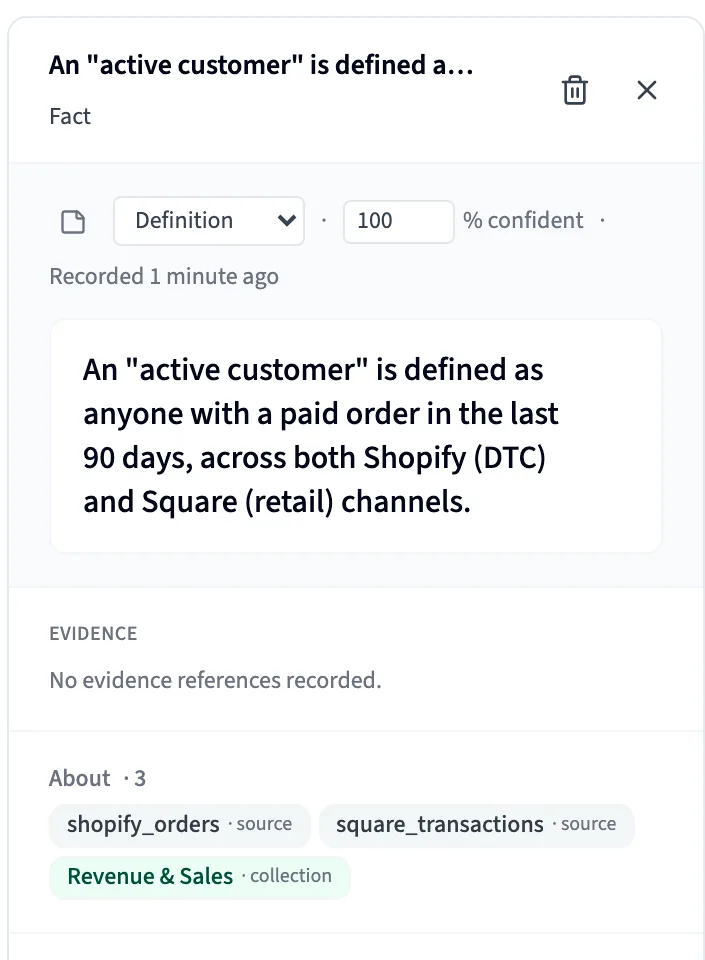
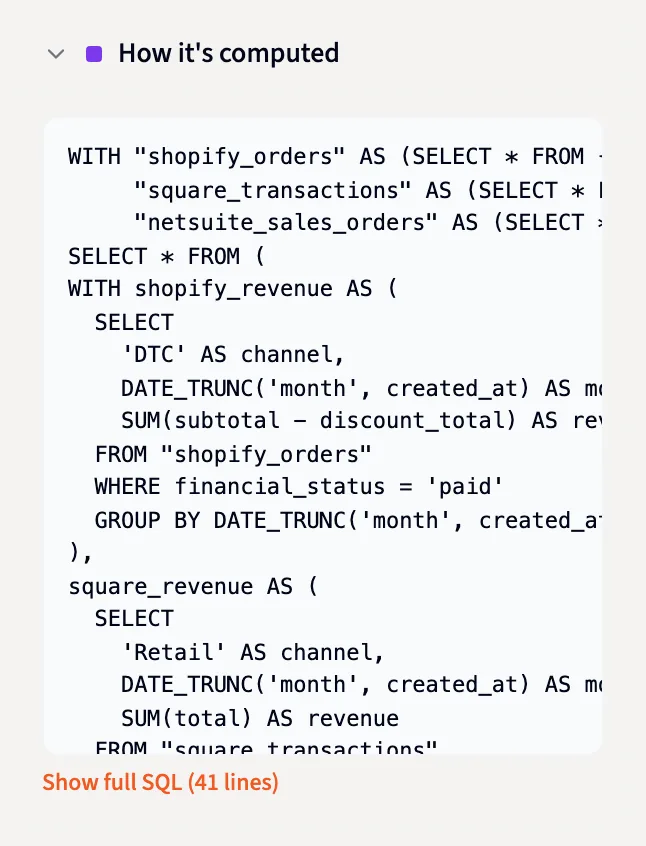
These are screenshots of Querri with a demo company's data: a rule taught in chat, where it lands, and the query that carries it.
Say it in chat
A rule said in chat becomes part of the data, for everyone.
When a rule is settled in conversation, the Librarian checks it isn't already there, then records it as a fact attached to the table it governs. Every later query on that table, from anyone, gets it as a known definition, and every view built after it carries the rule into its SQL.
- Checking Facts & Rules for an existing rule
- Nothing on orders yet
- Recording the rule on orders
Sales means paid orders only.
Whoever asks
The same question, read the same way, whoever asks.
Sales ops, finance and a regional manager can word the question three different ways. Each one starts from the company's reading, not the model's guess. A new question is still worked out fresh; it just starts from your rules. Open Show the query and the filter is right there.
-- Facts & Rules: sales means paid orders only
SELECT SUM(order_total) AS sales
FROM orders
WHERE status = 'paid'
Knowledge from documents
Your policy PDF already says it. Now your answers do too.
Upload an SOP, a policy, a contract or a data dictionary like any other file. Querri files a From a document card in your Inbox listing the statements it makes, each with its page and exact words. Tick the ones worth keeping, reword any, and they become rules.
- A statement it can't find word for word on its page is thrown out.
- Replace or trash the file, and its rules retire on their own.
- Reading documents doesn't use credits.
Statements this document makes
- “An order counts as a sale once payment is received.” p. 2
- “Refunds are deducted in the month they are issued.” p. 3
- “Test orders are excluded from all reporting.” p. 5
The data dictionary
Upload the data dictionary once. Answers speak your language.
Each entry attaches to the column it describes, even if the dictionary arrives before the data. A search for “wages” finds WAGP, and answers show names instead of codes.
- A nightly check files a card in your Inbox when the data drifts from the dictionary.
WAGP Wages or salary income Described in the data dictionary Students by institution type
1 Public, 4-year 12,480 2 Private nonprofit, 4-year 8,215 3 Public, 2-year 5,904 Animated screens on this page are illustrations with example data. Screenshots are from Querri, using a demo company's data.
You stay in control
You decide what goes in, and who can change it.
Rules don't hide in anyone's prompts. They sit in one place, next to the data they govern.
One place to see and fix
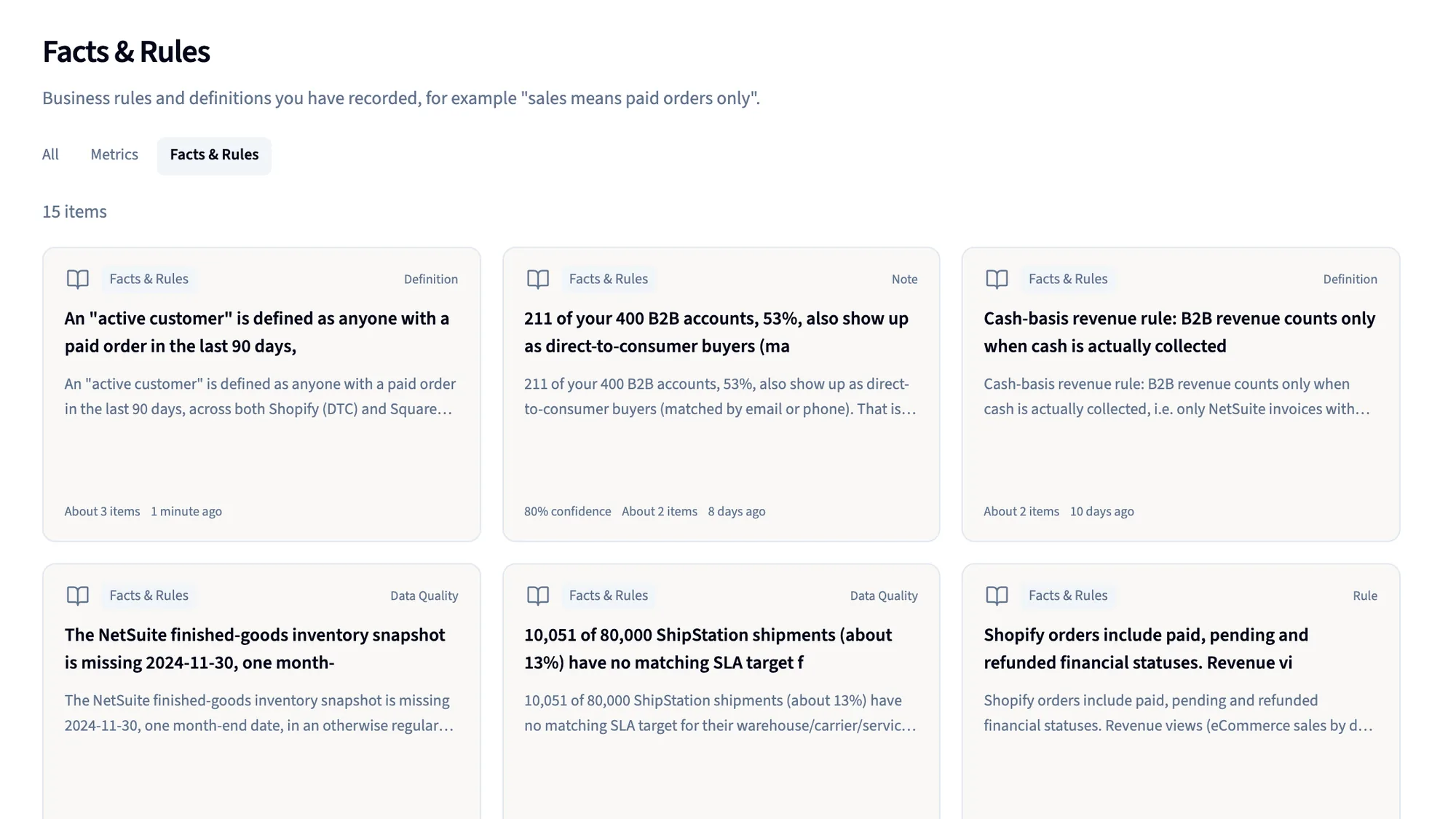
Every rule is listed under Facts & Rules with the data it's attached to, where you can edit or remove it.
Document rules wait for your tick
By default, statements from a document become rules only once someone ticks them in the Inbox, and each keeps its quote.
Private stays private
Rules live in their workspace, so a private file's rules stay as private as the file. Workspaces and roles decide who can change what.
How it works
Three steps, no ticket.
- 1
Say it, or upload it
Tell the Librarian the rule in a sentence, accept one from an Inbox card, attach a fact to a column, or upload the document that already says it.
- 2
It's attached to the data
The rule lands under Facts & Rules, on the table or view it governs, where you can see it, edit it or remove it.
- 3
Every answer starts from it
Chat answers, new views and the analysis steps of every project on that data get the rule, word for word.
Who it's for
One rule, three people who stop arguing about it.
Data consumer
Ask the way you talk and get the company's reading of the question, not the model's guess, whoever asked before you.
Data owner
Say it once, in a sentence, or point at the policy that already says it, and stop re-explaining the same rule every week.
Data team / IT
Business rules end up attached to the tables they govern, visible and editable in one place, instead of scattered across everyone's prompts.
FAQ
Questions about facts and rules
What counts as a fact or a rule?
Anything the business knows that isn't a question, a KPI or a view: a definition like “sales means paid orders only,” a timing rule, a scope rule, or a measured data problem such as a column that is often blank. Each one is attached to the data it's about.
How is this different from a chat assistant's memory?
That memory belongs to one person and one chat history. A Querri rule is attached to the data, so everyone who asks about that data, and every view built on it, reads it the same way.
What if someone teaches it a wrong rule?
Every rule is listed under Facts & Rules next to the data it governs, so you can see it and fix it in one place, and workspaces and roles decide who can change what. By default, rules from documents wait for someone to tick them, and they carry their quote.
Will the same question always get the same answer?
A saved report replays exactly. A new question is worked out fresh each time, but it starts from your rules, so it lands on your reading instead of whichever one the model picks that day.
Which documents can I upload?
SOPs, policies, contracts and data dictionaries, uploaded like any other file. Querri proposes the statements a document makes, each with its page and exact words, and throws out any it can't find on that page. Replace or trash the file and its rules retire. Reading documents doesn't use credits.
Is my data used to train a model?
No. Querri never trains a model on your data.
Keep exploring
Where your rules show up next
Bring the rule your team re-explains most.
Book a 30-minute demo. We'll teach it to Querri in one sentence, then open the next answer's query and show you the rule inside it.