Pull the numbers. Paste them into a spreadsheet. Save one copy per rep. Email each one. Every Monday.
Never build the Monday report again.
Build the analysis once as a project. Querri reruns the same steps on new data and sends the result as real email, a formatted Excel workbook, one version per rep or client, or a branded deck.
In the app
The same reports, built and scheduled in Querri.
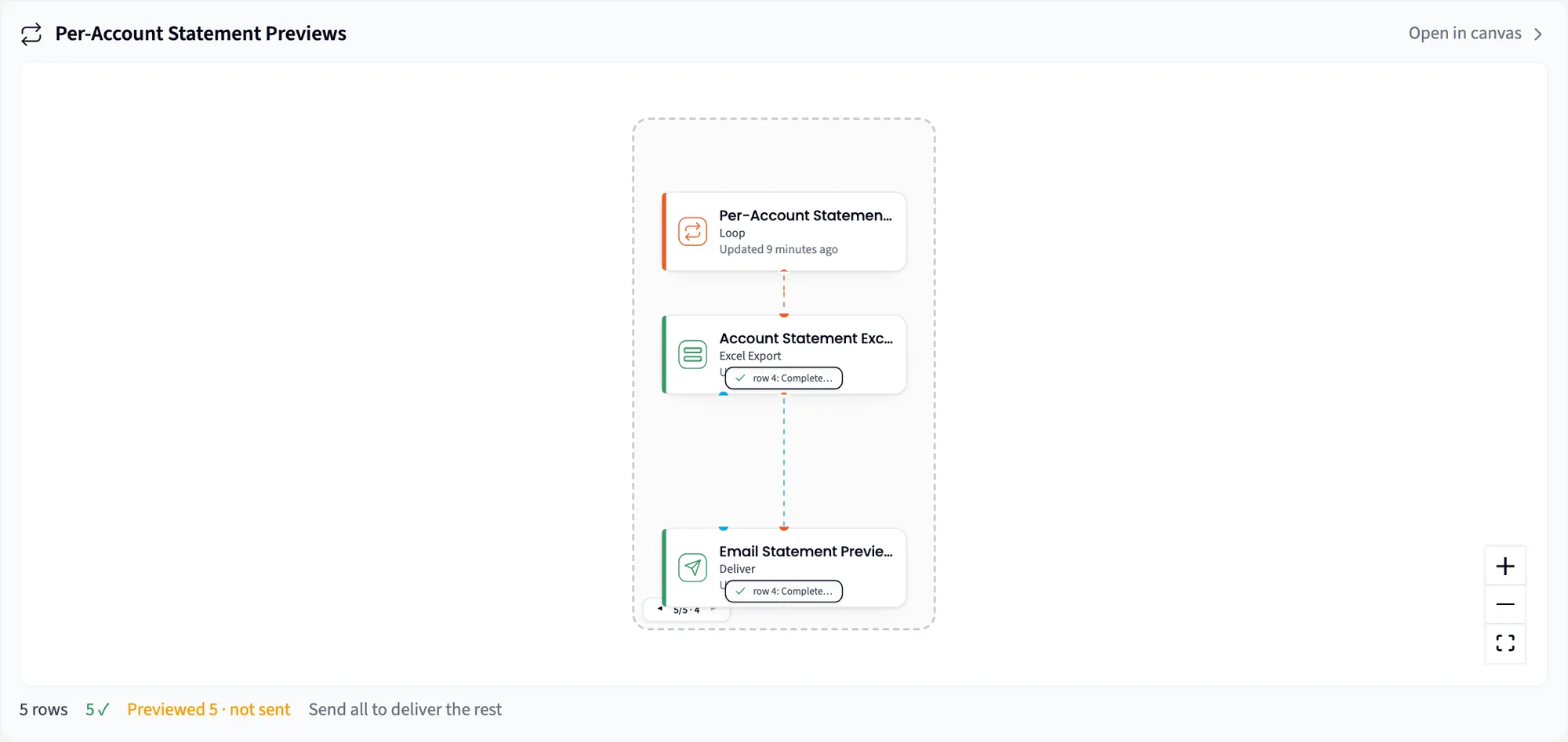
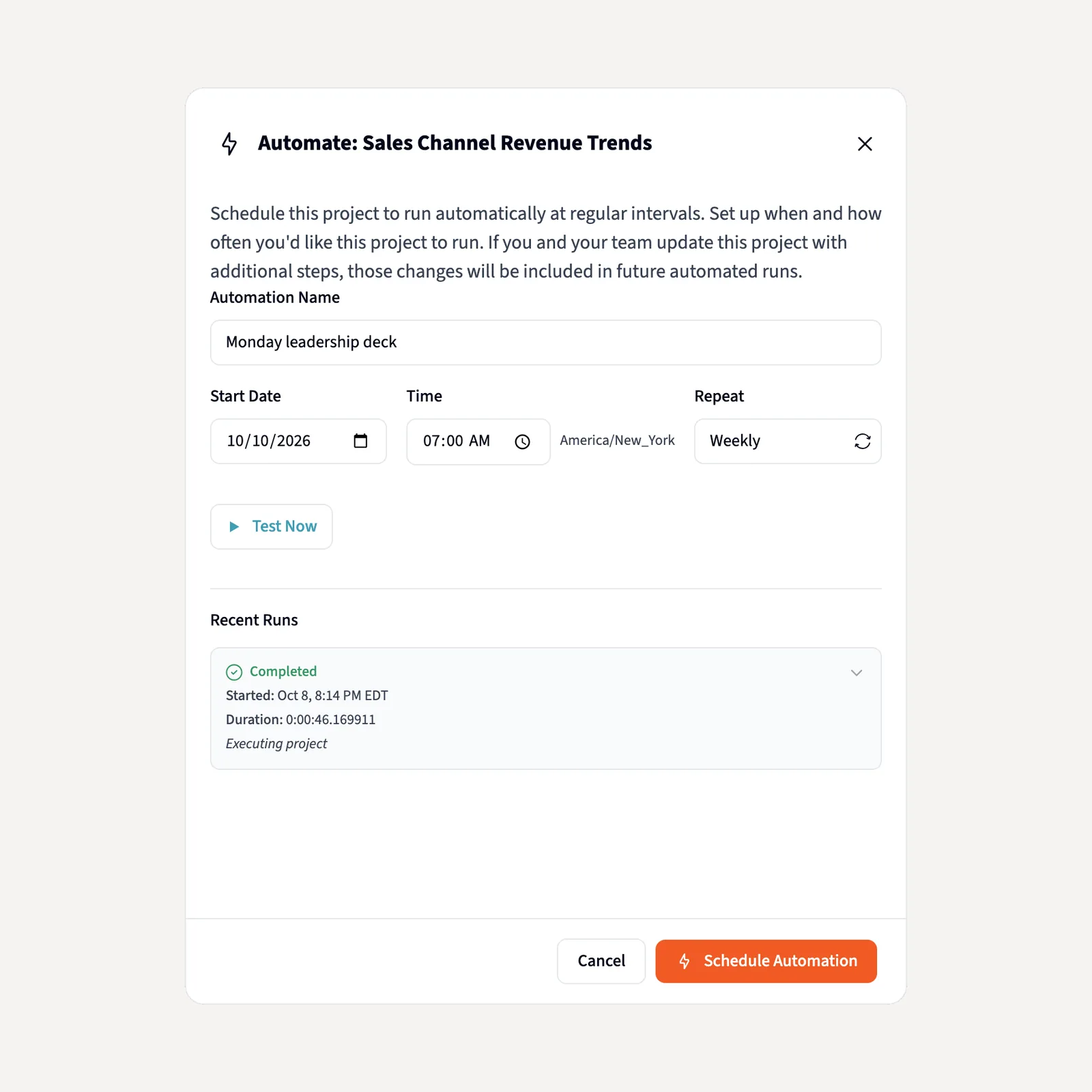
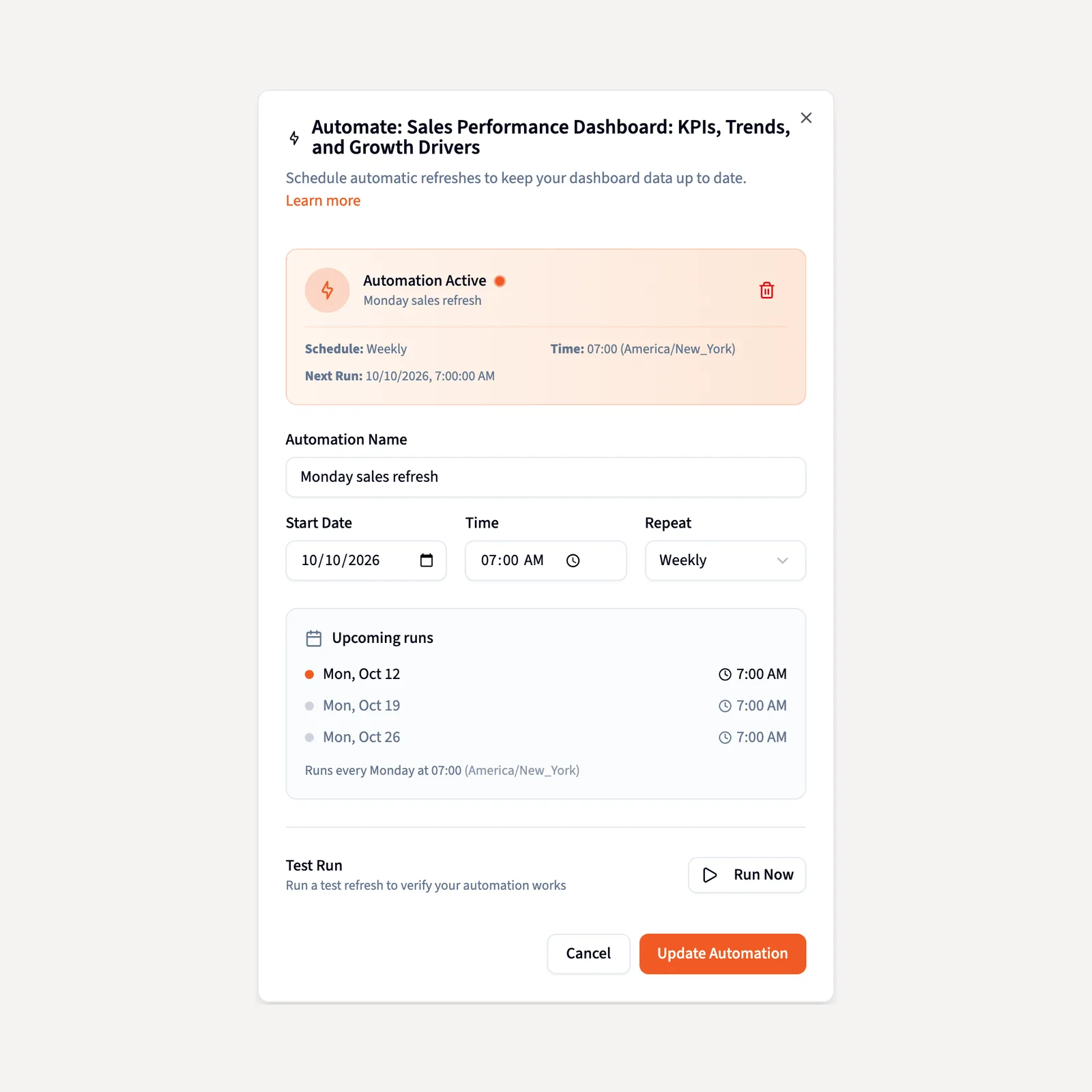
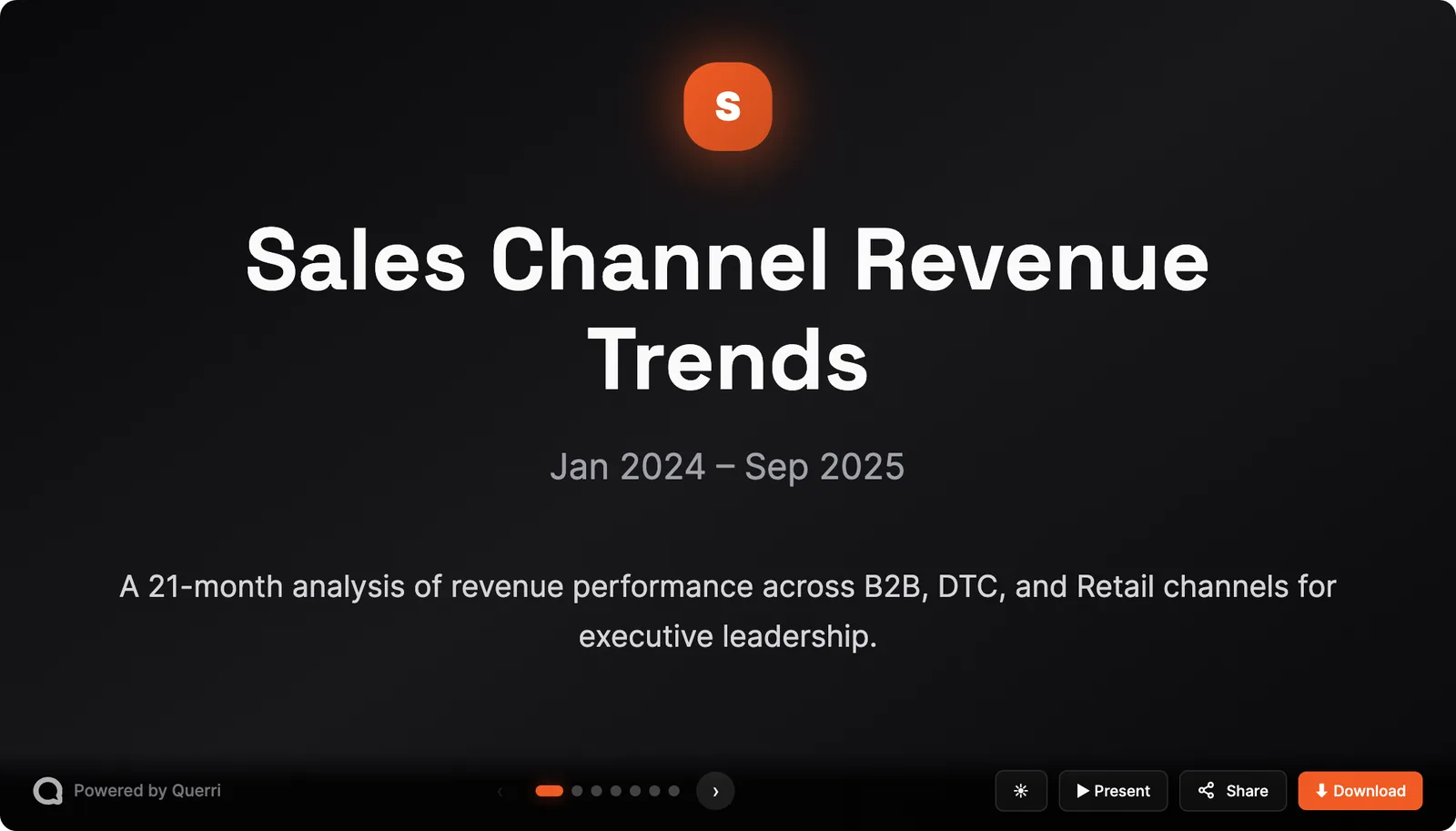
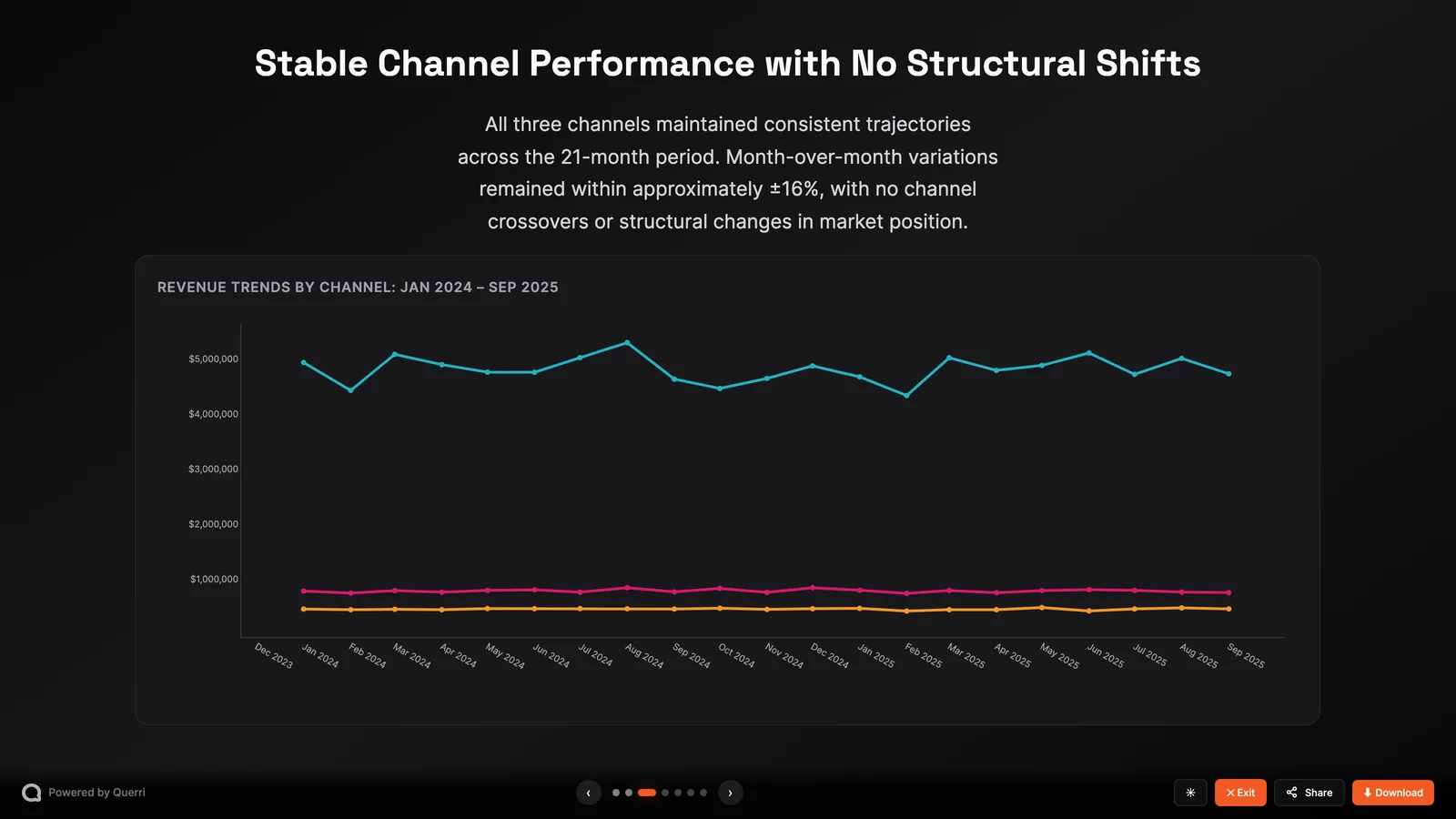
These are screenshots of Querri with a demo company's data: a Loop of per-account statements, two schedules and a Wrapped deck.
Build it once. Querri does it again every week.
Each piece is a step in a project, so every run replays the same analysis on new data.
The report is current before anyone asks for it.
Schedule reruns a whole project Hourly, Daily, Weekly or Monthly at the time you pick, including steps you add later, and processes its exports and emails on every run. A dashboard's Automate reruns the projects behind it, so the page is fresh before the Monday call.
- Recent Runs shows the last week of runs. Test Now runs it once, on demand.
- If the project is still busy when the schedule fires, the run waits instead of being dropped.
- Several missed firings collapse into one run, so the Monday report doesn't vanish.
Twenty personalized reports take the same effort as one.
A Loop repeats the same steps for every row of a table. One request builds a workbook per region, a chart per store or an email per rep, each sent to that row's address. Each one is the whole analysis run on that row's slice: joins, cleanup, the Excel step, even AI steps.
- Querri builds the first five as a preview and sends nothing until you click Send all reports.
- A row that fails is recorded, and the others still go out. Fix it and resend that one.
- You decide which reports to build and who gets each one. Recipients don't need a Querri login.
Reports send themselves, and nothing goes out by surprise.
A Deliver step sends real email from a project, with values from your data in the subject and body, and project files attached: an Excel workbook, a CSV or a chart image. It shows the full recipient list as a preview until you click Send now or the project runs on schedule.
- This week's number in the subject line, not buried in the attachment.
- Variables are lookups, not code, so anyone can write the email safely.
- An admin can set Message delivery so email comes from your organization's own address.
From analysis to the boardroom in minutes.
Ask a project for a presentation for the leadership team, and Wrapped turns its charts and tables into a branded, animated deck. It plans the story and writes each slide to one of 20 designed slide types. The charts in your deck are the charts in your analysis.
- Your brand, your chart standards and your company's words, on every slide.
- Present it live in Querri with interactive charts, or download PowerPoint (Editable), PowerPoint (Pixel Perfect) or PDF.
- Wrapped is a step in the project, so a scheduled run rebuilds the deck from the latest numbers and rewrites the story to match.
Excel workbooks
An Excel Export step builds a new workbook from the analysis, with a sheet for each step you name, bold headers, a frozen top row, currency formats, data bars and color scales, and formulas such as SUM and VLOOKUP across sheets when you ask. Querri reads the workbook back and fixes any formula that errors before you get the file.
See Excel toolsExport
Clean the data once and every later project starts from it. Export Settings send a result on every run, into the Library as a source other projects can use, or to a Google Drive folder that updates each time. Tables also download as CSV, Excel or Parquet, and charts as PNG or SVG.
Explore the LibraryRe-running a saved report replays the same code, so the number doesn't quietly change next month.
A rerun replays the same code against the same Library as the dashboard and the chat, so the Monday email agrees with the board deck.
Three steps, then it runs on its own.
- 1
Ask for the report once
In a project, ask in plain English: for each sales rep, build an Excel workbook of their open pipeline and email it to them.
- 2
Check the preview
Open one of the five previews and look over the full recipient list. Nothing has been sent.
- 3
Send it, then schedule it
Click Send all reports, then set the project to Weekly, Monday 7am. Next Monday it runs without you.
Everyone gets their numbers. One person builds them once.
Your numbers show up before you ask: your pipeline every Monday, the month-end file on the 1st, the leadership deck ready to present. Same definitions as everything else, so nothing contradicts.
Build it once. Querri reruns it on schedule, makes one version per rep or client with Loop, and emails it. Twenty reports, built one time.
No report servers, cron jobs or email scripts to babysit. Runs and history live in the product, and nothing sends until a person sends it or schedules it.
For partners: send every client their own report from your own address, built once.
Questions people ask
Can Querri email people without my OK?
No. A Deliver step built in your chat shows a preview of the email and the full recipient list, and a Loop builds the first five reports as previews. Email goes out only when you click Send now or Send all reports, or when the project runs on the schedule you set.
How often can a report run?
Hourly, Daily, Weekly or Monthly, at the time you pick. Test Now runs it once on demand, and Recent Runs shows the last week of runs. If the project is still busy when the schedule fires, the run waits and runs once instead of being dropped.
Can each rep or client get their own version?
Yes. A Loop repeats the whole analysis for every row of a table, such as one row per rep, and a Deliver step sends each result to that row's address. The data owner decides which reports to build and who gets each one, and recipients don't need a Querri login.
What can a report contain?
Real email with values from your data in the subject and body, plus attached project files: an Excel workbook, a CSV or a chart image. Wrapped builds decks you can present in Querri or download as PowerPoint or PDF. Tables also download as CSV, Excel or Parquet, and charts as PNG or SVG.
Can email come from our own address?
Yes. An admin can set Message delivery so email is sent from your organization's own mail server and address. Partners use this to send each client their own report under their own name.
What if one of forty reports fails?
That row is recorded and the other reports still go out. You fix the one that failed and resend it.
Will the number quietly change next month?
Not on its own. Re-running a saved report replays the same code against the same Library, so the same data gives the same number. New data gives new numbers, and Wrapped rewrites the deck's story to match them.
Keep exploring
Build it once. It lands in inboxes every Monday.
Bring the report you rebuild every week. We'll show you it built, previewed and scheduled.