Export from the CRM, the accounting system and a spreadsheet. Paste. VLOOKUP. Fix the formats. Save one copy per area. Every month.
Excel native, both in and out.
Querri works through every sheet of a messy workbook, pulls out each table, and keeps it current when you replace the file. Then it hands back Excel tools built from your data, not dumped from it.
In the app
A working workbook, previewed in Querri.
These are screenshots of Querri with a demo company's data: an accounts receivable lookup workbook built from invoices, and a Loop that builds one statement per account.
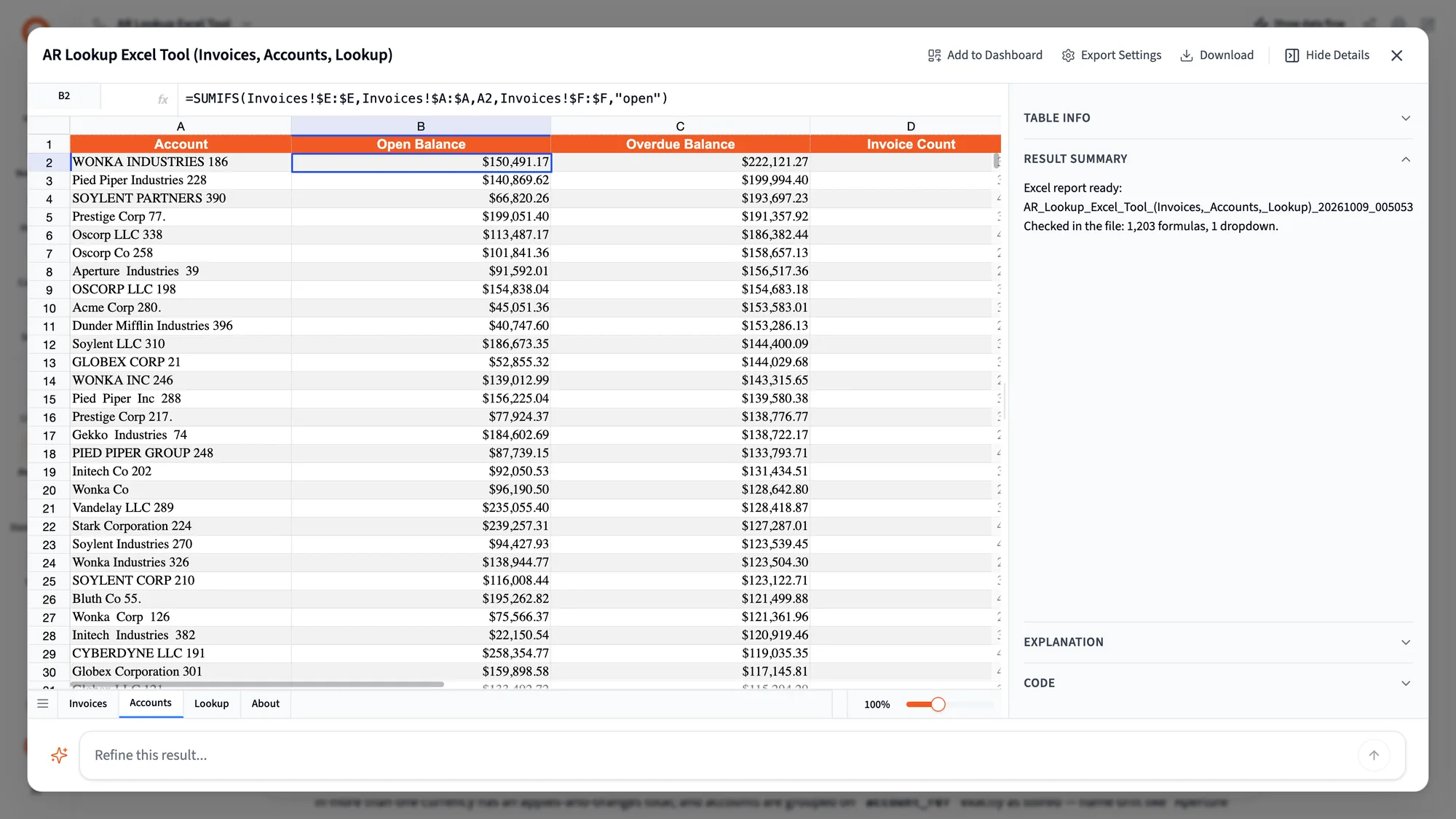
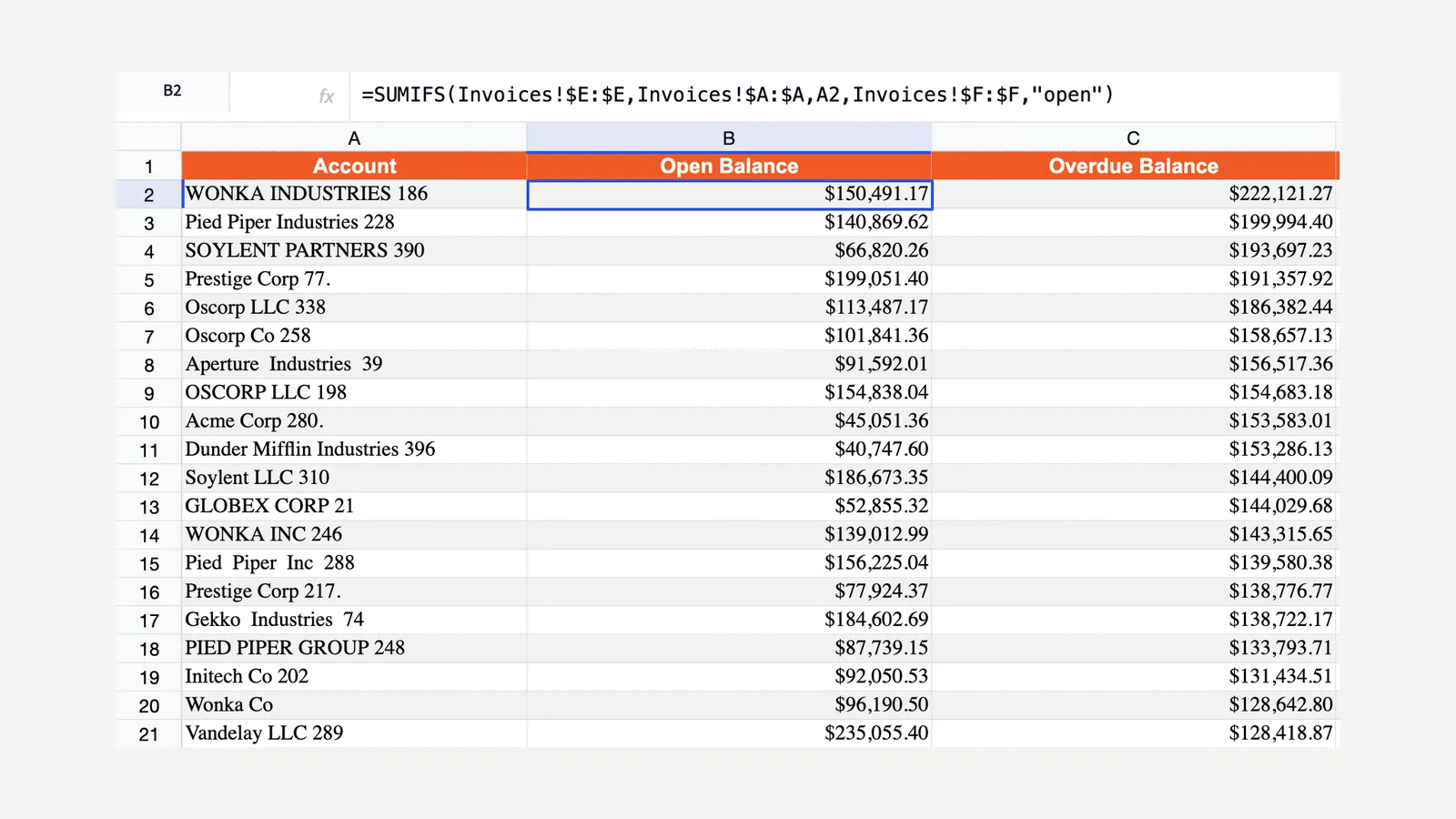
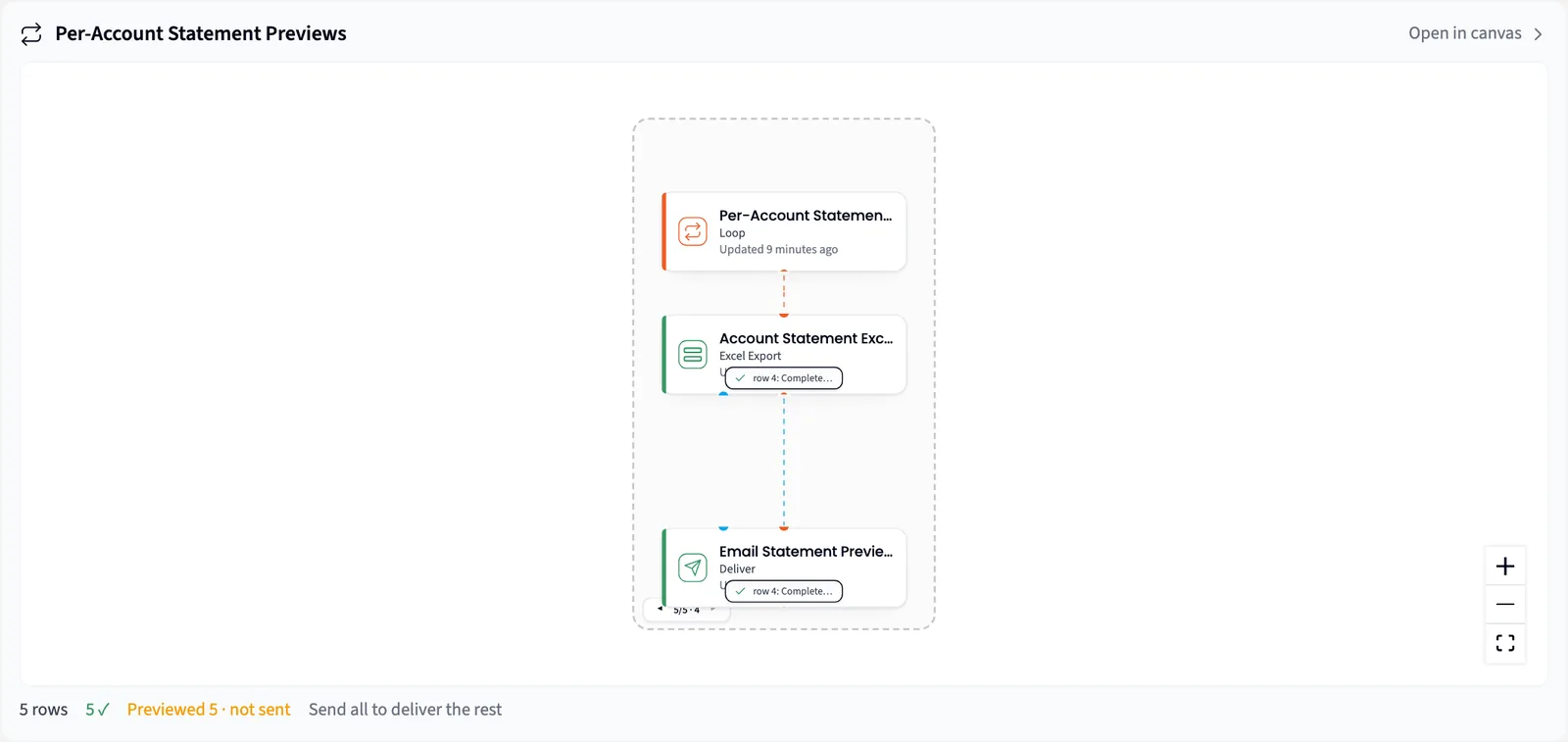
Querri reads the workbook you have and builds the one you need.
Spreadsheets come in as sources the whole Library can use. Answers go back out as Excel your team keeps working in.
Bring the messy workbook. Querri finds the tables.
An agent reads the whole workbook before it decides how to extract it. It lists every sheet, peeks at cells, finds labels, reads formulas with their values, and samples the first, middle and last of a run of monthly tabs before assuming they match. It finds the table under the title rows, beside the notes and above the totals, including several tables on one sheet.
- The way it extracted the data is saved as a step, and next month's file is read the same way.
- A column becomes a number or a date only if every value converts. Otherwise it stays text, so nothing is thrown away.
- Drop in the spreadsheet in front of you, up to 2 GB, and ask about it. Uploads use no credits.
Replace the file, and everything built on it updates.
Replace file… swaps in next month's workbook and keeps the file's name and identity, so nothing is relinked. Every Library view on it rebuilds at once, and every project and dashboard reading it picks up the new numbers on its next run.
- The extraction uses open-ended bounds, so added rows and columns come along.
- A drift check compares the columns. If some went missing or were renamed, Querri remaps once and tells you what changed.
- Or pick the file in Google Drive. Querri sees only the files you pick.
Excel tools, not data dumps.
Ask for the workbook your team rebuilds every month. Querri builds it from cleaned, joined data across the Library, under your row-level access, with dropdowns fed from another sheet, lookups that fill in when you pick a value, and live SUM, INDEX/MATCH and cross-sheet formulas that recalculate when someone edits an input.
- A model writes the program that builds the file from real rows, so it never types a number into a cell.
- Every workbook explains itself: an About tab lists what each sheet holds and links back to the live project that built it.
- Bold headers, a frozen top row, currency formats, data bars and color scales.
Querri opens the workbook before you do.
Querri reads the file back and fixes the formulas that would have said #NAME?. It adds the hidden prefix Excel needs for newer functions like XLOOKUP and IFS, and catches, by exact cell, functions written in Spanish, Portuguese, French or German, semicolon separators, FILTER or UNIQUE that won't spill, hours shown as a time of day, and dropdowns pointing at an empty range.
- Querri only describes what the read-back found in the file.
- Lookup sheets are written without FILTER, so they work in older Excel too.
Built once, refilled every month, sent to every area owner.
The build code is saved on the step, so a scheduled run or a Loop reruns it on new data: one workbook per rep, region or program. Deliver attaches each one to its owner's email and previews five until you click Send all reports.
See reports and automationFrom the file you have to the tool they use.
- 1
Drop in the workbook
Upload the spreadsheet, or pick it in Google Drive. Querri finds the tables and saves how it read them.
- 2
Ask for the workbook you rebuild
Describe the tool: a Programs sheet, a dropdown to pick a program, and a lookup that fills in its budget, spend and variance.
- 3
Check it, then schedule it
Open the workbook, check the previews, and set it to run monthly. Next month, replace the source file and the tool refills.
Your team lives in Excel. Querri sends them something that works there.
Ask about the spreadsheet in front of you. The monthly workbook arrives with this month's numbers, a dropdown to pick your area, and formulas that still add up when you change an input.
The monthly workbook becomes a source: Querri works out how to read it once and saves that as a step. Build the tool once by asking, and Querri refills it and sends each area its own copy, so you stop pulling and pasting.
Workbooks come from the same Library and access rules as every dashboard, and each traces back to its project through the About tab. Systems without a connector still get in through their export.
Questions people ask
Can Querri edit the workbook we already use?
It builds a new workbook each time, which you can model on yours. It won't edit an uploaded file in place, and it tells you so.
What happens when next month's layout changes?
The extraction uses open-ended bounds, so added rows and columns come along. A drift check compares the columns, and when some went missing or were renamed, Querri remaps once and tells you what changed.
How big can files and workbooks be?
You can upload files up to 2 GB, and uploads use no credits. An Excel export writes up to 100,000 rows and refuses above 500,000. For big data sets, give each area its own filtered workbook with Loop, which is usually what the area owner wants anyway.
Will the formulas work in our version of Excel?
Querri reads every workbook back before you get it. It adds the hidden prefix Excel needs for newer functions, catches function names written in other languages and formulas that won't spill, and writes lookup sheets without FILTER so they work in older Excel.
Does it work with Google Drive?
Yes. Pick the file in Google Drive and it comes in through the Drive connector, the same way an upload does. Querri sees only the files you pick.
Who can see the data in a workbook?
The workbook is built from the Library under the row-level access of the person who asks for it, the same access rules as every dashboard. Querri is SOC 2 Type II, HIPAA and ISO 27001:2022 certified, each customer organization has its own database and storage, encrypted at rest with AES-256, and your data never trains a model.
Do I have to rebuild it every month?
No. The build code is saved on the step, so a scheduled run or a Loop reruns it on new data and Deliver sends each copy to its owner.
Keep exploring
Bring the workbook you rebuild every month.
We'll show you Querri reading it, building the tool your team asked for, and sending each owner their copy.