Nightly insights and Monitors
Revenue's up. Three stores aren't. Wake up to what changed.
Nobody can think of every question their business needs asked, and problems hide behind healthy totals. Every night Querri works through your Library, finds what changed and what nobody has asked yet, checks each finding against your data, and has it in your Inbox by morning.
Nothing changes without your OK. It never trains a model on your data.
While you sleep
Each night Querri works through your Library. By morning it's in your Inbox.
It groups the questions your team asked, looks for the ones your data could answer that nobody has asked yet, checks your columns and joins, and watches your metrics for unusual moves. Every suggestion is tested against your real data first, and nothing is added until you accept it.
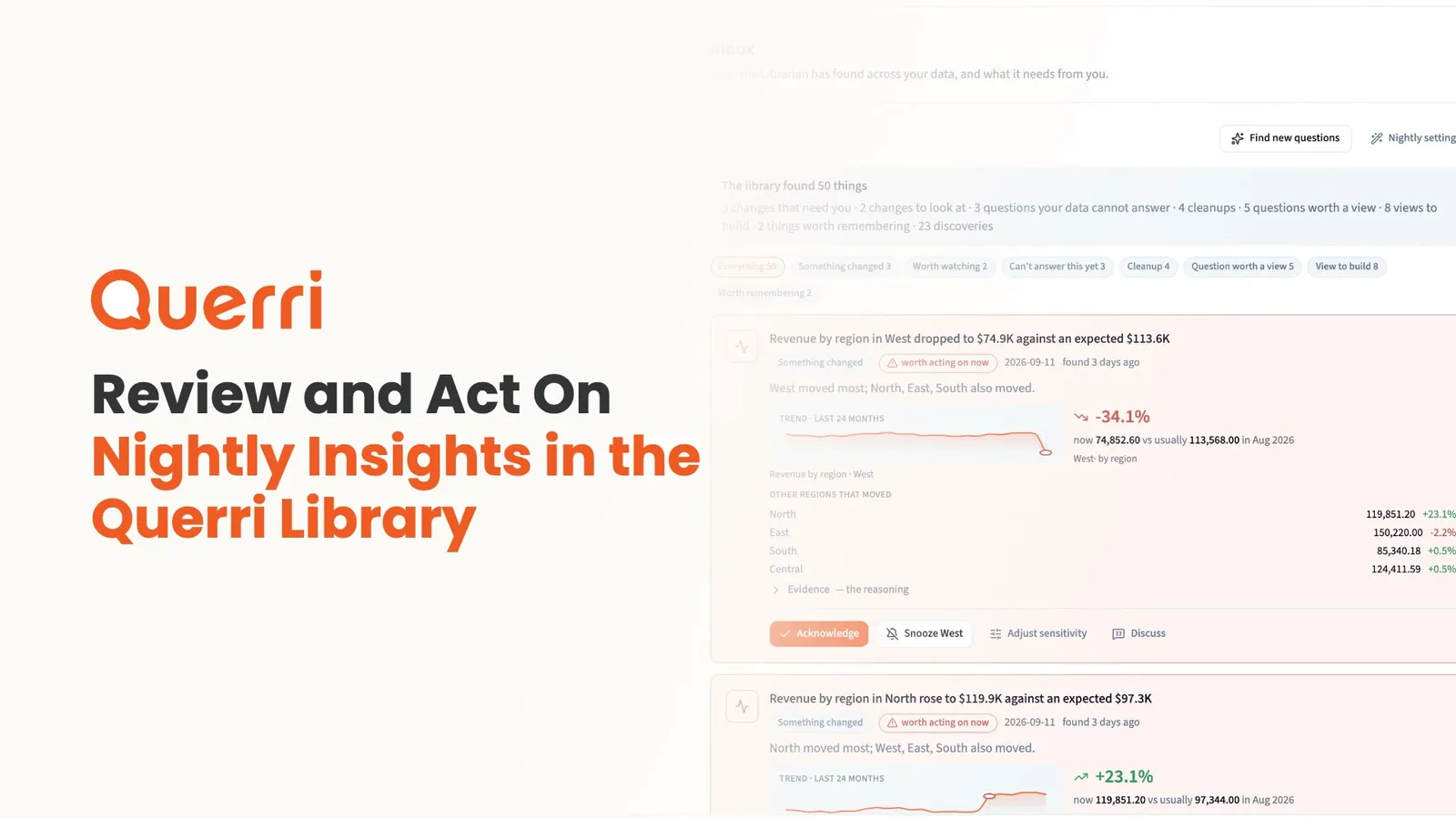
A narrated walkthrough of what Querri works on overnight, and how you review, accept, edit or snooze what it leaves in your Inbox.
How it's done today
The dip shows up in the meeting, not before it.
Most data tools wait for someone to ask. So the store that's sliding inside a healthy total gets found by whoever happens to filter to it.
The Monday dashboard scan
It works until that person is busy, and it only covers the slices and questions they already think to check.
Threshold alerts on the total
They fire when one tile crosses a line someone typed in. Set it tight and it fires on noise. Set it loose and it never fires.
"Can you find us some insights?"
The analyst gets to it when the urgent work is done. A scheduled AI prompt re-asks a model with no memory of your definitions.
In the app
The real Inbox, and a monitor on every store.
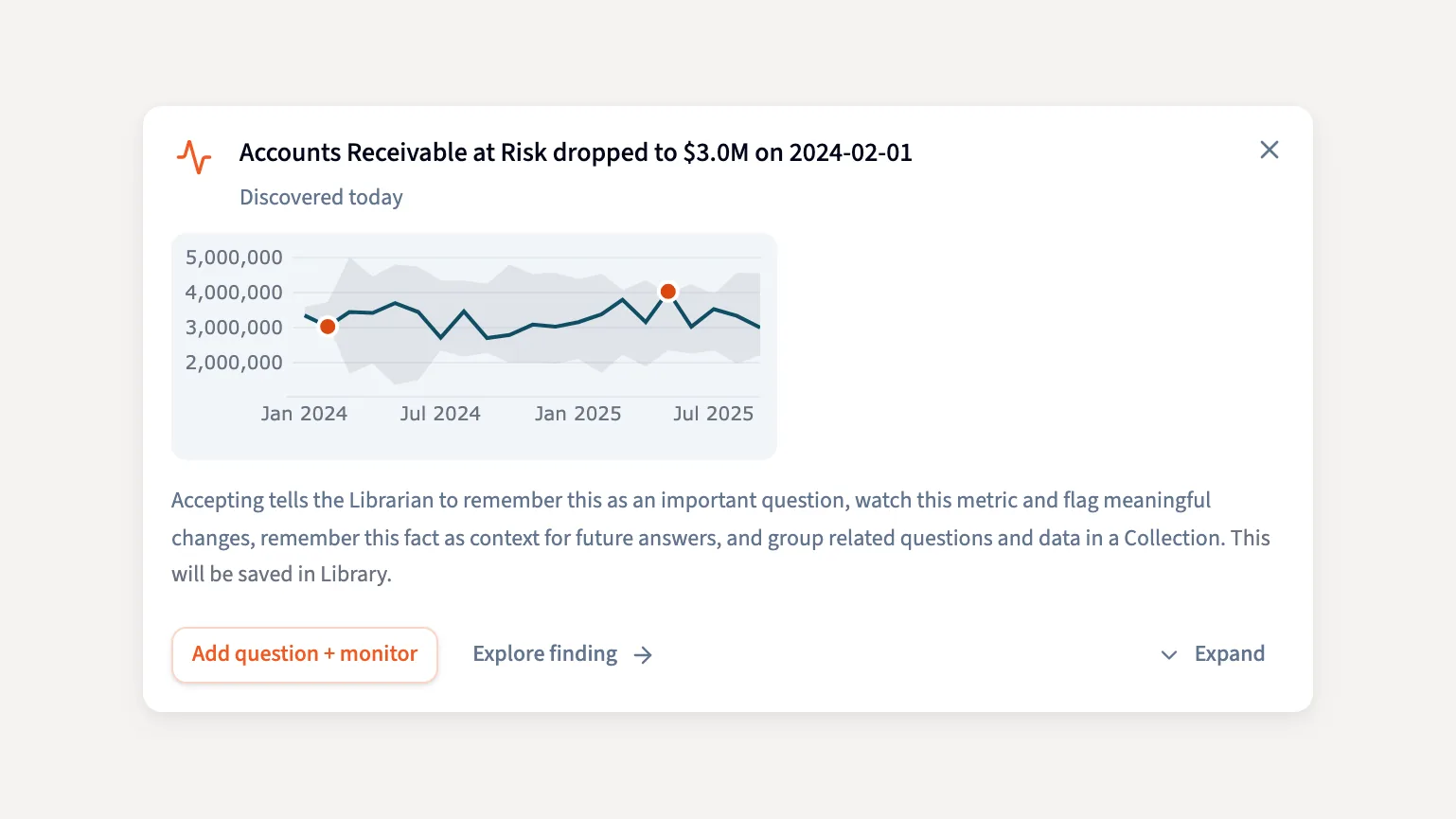
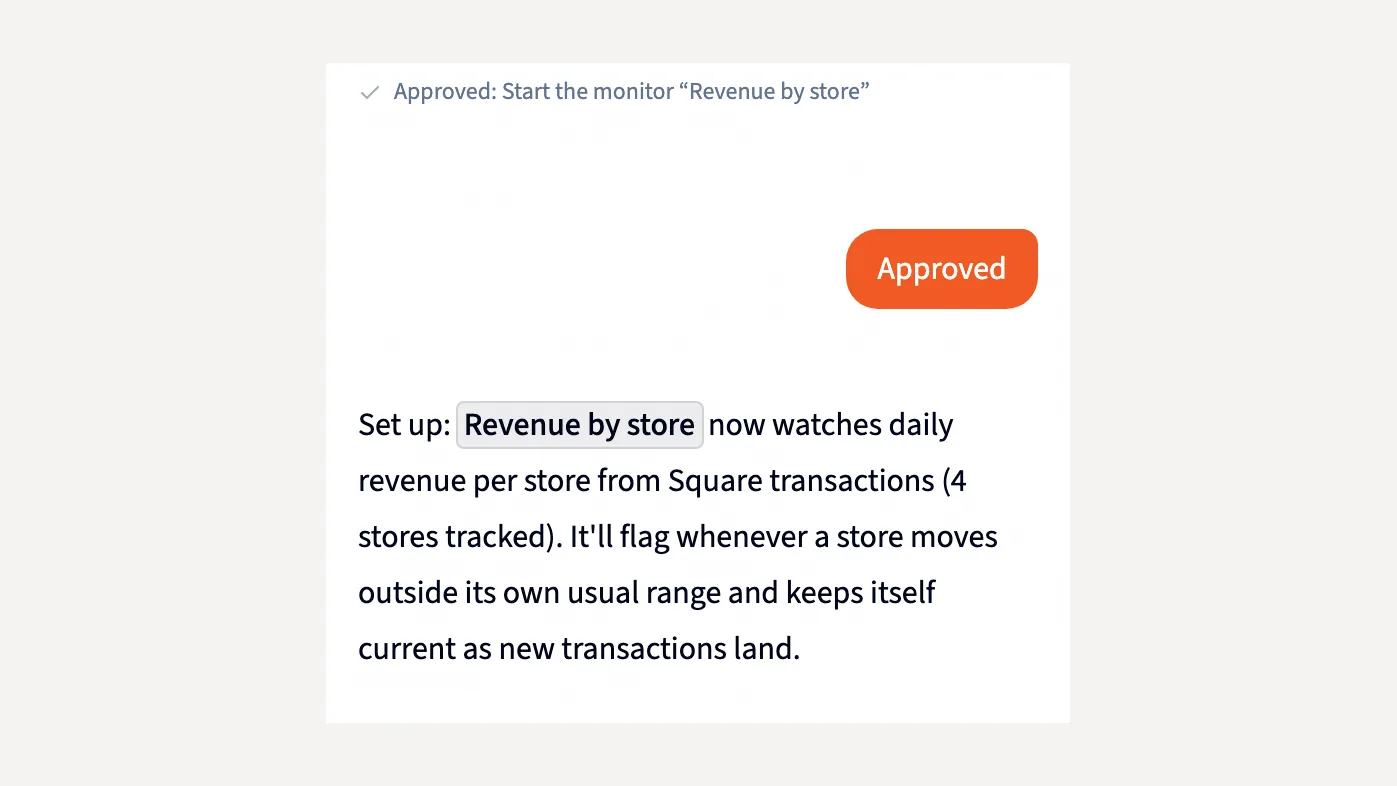
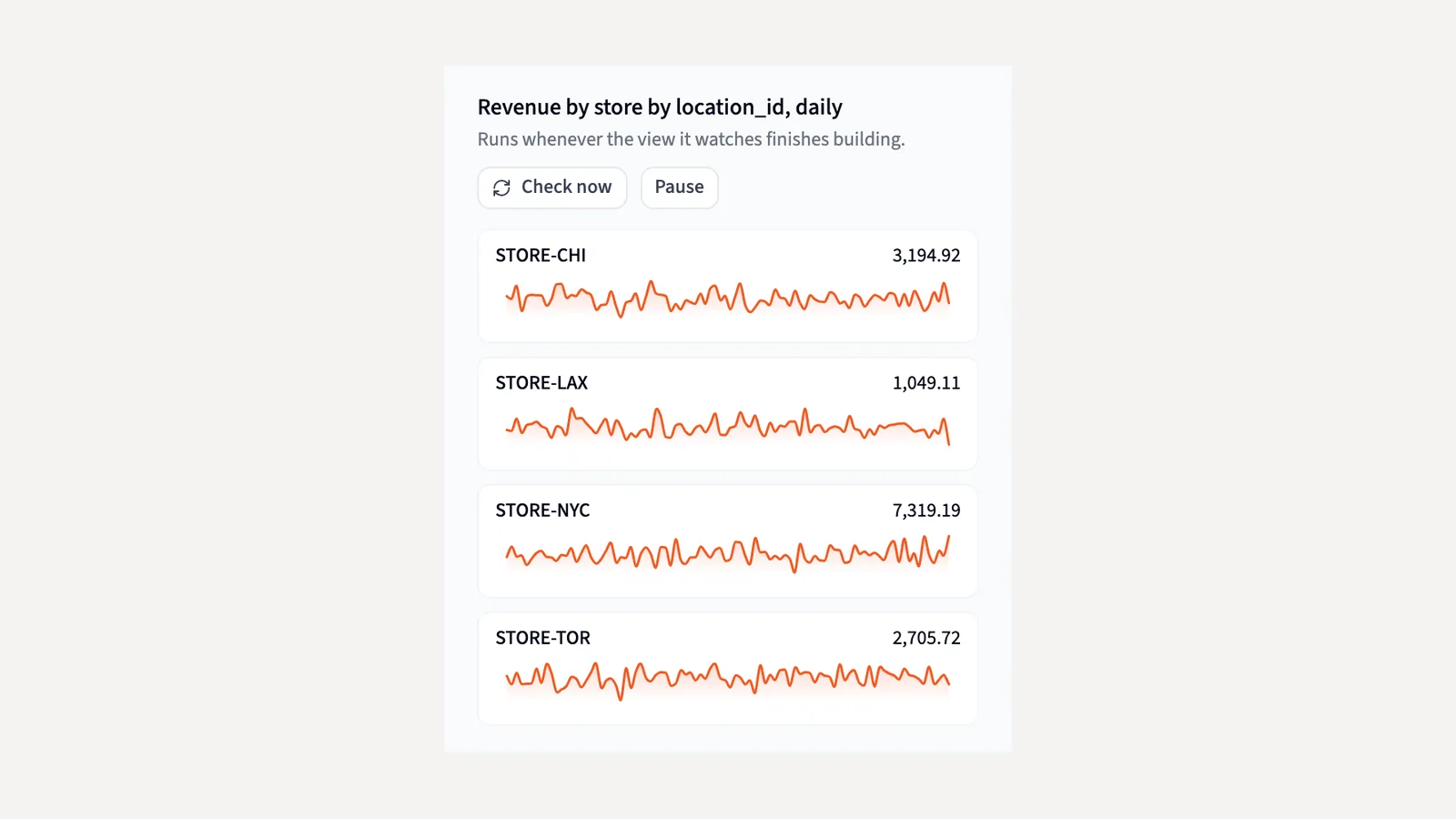
Captured in Querri with a demo company's data: the Inbox sorted by kind, what Accept leaves behind, and a monitor the Librarian set up.
Nightly insights
It looks for what nobody asked.
One nightly pass works through your whole Library. It reviews what the team asked this week, finds questions and views that are still missing, watches every KPI against its own history, and checks the numbers your rules state against the data.
- Finds questions your data can answer that nobody has asked yet.
- Spots the same customer living in two systems.
- Tests a number your rules state, like a target in an SOP, against a real query.
Checked before you see it
Every finding is re-run as a real question first.
Before a card is written, Querri re-runs its question through the same path as a person's question. If the data can't answer it, the card says so. You get a short list of findings you can act on, not a pile of guesses.
Monitors
Know which store moved, not just that the total did.
Say "keep an eye on revenue by store." Querri works out how to track it: the measure, the breakdown and the view to watch. Each store is judged against its own history with a rolling median, a modified z-score, a level-shift test and a trend test. There are no thresholds to set.
- Arithmetic decides, and the alert is written from the same numbers, so it can't invent a trend.
- Something changed alerts land in the Inbox and by email, to up to 25 people.
- It speaks when a store gets worse, not every time it stays bad. Snooze one store and the rest keep watching.
One click to build it
Say yes, and it's built.
Accept a Question worth a view card and Querri creates the question, its view, a KPI with a first real measurement, and a fact recording why. Accept a Worth watching card and it arms a monitor on that KPI; accept with edits to add a breakdown and choose who gets the email. Discuss hands any card to the Librarian.
It learns, within limits you set
It learns what you care about. It never trains a model on your data.
No stays no
Turn a finding down once and it stays down until the evidence changes. When it comes back, it shows your earlier reason.
Your thumbs-down sets the agenda
A thumbs-down on an answer becomes that night's to-do. Questions Querri answered badly go to the top of the list.
It spends what you set
The pass runs within a nightly credit budget an admin chooses, where one credit is one analysis. On Automatic, it slows when the Inbox goes unread and stops spending until someone comes back.
How it works
From your Library to your morning.
- 1
Your Library is the starting point
The questions your team asks, the views that answer them and the KPIs you track are what Querri works through each night.
- 2
Querri works overnight
It looks for what changed and what nobody asked, inside the budget you set, and checks each finding with a real query.
- 3
You decide in the morning
Open the Inbox and accept, discuss or say no. Accepted cards join the Library, so tomorrow's answers start from them.
Who it's for
One overnight pass. Three people who count on it.
Data consumer
Know which region, store or rep moved before the meeting, with the evidence behind each finding, in the Inbox or by email, without opening a dashboard.
Data owner
The Library keeps itself current and keeps growing. New questions, views, KPIs and cleanups arrive overnight, ready to build with one click.
Data team / IT
A credit budget per workspace, pacing that follows attention, a record of what was built and why, and no alert rules to write or tune. Monitor readings stay behind the watched table's access rules.
FAQ
Questions about the overnight work
What does Querri do overnight?
It works through your Library in six parts: it reviews existing answers, finds missing questions and views, profiles data and joins, watches metrics, curates new data and checks facts against the data. What it finds lands in your Inbox as cards.
Will it change anything without asking?
Not by default. Each finding waits in the Inbox until a person accepts it. An admin can turn on Auto-build for a workspace, and then Querri builds what it judges worth creating and retires duplicates without waiting.
How do I know a finding is real?
Every card's question is re-run through the same path as a person's question before the card is written. If the data can't answer it, the card says so. Monitor alerts are decided by arithmetic on each slice's own history, and the alert sentence is written from the same numbers.
Do I have to set thresholds for Monitors?
No. Ask the Librarian to keep an eye on a number, or click Monitor this on a view or KPI. Each slice, up to two columns of breakdown, is judged against its own normal, and the monitor checks every time the table it watches rebuilds.
What does the overnight work cost?
It runs within a nightly credit budget an admin sets for each workspace. One credit is one analysis, and the default is three. On Automatic, it slows down when nobody reads the Inbox.
Does Querri train a model on my data?
No. It learns your business by organizing the definitions, questions and analyses your team approves. It never trains a model on your data. Querri is SOC 2 Type II, HIPAA and ISO 27001:2022 certified.
Wake up to what changed.
While you sleep, Querri dreams about your business. In the morning, it shows you what it found, and nothing changes without your OK.
SOC 2 Type II, HIPAA and ISO 27001:2022 certified, and your data never trains a model.