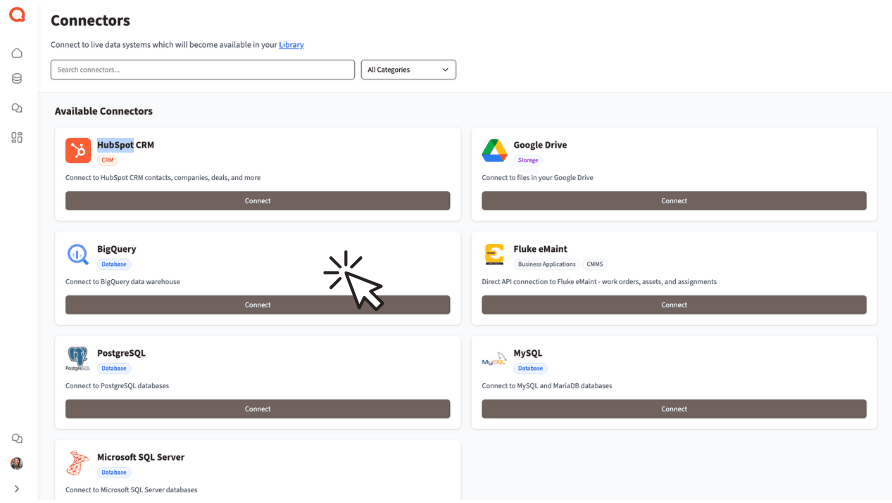
Connect HubSpot to Querri
Bring your CRM data into Querri and ask questions about your sales pipeline, marketing performance, and customer relationships in plain language.
What Syncs from HubSpot
Querri automatically syncs your key HubSpot data every 4 hours so your analyses are always current.
Contacts
All contact records including custom properties, lifecycle stages, and engagement history
Companies
Company records with industry, revenue, employee count, and associated contacts
Deals
Full deal pipeline data including stages, amounts, close dates, and associated contacts
Tickets
Support tickets with status, priority, category, and resolution tracking
Engagements
Emails, calls, meetings, and notes tied to contacts and deals
Custom Objects
Any custom objects you've created in HubSpot, synced with full field support
Analyze Your Sales Pipeline
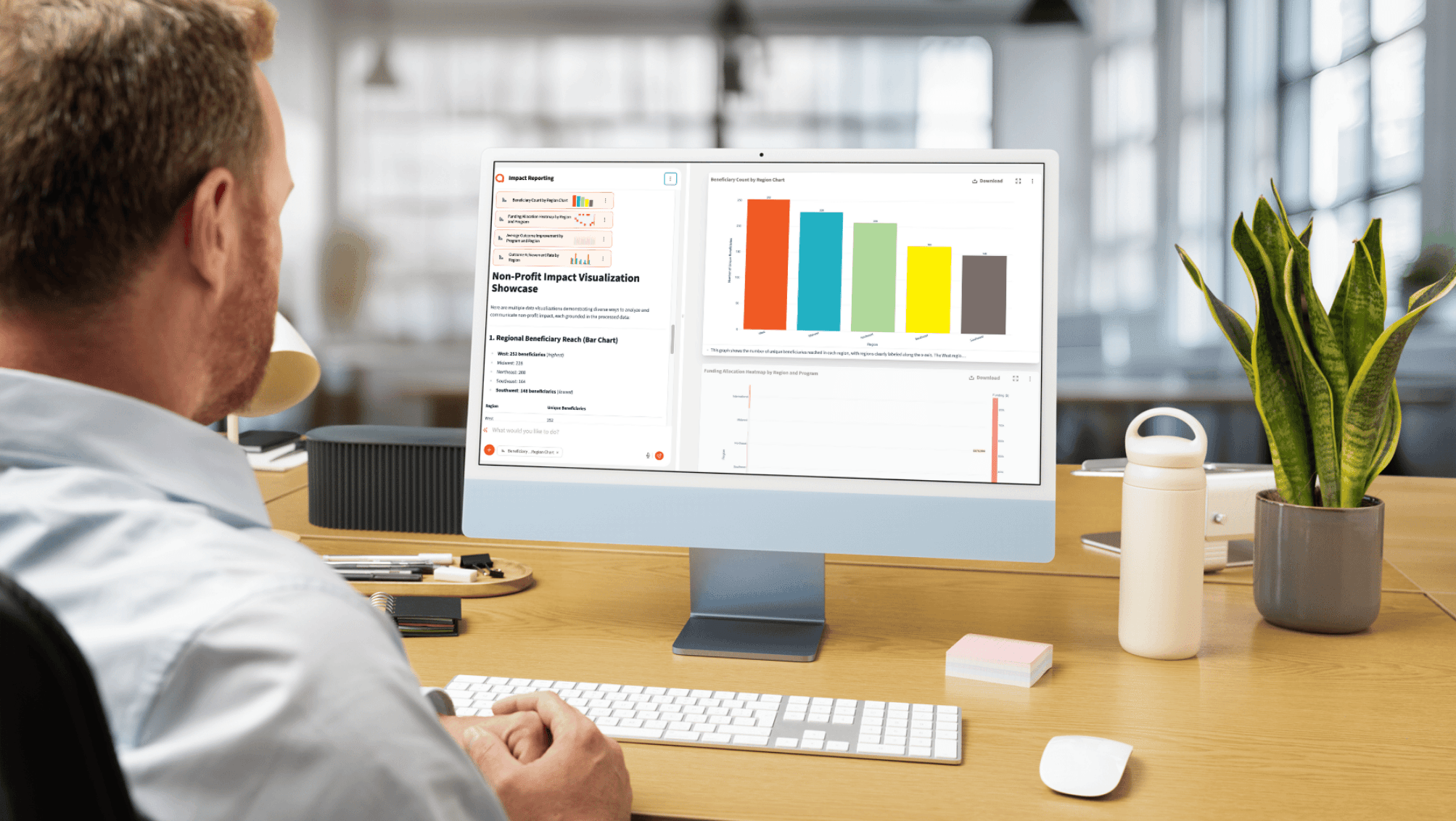
Combine your HubSpot deal data with data from other sources to get a complete picture of your sales performance. Track conversion rates across pipeline stages, identify bottlenecks, and forecast revenue—all through simple questions.
Ask Querri things like 'What's my average deal cycle time by source?' or 'Which reps have the highest win rate this quarter?' and get instant charts and answers.
Track deal conversion rates across every pipeline stage
Identify bottlenecks slowing your sales cycle
Forecast revenue based on current pipeline health
Unify Marketing and Sales Data
Merge HubSpot contacts with campaign data, advertising spend, and website analytics to measure true marketing ROI. Segment your customers by behavior and value, and discover which channels drive the most revenue.
Querri lets you blend HubSpot data with spreadsheets, databases, and other integrations—no SQL or data engineering required.
Merge HubSpot contacts with campaign and ad spend data
Segment customers by behavior, value, and lifecycle stage
Measure marketing ROI across every channel
How the Integration Works
Sync Frequency
Data syncs automatically every 4 hours to keep your analyses up to date without manual refreshes.
Authentication
OAuth 2.0 popup authorization with automatic token refresh. No passwords stored by Querri.
Security
AES-256 encryption at rest and in transit. Read-only access ensures your HubSpot data is never modified.
Read-Only Access
Querri only reads your HubSpot data. It will never create, modify, or delete any records in your CRM.
Explore More Integrations
Connect all your data sources to Querri for a complete picture.
Frequently Asked Questions
Common questions about connecting HubSpot to Querri.
Yes. Querri connects to HubSpot via OAuth 2.0 and lets you ask questions about your CRM data in plain English. You can analyze contacts, deals, tickets, and custom objects without writing any code or SQL.
Querri syncs contacts, companies, deals, tickets, engagements (emails, calls, meetings, notes), and custom objects. All standard and custom properties are included so you have full analytical coverage of your CRM.
HubSpot data syncs automatically every 4 hours. This keeps your analyses current without manual intervention. You can also trigger a manual sync from your Querri settings if you need fresher data.
Querri uses OAuth 2.0 authorization and never stores your HubSpot password. All data is encrypted with AES-256 at rest and in transit, and Querri maintains read-only access so your CRM records are never modified. Querri is SOC 2 Type II certified.
Querri is designed for teams that want to go beyond HubSpot's built-in reports. You can ask natural language questions like 'What is my average deal cycle time by source?' and get instant charts showing pipeline bottlenecks, conversion rates, and revenue forecasts.
Yes. Querri offers drag-and-drop dashboards that you can populate with HubSpot data visualizations. Choose from 8 chart types powered by Plotly, set up cron-based auto-refresh schedules, and share or embed dashboards with your team.
Absolutely. Querri lets you blend HubSpot data with databases like PostgreSQL or Snowflake, spreadsheets from Google Sheets, financial data from QuickBooks, and more. This lets you correlate CRM activity with revenue, marketing spend, or operational metrics.
Sign in to Querri, go to Settings, click Add Connector, and select HubSpot. You will authorize via an OAuth 2.0 popup directly with HubSpot. No API keys or passwords are needed, and the connection takes under a minute.
Yes. Querri syncs any custom objects you have created in HubSpot along with their full field definitions. This means you can query and analyze custom object data just like standard HubSpot objects.
Yes. You can schedule any Querri analysis or dashboard to refresh automatically using cron scheduling with four refresh strategies. Reports built from HubSpot data stay up to date and can be shared via embedded links or white-labeled dashboards.
Querri connects to any HubSpot plan that supports OAuth 2.0 API access. HubSpot applies different rate limits depending on your plan tier (100-200 requests per 10 seconds), and Querri automatically respects these limits during sync.
Yes. You can ask questions like 'How many new contacts were added last month?' or 'Show contacts by lifecycle stage and source' and Querri returns charts and tables instantly. No SQL or formula knowledge is needed.
HubSpot's native reports are limited to HubSpot data and predefined report types. Querri lets you ask freeform questions in natural language, blend HubSpot with external data sources, and build custom dashboards with more chart types and scheduling options.
Yes. By blending HubSpot engagement and deal data with advertising spend from other sources, you can calculate true marketing ROI across channels. Ask questions like 'What is the cost per closed deal by campaign source?' to get actionable insights.
No. Querri maintains strictly read-only access to your HubSpot account. It will never create, update, or delete any records in your CRM. Your HubSpot data remains untouched.