Connect SQL Server to Querri
Bring your SQL Server data into Querri and ask questions in plain language. Supports SQL Server 2016+, Azure SQL Database, Azure SQL Managed Instance, and Amazon RDS.
What You Can Analyze
Querri connects directly to your SQL Server instance and lets you query any accessible table using natural language.
Full Schema Access
Access tables, views, and metadata across all accessible schemas in your SQL Server instance
Azure SQL
Native support for Azure SQL Database and Azure SQL Managed Instance with no extra configuration
Windows Auth
Supports both SQL Server Authentication and Windows Authentication modes for flexible connectivity
AWS RDS
Connect to Amazon RDS for SQL Server instances with standard connection parameters
Audit Support
Compatible with SQL Server Database Audit Specifications so your compliance workflows stay intact
Row-Level Security
Works with existing SQL Server RLS policies—users only see data their permissions allow
Query SQL Server Without Writing SQL
Connect your SQL Server database and start asking questions in plain language. Querri translates your questions into optimized T-SQL and returns charts, tables, and insights—no query writing required.
Ask things like 'What are the top 10 accounts by revenue this year?' or 'Show me monthly order trends by region' and get answers in seconds.
Ask analytical questions in plain language against SQL Server tables
Get instant visualizations from live production data
Navigate schemas and relationships through conversation
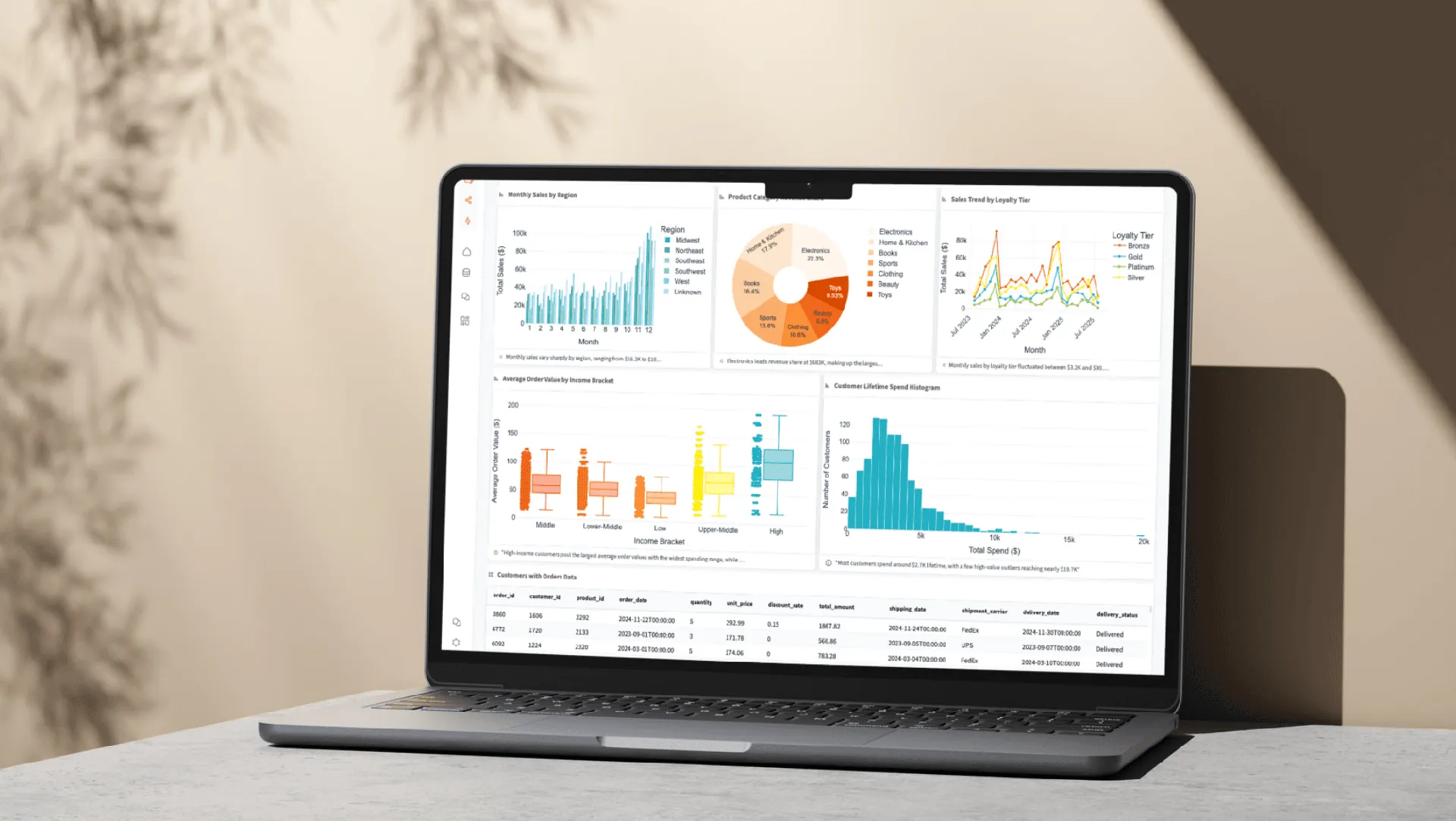
Unify SQL Server with Cloud Data
SQL Server holds your core business data, but insights often span multiple sources. Combine SQL Server tables with cloud applications, spreadsheets, and other databases—all inside Querri.
No SSIS packages or data pipelines needed. Connect your sources and start asking questions across your entire data landscape.
Blend SQL Server data with CRM and marketing platforms
Join database tables with spreadsheets and CSV imports
Build cross-source dashboards without data pipelines

How the Integration Works
Authentication
SQL Server or Windows Authentication with encryption recommended. Both modes fully supported for on-prem and cloud.
Security
AES-256 encryption for all connections. Whitelist Querri IP 18.189.33.77 in your firewall rules.
Sync Method
Direct query access to live database via TDS protocol. No data replication or batch syncing required.
Read-Only Access
The db_datareader role is recommended. Querri never modifies your data—read-only access guaranteed.
Explore More Integrations
Connect all your data sources to Querri for a complete picture.
Frequently Asked Questions
Common questions about connecting SQL Server to Querri.
Querri is an AI-powered SQL Server analytics tool that lets business users query their database using natural language instead of T-SQL. It connects directly to your SQL Server instance, understands your schema, and translates plain-English questions into optimized queries.
Yes. Querri translates your natural language questions into optimized T-SQL automatically. Ask something like 'Show me quarterly sales by region with year-over-year growth' and Querri generates the query, executes it, and returns interactive charts and tables.
Go to Settings in Querri and click Add Connector. Enter your server address, port (default 1433), database name, and credentials. Querri supports both SQL Server Authentication and Windows Authentication. Whitelist IP 18.189.33.77 in your firewall rules.
Yes. Querri supports Azure SQL Database, Azure SQL Managed Instance, and Amazon RDS for SQL Server. The connection setup is the same as on-premises SQL Server—provide your Azure server endpoint and credentials to get started.
Querri is SOC 2 Type II certified and uses AES-256 encryption for all connections. It supports SQL Server's native encryption, Row-Level Security policies, and Database Audit Specifications. We recommend assigning the db_datareader role for read-only access.
Querri supports SQL Server 2016 and above, including SQL Server 2019 and 2022. It also works with Azure SQL Database and Azure SQL Managed Instance, which are always running the latest engine version.
Yes. Querri supports both SQL Server Authentication (username/password) and Windows Authentication for connecting to on-premises and cloud SQL Server instances. Both modes are fully supported for flexible enterprise connectivity.
Yes. Querri offers drag-and-drop dashboards with 8 chart types powered by Plotly. Pin any query result to a dashboard, schedule automatic refreshes, and embed dashboards into internal applications using the Embed SDK for white-label reporting.
Yes. Querri works with SQL Server's audit logging and Row-Level Security policies, making it suitable for compliance reporting. You can build automated reports that respect your existing security model and schedule them to run on a recurring basis.
No. Querri queries your SQL Server database directly using the TDS protocol. It reads data in real time without replicating or exporting your tables. Your data stays in your SQL Server instance at all times.
Yes. Many ERP and CRM systems store their data in SQL Server, and Querri can connect to those databases directly. Business users can ask questions about their operational data in plain English without needing to understand the underlying database schema.
Yes. Querri lets you blend SQL Server tables with data from Google Sheets, Salesforce, HubSpot, CSV files, and other connected databases. You can join and analyze data across platforms without SSIS packages or data pipelines.
Querri is designed for non-technical users who need to query and report on SQL Server data without learning T-SQL. Users ask questions in plain English and get instant charts, tables, and dashboards. Scheduled reports and embeddable dashboards are also supported.
Yes. Querri operates through your database user's permissions, so Row-Level Security policies are fully enforced. Users only see the data their SQL Server permissions allow, maintaining your existing access control model.
Querri generates optimized T-SQL with appropriate filters, aggregations, and pagination to handle large databases efficiently. It queries your database directly and leverages SQL Server's query optimizer and indexing for performance.