Connect MySQL to Querri
Bring your MySQL or MariaDB data into Querri and get AI-powered insights in plain language. Supports MySQL 5.7+, MariaDB, AWS RDS, Azure, and Google Cloud SQL.
What You Can Analyze
Querri connects directly to your MySQL or MariaDB database and lets you query any accessible table using natural language.
Tables & Views
Access all tables and views with full schema support including indexes, foreign keys, and relationships
MariaDB Compatible
Full support for MariaDB 10.x alongside MySQL—connect either engine with the same connector
JSON Functions
Leverage MySQL 8.0 JSON capabilities to query and analyze structured JSON data in your columns
Cloud Variants
Works with AWS RDS, Azure Database for MySQL, Google Cloud SQL, and PlanetScale
Window Functions
MySQL 8.0+ advanced analytics support including ranking, running totals, and moving averages
Table-Level Control
Restrict access to specific tables so teams only see the data they need
Analyze Your MySQL Data Instantly
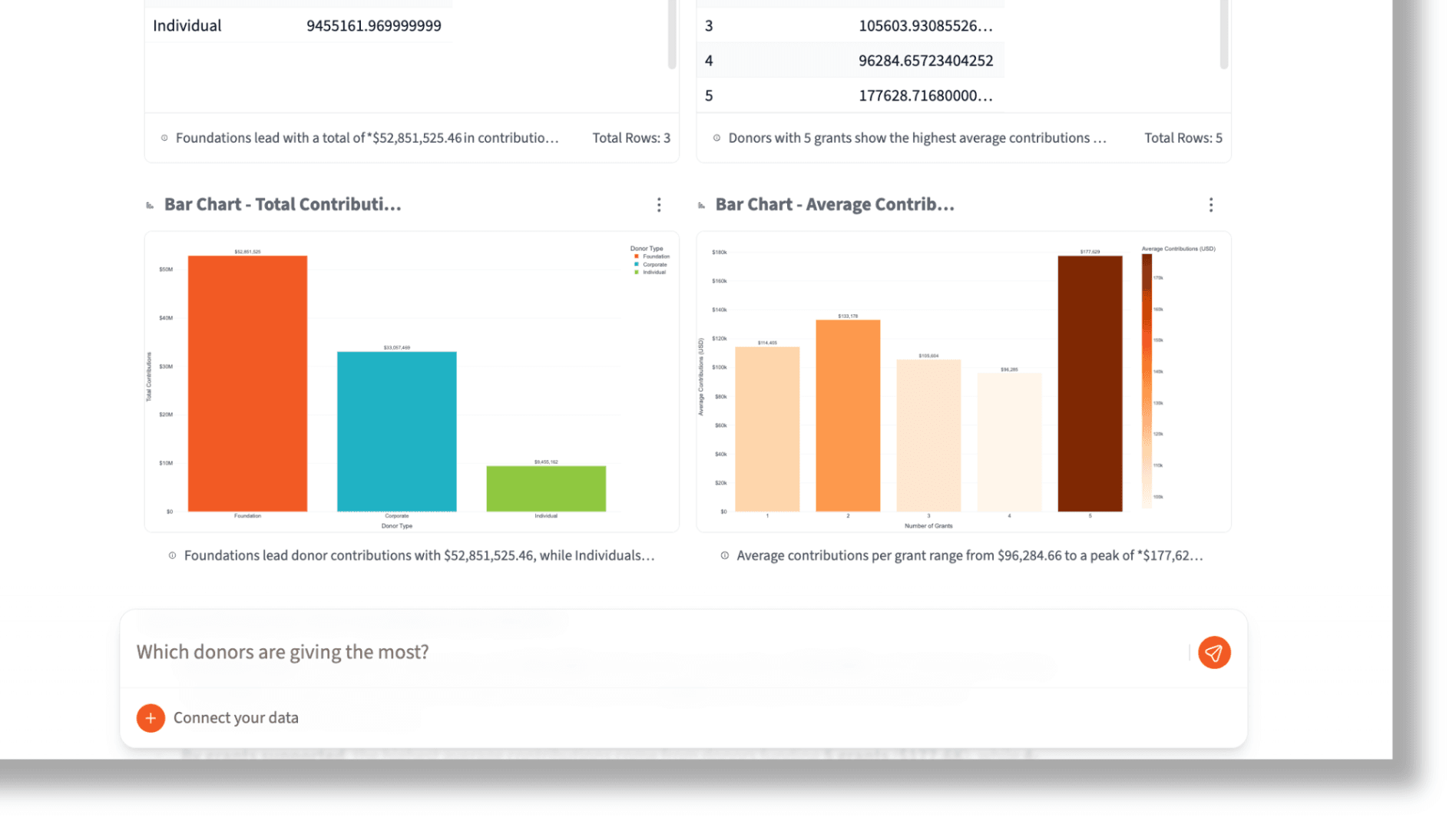
Connect your MySQL database to Querri and start asking questions in plain English. No SQL knowledge needed—Querri translates your questions into optimized queries and returns visual answers instantly.
Ask things like 'What are the top products by revenue this quarter?' or 'Show me user signups by month with churn rate' and get charts and tables in seconds.
Ask analytical questions in plain English against your MySQL tables
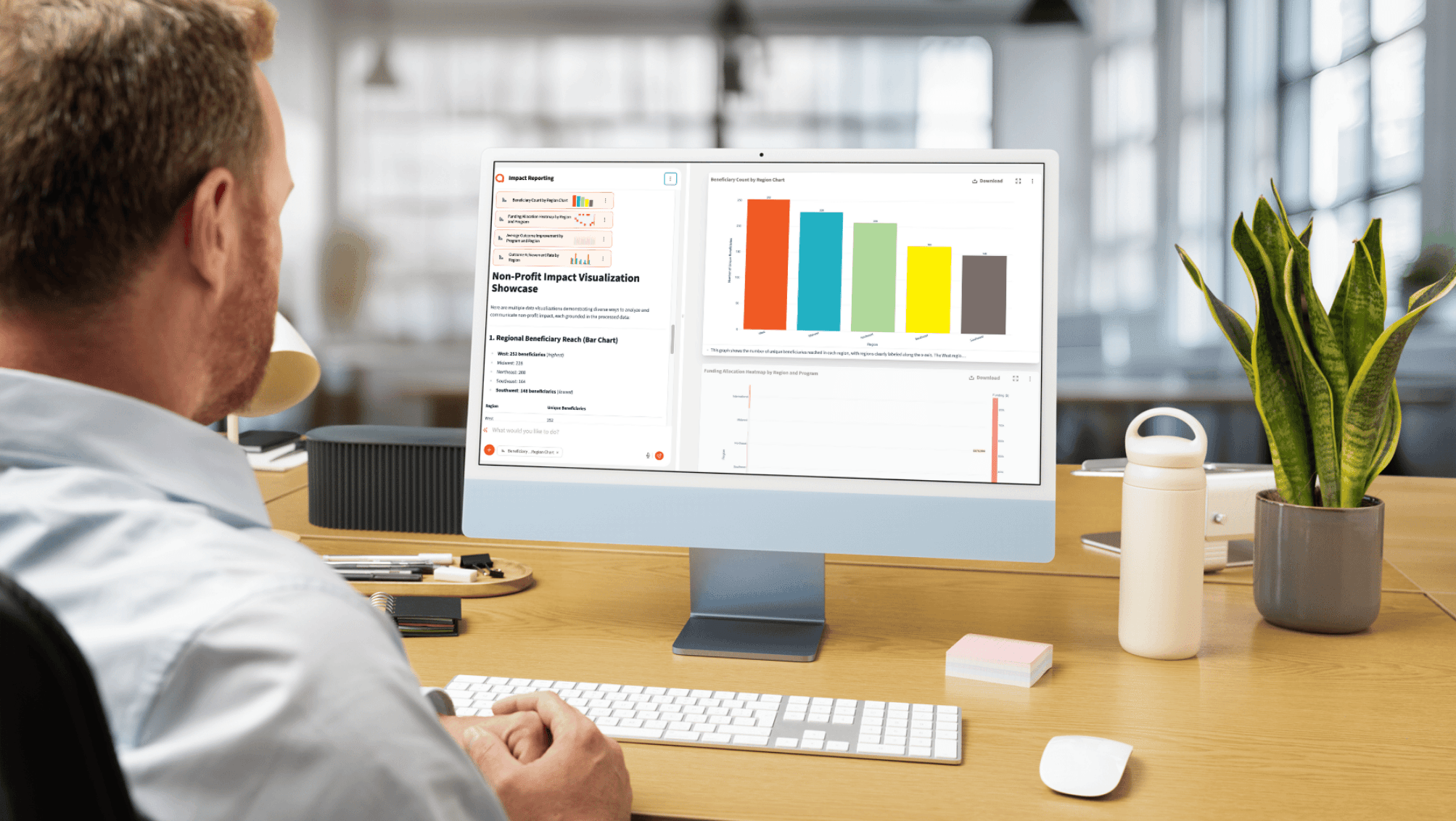
Get instant charts and visualizations from live database data
Explore table relationships and schemas through conversation
Blend MySQL with Your Business Tools
Your database holds transactional data, but the full picture lives across many tools. Combine MySQL records with CRM data, spreadsheets, marketing platforms, and more—all inside Querri.
No ETL pipelines or data engineering required. Connect your sources and start asking questions that span your entire business.
Combine MySQL records with CRM and marketing data
Join transactional data with spreadsheets and CSV files
Build unified dashboards across all your data sources
How the Integration Works
Authentication
Username/password with optional SSL encryption. We recommend creating a dedicated read-only user for Querri.
Security
SSL encryption supported for all connections. Whitelist Querri IP 18.189.33.77 in your firewall rules.
Sync Method
Direct query access to live database tables. No data replication, batch syncing, or scheduled exports required.
Read-Only Access
Querri only reads data. GRANT SELECT only for maximum safety—your database is never modified.
Explore More Integrations
Connect all your data sources to Querri for a complete picture.
Frequently Asked Questions
Common questions about connecting MySQL to Querri.
Querri is an AI-powered MySQL analytics tool that lets anyone on your team query your database using natural language. It connects directly to your MySQL instance, auto-discovers your tables, and translates plain-English questions into optimized SQL—no coding required.
Yes. Querri converts your natural language questions into MySQL queries automatically. Ask something like 'Show me monthly revenue by product category' and Querri generates the SQL, runs it against your database, and returns interactive charts and tables.
Go to Settings in Querri and click Add Connector. Enter your MySQL host, port (default 3306), database name, and read-only credentials. Whitelist Querri's IP address 18.189.33.77 in your firewall, test the connection, and you're ready to start querying.
Yes. Querri fully supports MariaDB 10.x alongside MySQL 5.7+. The MySQL connector works with both database engines using the same connection parameters, so you can connect MariaDB instances without any extra configuration.
Querri is SOC 2 Type II certified and supports SSL encryption for all MySQL connections. We recommend creating a dedicated read-only user with SELECT-only privileges. You also restrict access by whitelisting a single IP address (18.189.33.77) in your firewall.
Yes. Querri connects to AWS RDS for MySQL, Azure Database for MySQL, Google Cloud SQL, and PlanetScale. Provide your RDS endpoint as the host, whitelist Querri's IP in your security group, and connect with your standard database credentials.
Querri supports MySQL 5.7 and above, including MySQL 8.0 with its advanced features like window functions, CTEs, and JSON operations. MariaDB 10.x is also fully supported through the same connector.
Yes. Querri provides drag-and-drop dashboards with 8 chart types powered by Plotly. Pin any query result to a dashboard, schedule automatic refreshes with cron jobs, and share or embed dashboards using the Embed SDK for white-label reporting.
No. Querri queries your MySQL database directly in real time. It does not replicate, export, or batch-sync your data. Your tables remain in your database, and Querri reads them live each time you ask a question.
Run CREATE USER 'querri_reader'@'18.189.33.77' IDENTIFIED BY 'your_password'; then GRANT SELECT ON your_database.* TO 'querri_reader'@'18.189.33.77';. This creates a host-restricted, read-only user that can only connect from Querri's IP address.
Yes. Querri is designed for automated MySQL reporting. You can schedule queries to run on a cron schedule, build dashboards that refresh automatically, and embed reports into your own applications using the Embed SDK. No SQL knowledge is needed to create or maintain reports.
Yes. Querri lets you blend MySQL tables with data from Google Sheets, Salesforce, HubSpot, CSV files, BigQuery, PostgreSQL, and other connected sources. You can join data across platforms without building ETL pipelines.
Yes. Querri leverages MySQL 8.0's JSON capabilities to query and analyze structured JSON data stored in your columns. You can ask natural language questions about JSON fields just like any other column type.
Querri is built for business users who need to visualize MySQL data without technical skills. It generates interactive Plotly charts including bar, line, scatter, pie, and area charts directly from natural language questions, and supports drag-and-drop dashboard creation.
Yes. Querri respects your MySQL user's permissions, so you can grant SELECT access only on specific tables. This lets you expose exactly the data your team needs while keeping sensitive tables private.