Connect Snowflake to Querri
Bring your Snowflake data warehouse into Querri and ask questions about your data in plain language. Skip the SQL and let AI handle the complexity. Currently in development—join the waitlist.
What You'll Be Able to Analyze
Querri will connect directly to your Snowflake warehouse, letting you query tables and views using natural language.
Warehouse Tables
Query all accessible tables and views in your Snowflake account
Multi-Database
Access data across multiple Snowflake databases and schemas
Semi-Structured
Support for Snowflake's VARIANT, ARRAY, and OBJECT types
Time Travel
Leverage Snowflake's historical data capabilities
Role-Based Access
Respect Snowflake's role-based security model
Cost Control
Efficient queries to minimize Snowflake credit consumption
Skip the SQL, Keep the Power
Querri translates your natural language questions into optimized SQL and runs them against your Snowflake warehouse. You get the full analytical power of Snowflake without needing to write or debug complex queries.
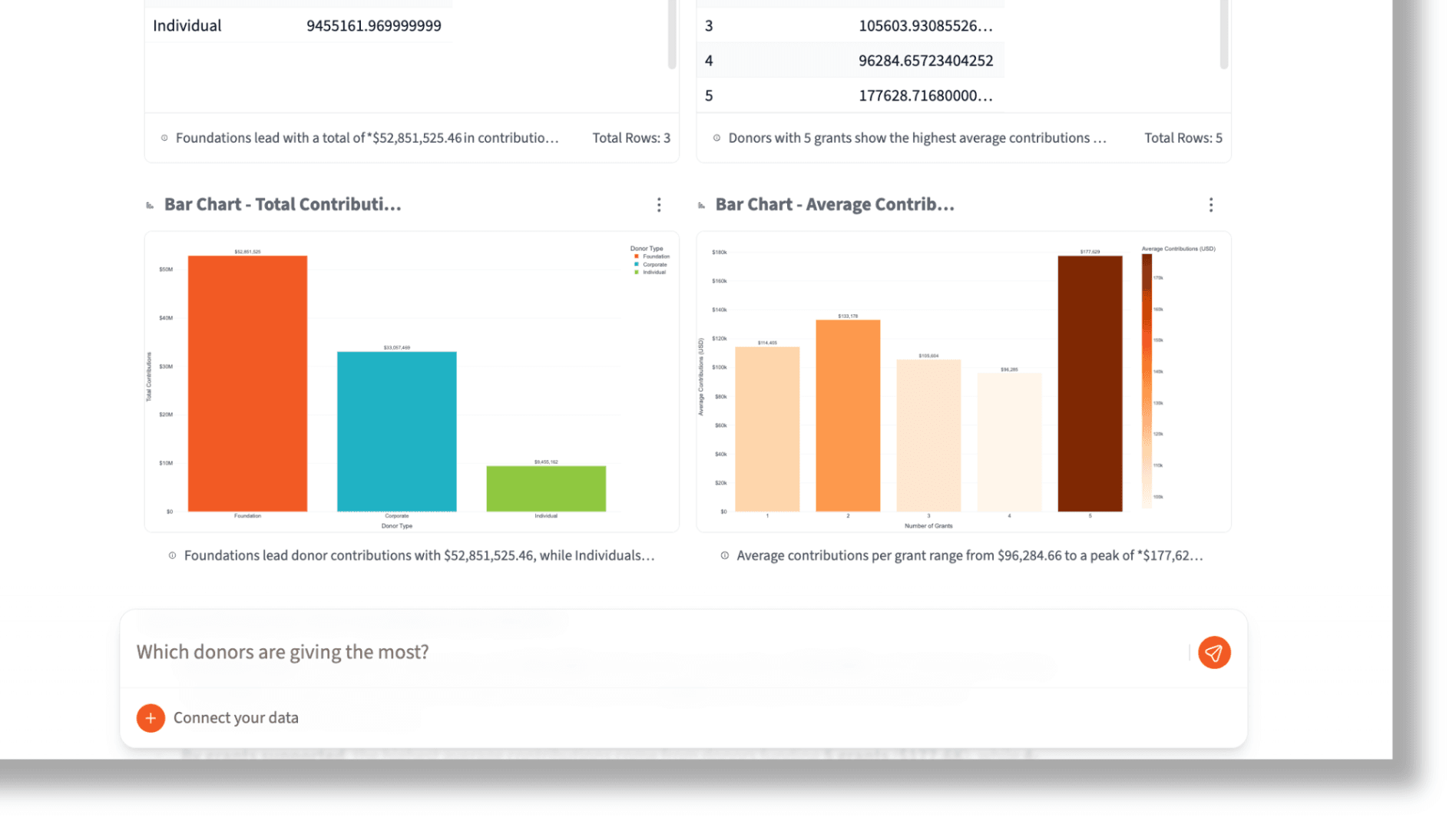
Ask questions like 'What were our top 10 customers by revenue last quarter?' or 'Show me the trend in daily active users over the past 6 months' and get instant visualizations.
Ask complex analytical questions in plain English
Get instant charts and tables from warehouse data
No SQL knowledge required for powerful analysis
Combine Warehouse Data with Everything Else
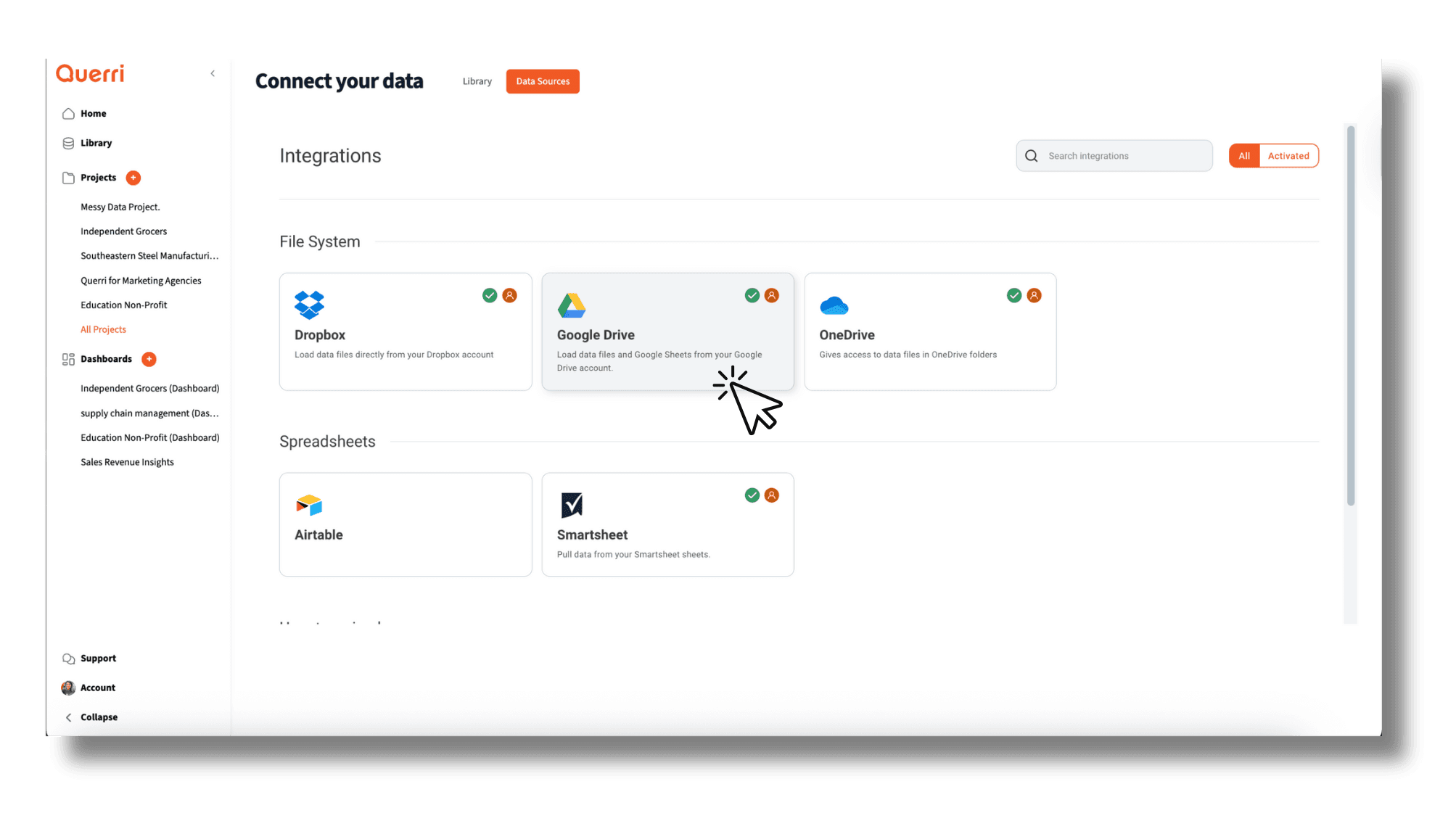
Your Snowflake warehouse holds structured data, but your business lives across many tools. Querri lets you blend Snowflake tables with spreadsheets, CRM data, and other integrations to get a unified view.
No ETL pipelines or data engineering required—just connect your sources and start asking questions across all of them.
Blend Snowflake data with spreadsheets and CRM records
Cross-reference warehouse tables with live business data
Unified analysis without building ETL pipelines
How the Integration Works
Authentication
Snowflake account credentials with role-based access control.
Security
Encrypted connections with Snowflake's built-in security model.
Sync Method
Direct query access to Snowflake tables and views.
Read-Only Access
Querri only reads your data; configure a read-only role for maximum safety.
Explore More Integrations
Connect all your data sources to Querri for a complete picture.
Frequently Asked Questions
Common questions about connecting Snowflake to Querri.
Querri is an AI-powered Snowflake analytics tool that lets business users query their warehouse using natural language instead of SQL. It connects to your Snowflake account, understands your schemas, and translates plain-English questions into optimized queries.
Yes. Querri translates your natural language questions into optimized Snowflake SQL automatically. Ask something like 'What were our top 10 customers by revenue last quarter?' and Querri generates the query, runs it on your warehouse, and returns interactive charts.
Go to Settings in Querri and click Add Connector. Enter your Snowflake account identifier, select your warehouse, database, and schema, then provide your credentials. Querri supports all Snowflake editions including Standard, Enterprise, and Business Critical.
The Snowflake integration is currently in development and available in early access as of February 2026. You can join the waitlist by signing up at app.querri.com and requesting access to be notified when the full integration launches.
Querri is SOC 2 Type II certified and uses encrypted connections with Snowflake's built-in security model. We recommend configuring a dedicated read-only role in Snowflake for Querri. Your role-based access control policies are fully respected.
Yes. Querri supports Snowflake accounts hosted on AWS, Azure, and Google Cloud. The connection setup is the same regardless of which cloud provider hosts your Snowflake instance—just provide your account identifier and credentials.
Yes. Querri provides drag-and-drop dashboards with 8 chart types powered by Plotly. Pin query results to dashboards, schedule automatic refreshes with cron scheduling, and embed dashboards into your own applications using the Embed SDK.
Yes. Querri supports Snowflake's VARIANT, ARRAY, and OBJECT data types. You can ask natural language questions about semi-structured JSON data stored in your Snowflake tables without needing to manually parse or flatten the data.
Yes. Querri supports multi-database and multi-schema access within a single Snowflake connection. You can query tables across different databases and schemas without creating separate connectors.
Querri generates efficient queries to minimize Snowflake credit consumption. You can also control costs by assigning a specific warehouse with size and auto-suspend settings. After initial connection, queries only use credits when you actively ask questions.
Yes. Querri lets you blend Snowflake tables with data from Google Sheets, Salesforce, HubSpot, CSV files, PostgreSQL, and other connected sources. You can join warehouse data with live business data without building ETL pipelines.
Querri is designed for non-technical users who need to analyze Snowflake data without learning SQL. Users ask questions in plain English, get instant visualizations, and can build scheduled reports and dashboards without writing any code.
Yes. Querri connects using your specified Snowflake role and respects all role-based access control policies. Users only see the databases, schemas, and tables their role has permissions for, maintaining your existing security model.
Yes. You can schedule any Querri query or dashboard to refresh on a cron schedule. This enables automated Snowflake reports that update at whatever frequency you need without manual SQL execution or dashboard refreshes.
Querri is designed to leverage Snowflake's built-in capabilities including Time Travel for querying historical data. You can analyze data as it existed at a previous point in time through natural language questions.