Connector Agent
Your integration assistant Connect, test and fix data sources by asking
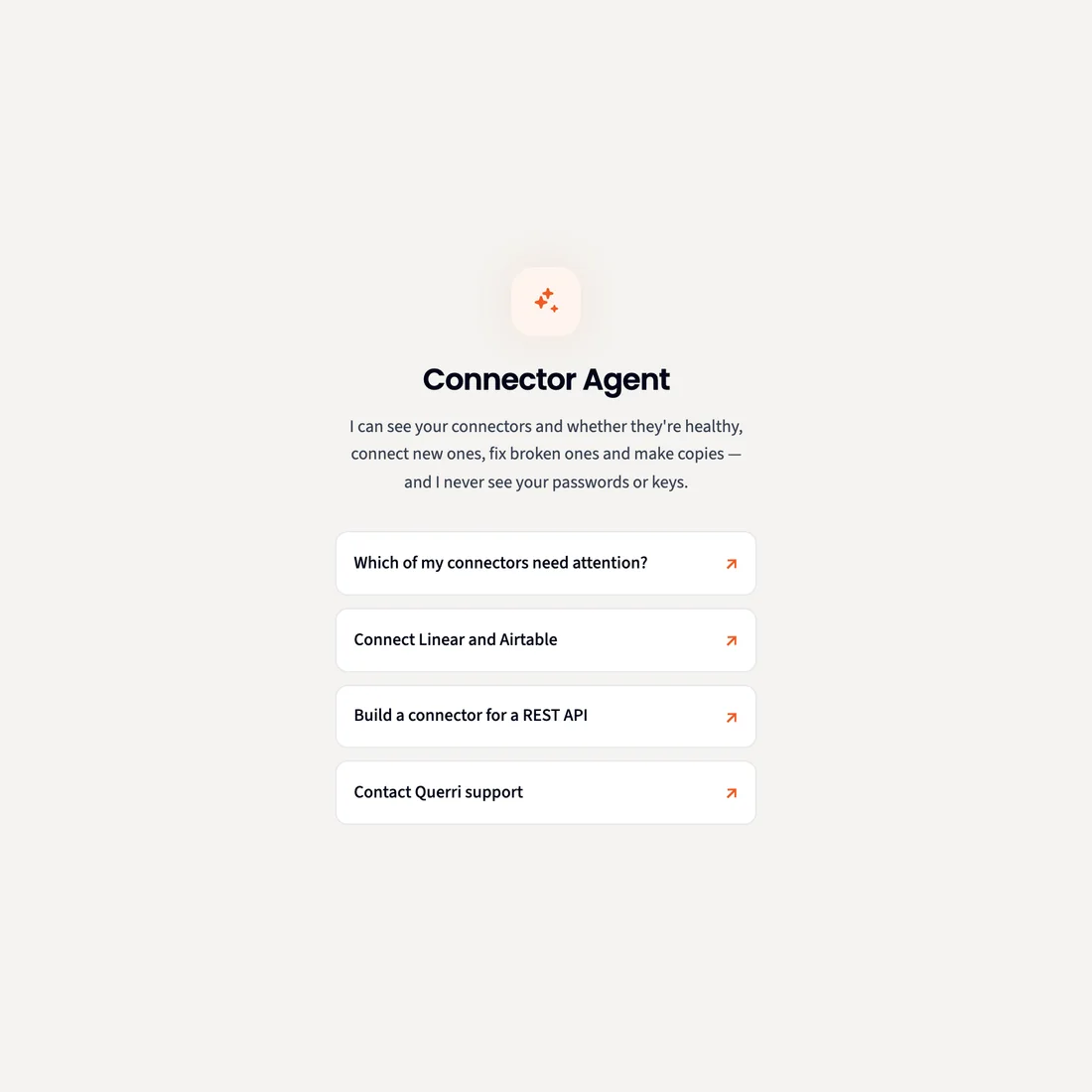
Connecting data has always been real work: a form for every system, API docs to read, and error messages to decode. The Connector Agent does the legwork beside your Connectors page. It finds the connector, asks for what it needs, tests the connection and explains the error when one fails. You approve each connection and every load, and it never sees a password or key.
Why it takes so long
Connecting data has always been real work
Every system asks for something different, and the answers are spread across settings pages, docs and error messages.
A form for every system
Host, port, database, user, region, scopes. Each source wants its own fields, and one wrong value stops the whole thing.
API docs to work through
Auth, paging, rate limits and which field is the ID. Someone has to read the docs and get every one of them right.
Errors that say very little
A 401, a timeout, a host that won't answer. Working out whether it's the key, its permissions or a firewall takes an afternoon.
The system with no connector
The tool your team runs on isn't in the list, so its data stays out of the reports that need it.
Querri makes this easier. Say what you want to connect, and the Connector Agent does the legwork while you watch and approve.
What it does
Ask for a connection. Approve the steps.
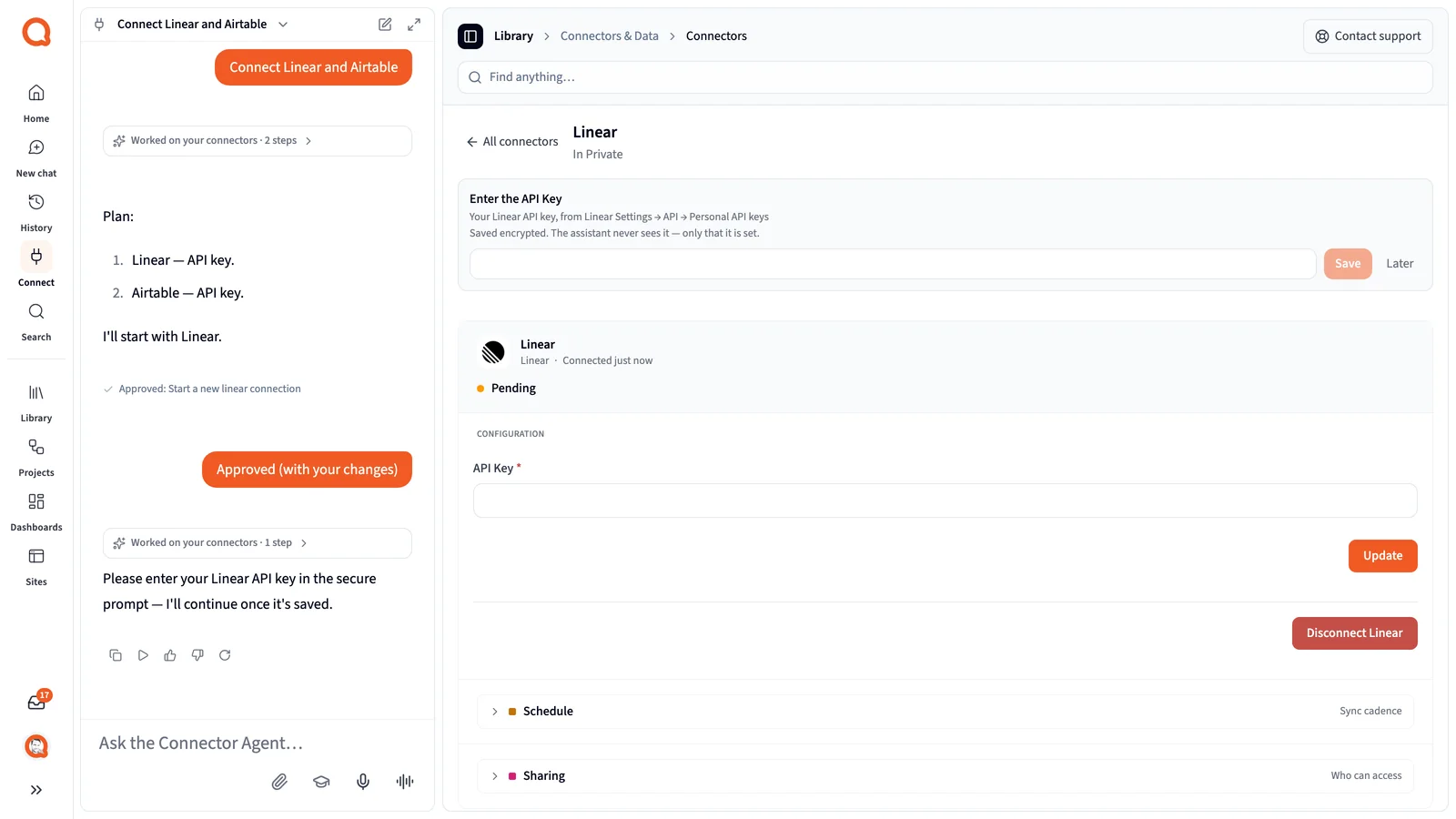
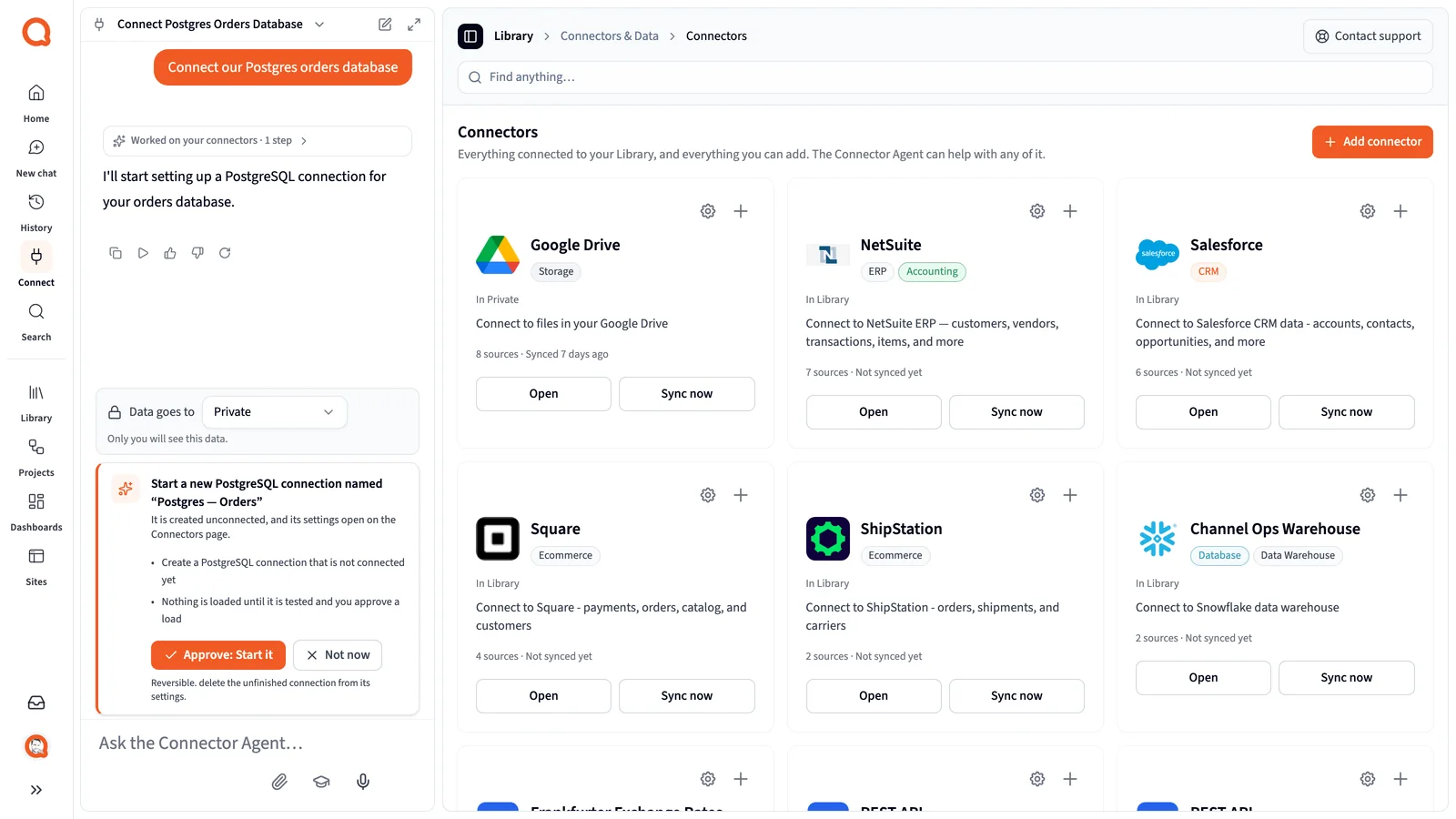
The Connector Agent sits in a chat panel next to the Connectors page, and the page follows along as it works.
Finds the connector
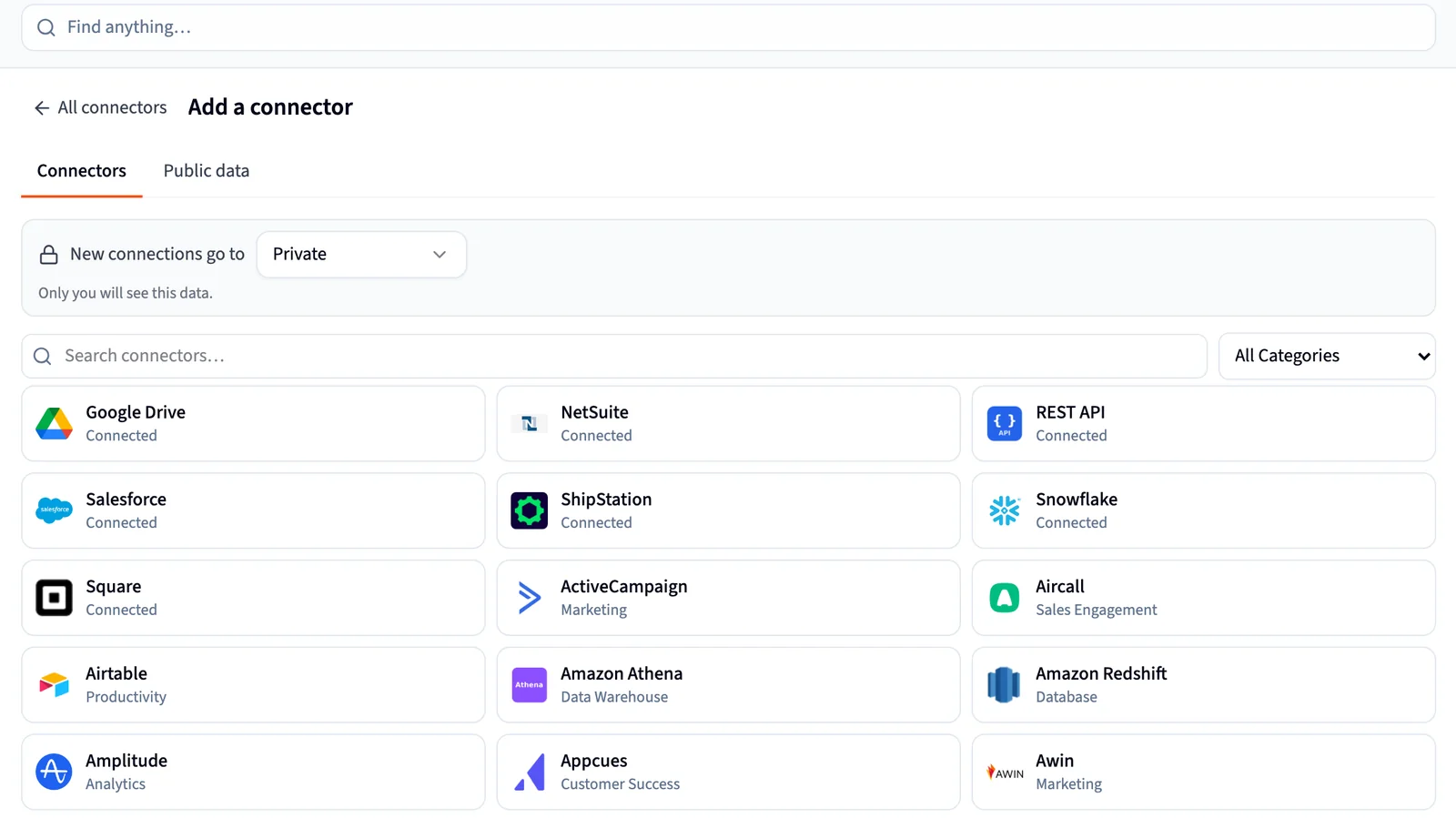
It searches 125+ connectors by name or category, and answers questions like "Which databases can I connect?" If nothing matches, it offers to draft a request to our team.
Plans several systems at once
Ask for Salesforce, HubSpot and Linear together. It writes a numbered plan, then works through them one at a time.
Connects with you
Sign-in for apps that use OAuth, a secure prompt for API keys, and host, port and tables for databases. It asks for each piece when it needs it.
Tests and explains the error
When a test fails, it tells you what the error means. A 401 points to the key or its permissions; a timeout points to the address or a firewall. After two failed tests in a row, it offers to draft a support request.
Checks on every connector
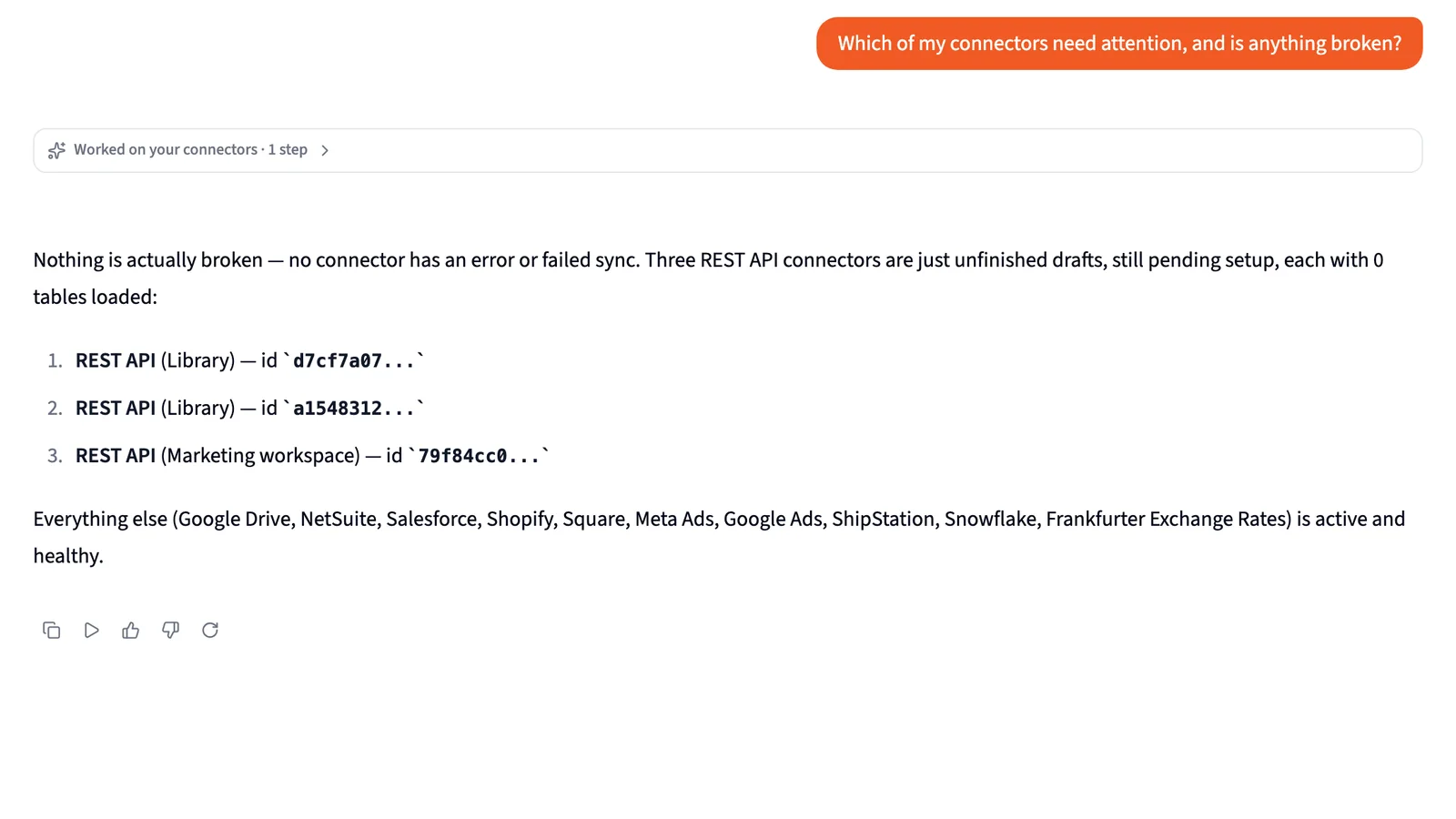
Ask "Which of my connectors need attention?" It reads the status, last sync and last error of every connector you can see, in every workspace.
Copies a setup
"Set up another one like this." It copies a connector's settings and either reuses the credentials, if you own it, or asks for new ones.
Questions about the data itself go to the Librarian. The Connector Agent sets up and fixes connections; it doesn't analyze your data.
In the app
Working beside your Connectors page
These are screenshots of Querri with a demo company's data.
Custom REST and OData
When there's no connector, it builds one
Give the agent an API's docs or its OpenAPI spec. It works out the endpoints, auth and paging, proposes the setup as changes you can see, and previews real rows before anything loads.
- Reads OpenAPI 3 and Swagger 2 specs, or the docs page itself
- Any JSON REST API on a public https host, with no auth, a bearer token, an API key, basic auth or OAuth2 client credentials
- OData v4, v2 and v3 feeds, including government open-data portals, with filters applied on the server
- Every change appears as a Suggested change that you accept or reject
- Previews a page of real rows after each change, and tells you how many rows the load will be before it runs
- Offers an incremental cursor such as updated_at, so later loads fetch only new records
- Publishing takes one approval: it checks the setup, creates the connector and starts loading
Organization admins build custom connectors and start connectors from the public data directory; everyone else can browse it.
Public data
40 tested templates for public data
Want CPI, Treasury yields or Census county data next to your own numbers? Pick a template from the Public data tab and it starts a connector you own, under the publisher's licence. For other public data, the agent checks the directory first, then builds from the publisher's API.

U.S. Treasury Daily Par Yield Curve Rates
U.S. Department of the Treasury

BLS Consumer Price Index (CPI-U)
U.S. Bureau of Labor Statistics

U.S. Census ACS 5-Year: County Profile
U.S. Census Bureau

EIA Energy Spot Prices (Crude Oil, Fuels)
U.S. Energy Information Administration

New York Fed Reference Rates (EFFR, SOFR, OBFR)
Federal Reserve Bank of New York

SEC EDGAR XBRL Financial Data (Frames)
U.S. Securities and Exchange Commission

NHTSA Vehicle and Equipment Recalls
NHTSA (U.S. DOT)

NOAA Daily Weather Observations (GHCN-Daily)
NOAA National Centers for Environmental Information

USGS Earthquake Catalog
U.S. Geological Survey
- Data comes straight from the publisher
- Every template carries its licence, an attribution line, and links to the dataset, the API docs and the terms
- Each one is tested against the publisher's service before it's added, and shows the date it was last checked
- Querri never supplies a key. For the templates that need one, you sign up for your own free key
Organization admins build custom connectors and start connectors from the public data directory; everyone else can browse it.
What it connects
Most of the systems your business runs on
If it's in the catalog, the agent sets it up. If it has a JSON REST API or an OData feed on a public https host, an admin can have the agent build it.
Business apps
Sign in with OAuth for apps like Salesforce, HubSpot and Google Drive.
Keyed services
Enter an API key in the secure prompt for tools like Linear and Airtable.
Databases and warehouses
Host, port, user and password, then pick the tables. Private networks are reached through a VPN you set up in the connector form.
JSON REST APIs
Your own API or a vendor's, on a public https host.
OData feeds
Versions 4, 2 and 3, including government open-data portals.
Public datasets
40 tested templates, from the Treasury yield curve to the USGS earthquake catalog.
Not covered today: GraphQL, SOAP, APIs that only return XML, and custom APIs on private or internal hosts. For those, the agent can draft a request to our team.
Security
It never sees a password or key
Credentials go into a secure prompt on the page, not into the chat. The agent only learns whether each one is set.
-
A secure prompt for every secret
Keys, tokens and passwords are saved encrypted. If you paste one into the chat, the agent won't repeat it and points you to the prompt.
-
Nothing is created or loaded without your OK
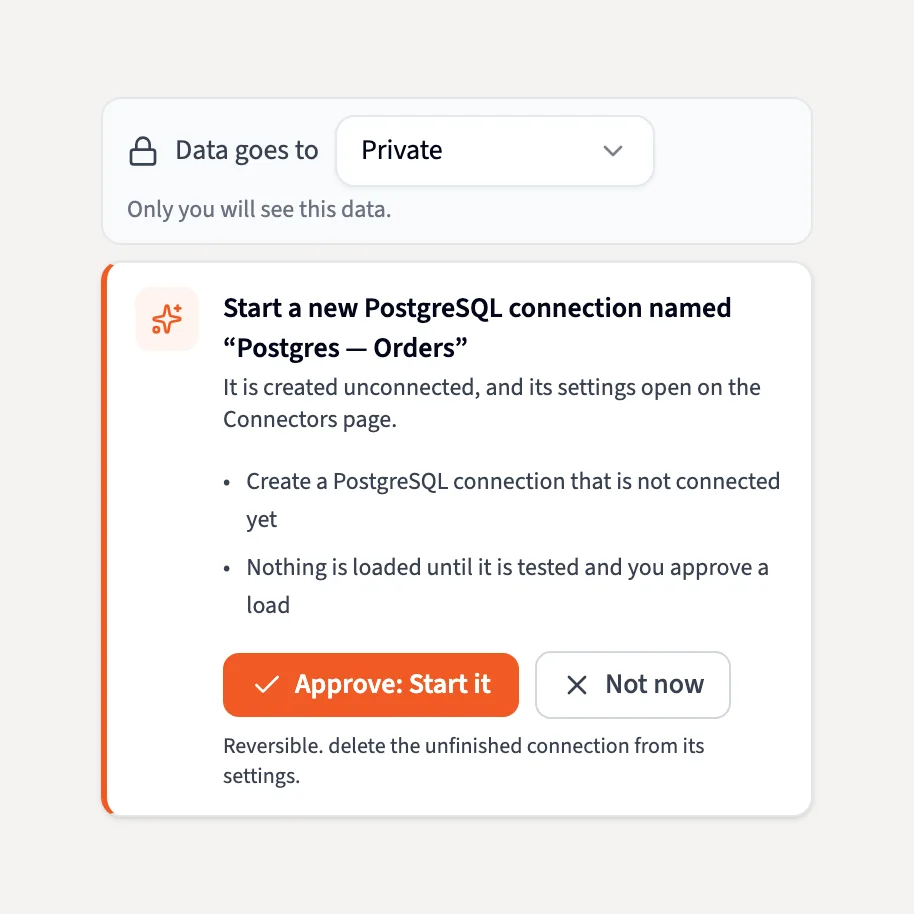
Starting a connection, choosing tables, loading data, copying a connector and publishing a REST connector each wait for you to approve. Status checks and previews only read.
-
Querri only reads
Connectors copy data into Querri. Nothing is written back to your systems.
-
Your rights, no more
Every action re-checks your permission on that connector. Only signed-in people can use the agent, never an API key.
-
Custom APIs stay on public hosts
REST connectors reach only public https hosts and stay on the API's own host. Text in API docs is treated as reference, never as instructions.

FAQ
Questions about the Connector Agent
What is the Connector Agent?
An assistant in a chat panel beside the Connectors page in Querri. It finds connectors in the catalog, connects them with you, tests them, explains errors, checks the health of every connector you can see and copies setups. Admins can also have it build connectors for REST APIs and OData feeds.
Does it see my passwords or API keys?
No. Credentials go into a secure prompt on the page and are saved encrypted. The agent only knows whether each one is set, and every tool result is scrubbed of secret values before the agent sees it.
Can it connect to any API?
Most. It builds connectors for JSON REST APIs and OData feeds on public https hosts. It doesn't build connectors for GraphQL, SOAP, APIs that only return XML, or APIs on private or internal hosts.
Who can build custom REST and OData connectors?
Organization admins. Everyone can use the agent to connect from the catalog, test, fix and copy connectors.
Is it like Postman?
It's a fair comparison: you point it at an API, set up auth and paging, and see the response. The difference is that the agent does the setup from the docs, and the result is a connector loading into your Library. It doesn't import Postman collections.
Do I need an API key for public data?
Many templates need no key and some take an optional one. For the ones that need a key, you sign up with the publisher for your own free key. Querri never supplies one.
Can it change data in my systems?
No. Querri only reads from your sources. The agent changes connector settings in Querri, and only after you approve.
Does it answer questions about my data?
That's the Librarian's job. The Connector Agent doesn't analyze your data; when you ask about it, the agent hands the question to the Librarian.
Related
Where your connected data goes next
Connect the system you've been putting off
Tell the Connector Agent what you use. It plans the steps, asks for what it needs, and waits for your OK.
SOC 2 Type II, HIPAA and ISO 27001:2022 certified, and your data never trains a model.