Views
Bring your data together once. Every answer starts from a clean table.
A view joins your systems, cleans the data and works out the numbers ahead of time, into one table built to answer a business question. Ask the Librarian for one, read what it assumed, and from then on every answer, KPI and dashboard that needs it starts from the same clean table. Your original data stays as it was.
Where your data comes together
Clean tables, built ahead of time, that every question can start from.
How a view matches the same customer across systems, works out the numbers for every row, gets built by asking, tells you what it assumed, and stays current when your sources sync.
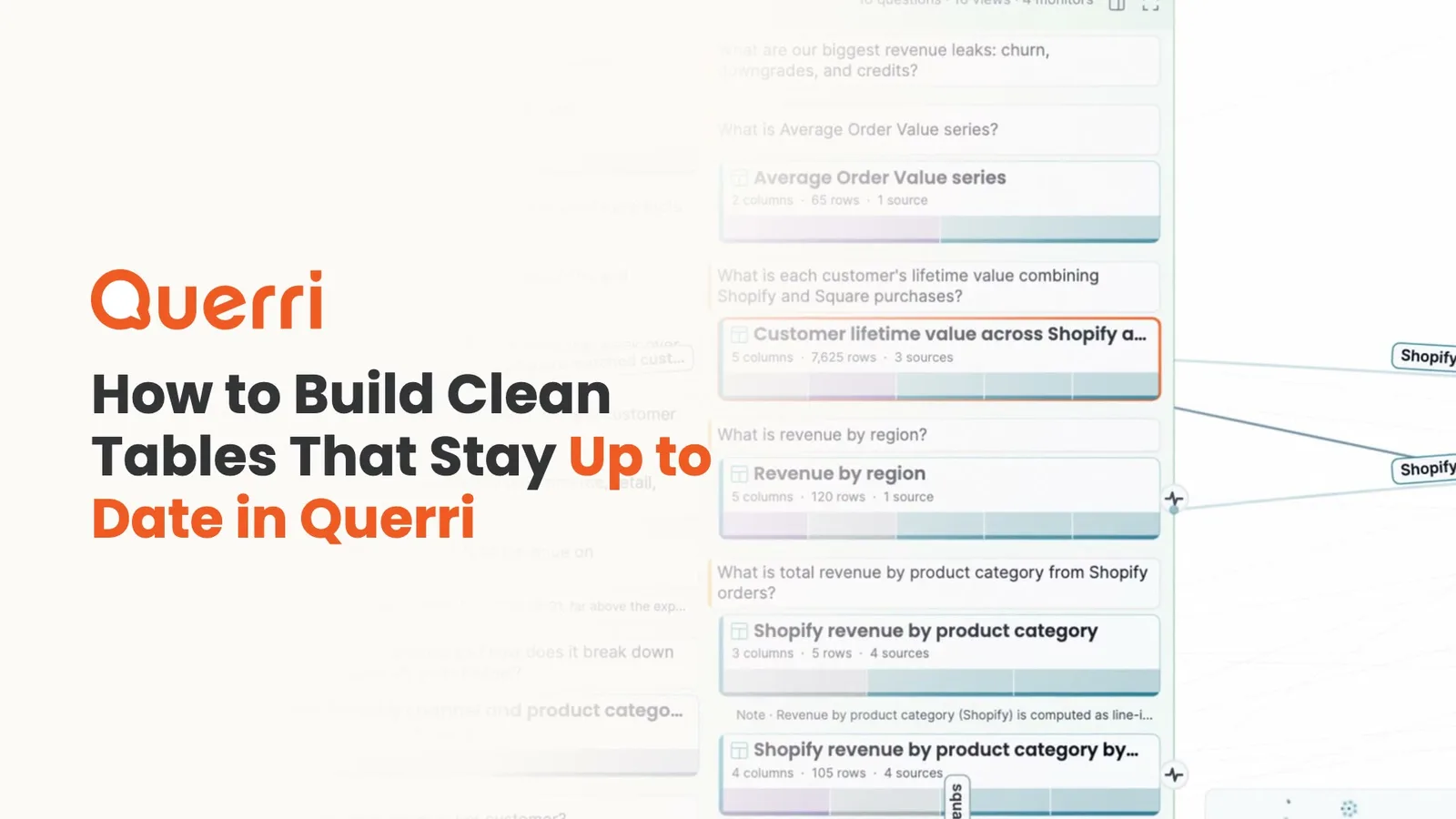
A narrated walkthrough: a view joins, cleans and calculates your data ahead of time, the Librarian builds one by asking and reports its assumptions, views rebuild after source syncs, and every view is linked to the question it answers.
Why it's hard
Bringing data together has always been the slow part.
Revenue arrives from several systems. The same customer shows up twice with slightly different details. Some rows are missing the one value you need. Doing that work well takes time, and it's easy to end up doing it again for every question.
One customer, two systems
Online and in-store sales each know the customer by a different ID, and nothing links the two.
The cleanup gets redone
When every question starts again from the raw tables, every answer repeats the joins and the cleanup, a little differently each time.
Three people, three formulas
Work out an on-time rate from raw shipments and the denominator is a judgement call, so three careful people can get three rates.
The model waits on a project
Building clean, joined tables in a warehouse is real engineering work, and the business questions queue up behind it.
Querri makes this easier: a view does the work once, writes the judgement calls down, and keeps the result for everyone.
What a view is
Joined, cleaned and calculated ahead of time.
A view is a saved query and the real table it produces, built from your sources and sometimes from other views. It matches people up across systems, applies your business rules, and works out the numbers for every row before anyone asks. It's the workhorse of the Library: views answer your questions, and KPIs are measured from them.
- Each view is built at the grain its question needs: one row per customer, per carrier per month, per channel per month.
- The judgement calls are written down with the view, like which orders count as revenue, so the number means the same thing every time.
- Your original data stays exactly as it was. A view is a new table built from it.
Build a view by asking
Ask for the table you need. The Librarian checks what you already have first.
Ask the Librarian for a view, or press + Build a view to answer this on a question. It looks for a view you already have and extends it instead of making a duplicate, so everything that uses it keeps working. When a choice is yours to make, like how to match in-store shoppers to online customers, it asks before it builds.
- When it's done, it tells you what it had to assume, with the numbers. That's the part to read before you trust the totals.
- Nothing is saved to the Library until you approve it.
- A view can also come from an Inbox card, from Save this table as a view in chat, or from the Janitor as a cleaned copy of a messy table.
Views answer your questions
One clean table under every answer, KPI and dashboard.
Every view is linked to the question it answers. When someone asks, Querri looks for a view that owns the question first, neither narrower nor wider than what was asked, and shows exactly which view the answer came from. The same view feeds the KPIs measured from it and the dashboards built on it, so chat, the board deck and Claude all read from one place.
- On questions the company had already answered, reading from the saved view was 4.6× faster than a leading general-purpose AI agent, with 2.8× fewer tokens, at 6.1× lower cost.
- When no view fits, Querri answers from your sources and says so.
In the app
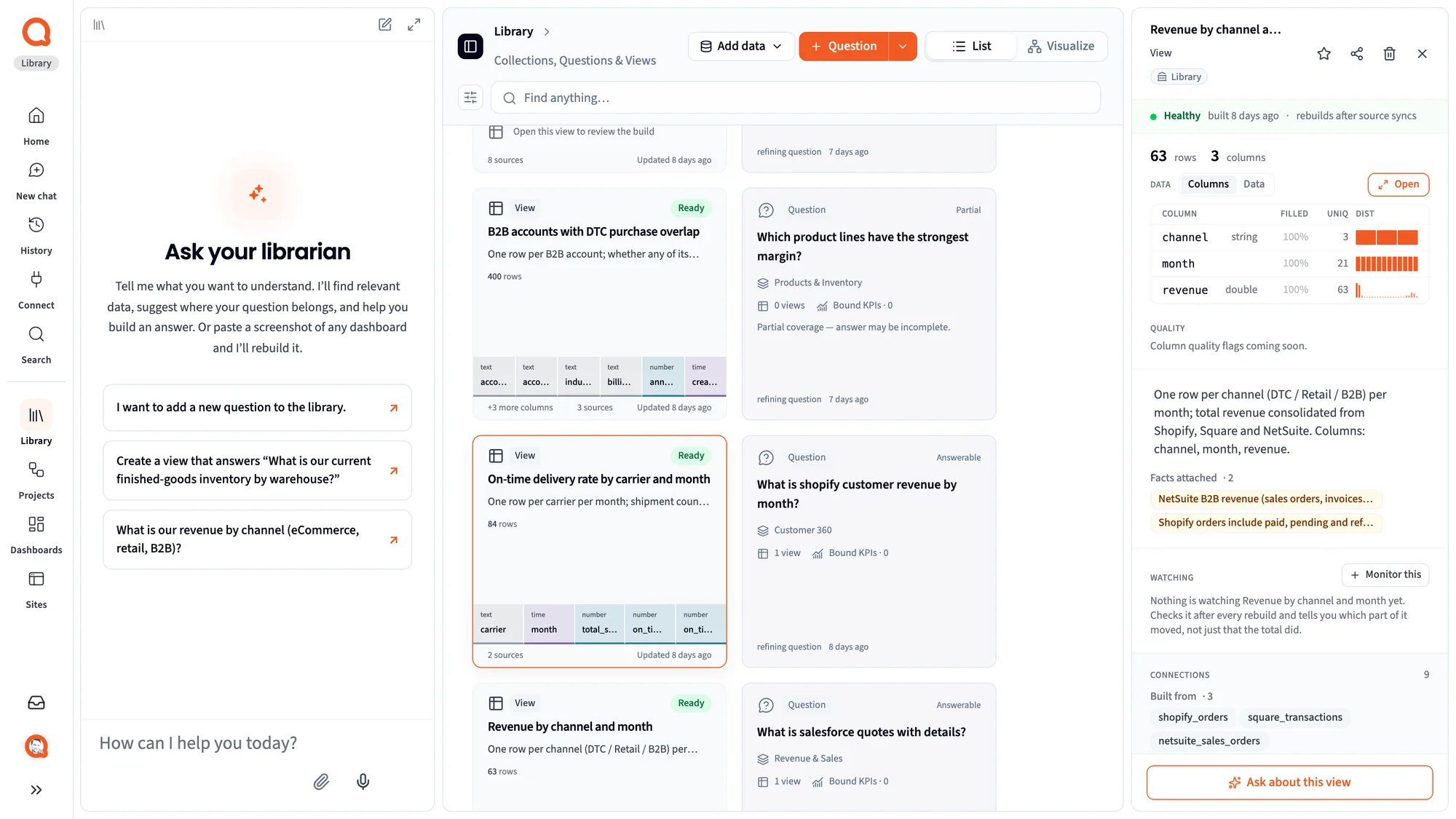
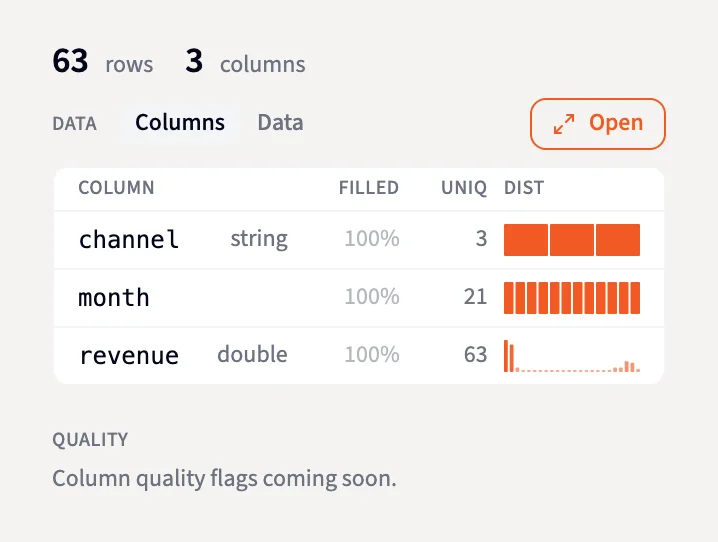
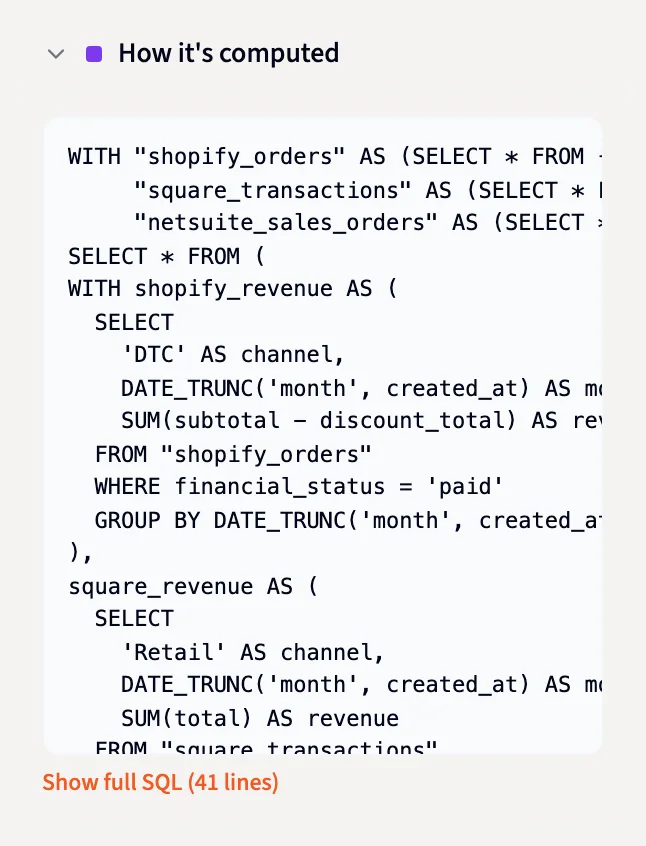
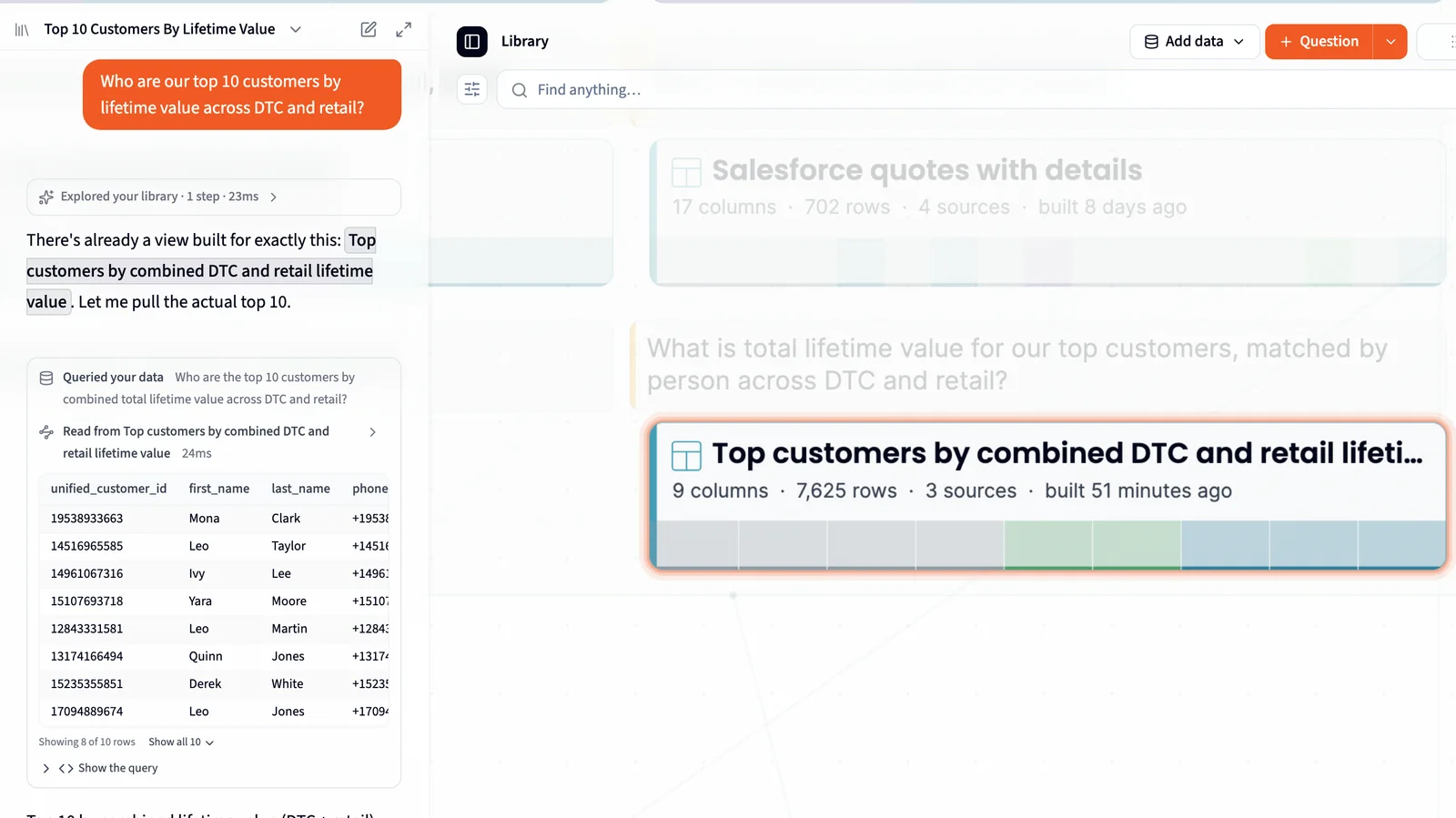
A view's panel, its columns, its SQL, and an answer read from it.
Screenshots of Querri with a demo company's data: what a view shows when you open it, how to spot-check it, and a question answered straight from one.
Always current
Match your data once. Everything built on it stays current.
You don't rebuild a view yourself. When a connected source syncs, the views built on it rebuild in order, and views built on those views follow. The KPIs measured from them recompute and the monitors watching them check again. So match your customers once, and every view built on that list starts clean.
- A view whose inputs failed in a sync isn't rebuilt from bad data, and a frozen snapshot stays as it was.
- Each view's panel says when it was built and that it rebuilds after source syncs.
- Dashboards and projects pick up the fresh views on their next run.
How it works
From a question to a table the whole company builds on.
- 1
Ask for it
Start with a question your team asks every week. Ask the Librarian to build a view for it, or press + Build a view to answer this.
- 2
Read what it assumed
The Librarian reuses what you have, asks the calls only you can make, builds the view and tells you what it assumed, with the numbers. You approve it.
- 3
Everyone builds on it
The view rebuilds after every sync, and answers, KPIs, dashboards and AI tools all start from the same clean table.
Who it's for
One table, three people who rely on it.
Data consumer
Ask a question the team already answered and get it back in seconds, from the table built for it, with the view named under the answer.
Data owner
Bring your systems together without a modeling project. You make the judgement calls once, in plain words, and every view built after follows them.
Data team / IT
A view is a materialized view: stored SQL and its result, rebuilt in dependency order after a sync. Every view's SQL is under How it's computed, ready to read and change.
FAQ
Questions about views
What is a view in Querri?
A reusable, saved query and the real table it produces. It joins, cleans and pre-calculates your raw data so it can answer a business question directly.
Does a view change my source data?
No. A view is a new table built from your sources. The original data stays exactly as it was.
How do views stay up to date?
When a connected source syncs, the views built on it rebuild, in dependency order, and the KPIs measured from them recompute. A view whose inputs failed in that sync is skipped, and frozen snapshot views stay as they are.
Can a view be built on other views?
Yes. Match your customers once in one view, and every view built on that list starts clean. When the first one rebuilds, the views on top of it follow.
Does connecting new data create views automatically?
No. Querri links the new data to the views you already have, marks the questions it can now answer, and leaves View to build cards in the Inbox for you to decide on.
How do I check a view is right?
Open it. How it's computed shows the SQL. The Columns list shows how much of each column is filled (the figure turns red below 90%), how many distinct values it has and how they're spread. The panel also lists the facts attached to it and the tables it's built from.
How is this different from a semantic layer or dbt models?
It does the same job, clean joined tables with agreed definitions, without the project first. The business asks for a view in plain words, the Librarian builds it, and the data team can read and change every line of its SQL.
Bring your data together once.
Ask for the table your team needs. Querri builds the view, tells you what it assumed, keeps it current, and answers from it every time.
SOC 2 Type II, HIPAA and ISO 27001:2022 certified, and your data never trains a model.