What commission does each rep earn on this month's loads?
Join Tai invoice history to QuickBooks Online and your commission plan. Pay commission only on loads the books have invoiced, with every rebill applied in the month it's dated.
Open QuerriWhat you'll need
Querri (Free trial) to join the exports and run the checks
A Tai export, QuickBooks Online and your commission plan: Step 1 says what each adds
Your commission rules: so every rep is paid the same way
Free resources
Start your free trial here →Sample data sets
Synthetic data for a made-up freight brokerage. Not real shipper data.
Need help?
If you have any questions, you can request a demo or email our team.
Before we begin
Commission looks like a multiplication. The hard part is the base: which loads count this month, and what happens when a load billed last month is rebilled this one. The TMS knows the loads and the rebills, the accounting system knows what was actually invoiced, and the rates live in a spreadsheet, so the statement usually takes days and still draws questions.
This playbook pays on loads the books confirm, applies each rebill in the month it's dated, and builds a statement per rep that adds up to payroll.
How it works:
- • Upload the Tai exports and connect QuickBooks
- • Find the loads first invoiced this month
- • Apply this month's rebills
- • Calculate commission at each plan rate
- • Build a statement for each rep
Follow the steps
Upload the Tai exports and connect QuickBooks
Three sources, one project:
- •
Tai load export and invoice history (or your TMS reports): each load's rep and net revenue, and every original invoice and rebill with its date and reason.
- •
QuickBooks Online: the invoices the books actually hold, each naming its loads in the memo.
- •
Commission plan (Excel): each rep's team and commission rate.
QuickBooks Online connects directly and syncs on a schedule. The Tai exports come in as files; upload next month's over the old ones and every view rebuilds.
Tip: Include six months of invoice history, so each rep's usual month of rebills is there to compare with.
-
 Tai loads and invoice history
-
 QuickBooks invoices
- Commission plan
 One project
Find the loads first invoiced this month
Start with the loads Tai invoiced, then check the books agree:
"Which loads were first invoiced in October in Tai, and does QuickBooks have an invoice for each? Hold out any that don't."
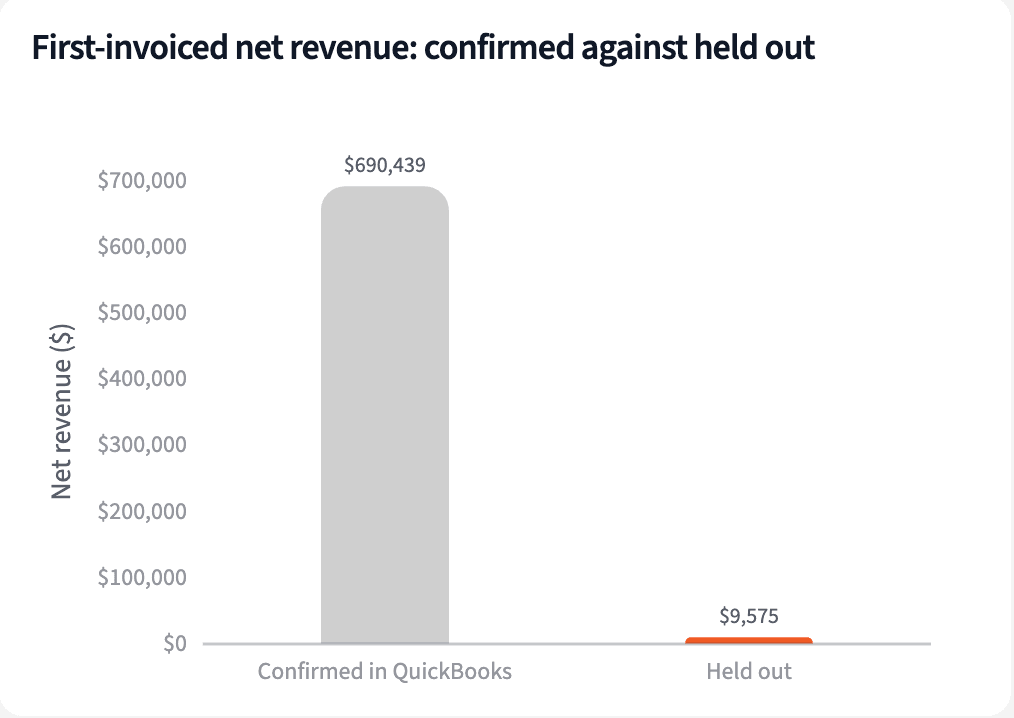
Tai first invoiced 2,937 loads in October. 40 of them have no QuickBooks invoice, $9,575 of net revenue. They're held out until the books catch up.
| Loads | Count | Net revenue |
|---|---|---|
| Invoiced in Tai | 2,937 | $700,014 |
| No QuickBooks invoice, held out | 40 | $9,575 |
| Confirmed | 2,897 | $690,439 |
Loads first invoiced in October 2026.
Apply rebill changes dated in the month
A rebill counts in the month it's dated, whatever month the load was first billed:
"Which rebills are dated October, and how does each rep's October rebill change compare with their usual month?"
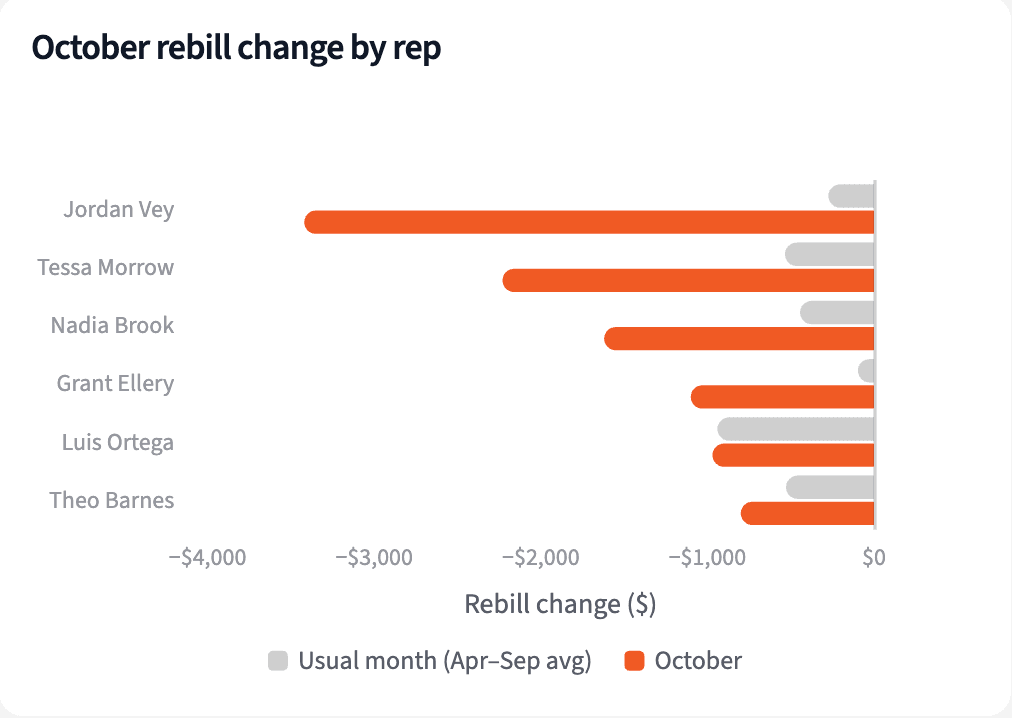
62 rebills dated October take $12,670 off net revenue. Jordan Vey's three rate corrections, $3,420, are more than twelve times his usual month, and all three are on loads first invoiced in September.
| Rep | October rebills | October change | Usual month |
|---|---|---|---|
| Jordan Vey | 3 | -$3,420 | -$274 |
| Tessa Morrow | 12 | -$2,230 | -$535 |
| Nadia Brook | 6 | -$1,620 | -$444 |
| Grant Ellery | 4 | -$1,100 | -$97 |
| All reps | 62 | -$12,670 |
Rebills dated October 2026, by rep, against the April to September monthly average.
Calculate each rep's commission at their plan rate
Confirmed net revenue plus the month's rebills, times each rep's rate:
"Work out October commission for each rep: net revenue on confirmed loads plus October rebill changes, times their plan rate."
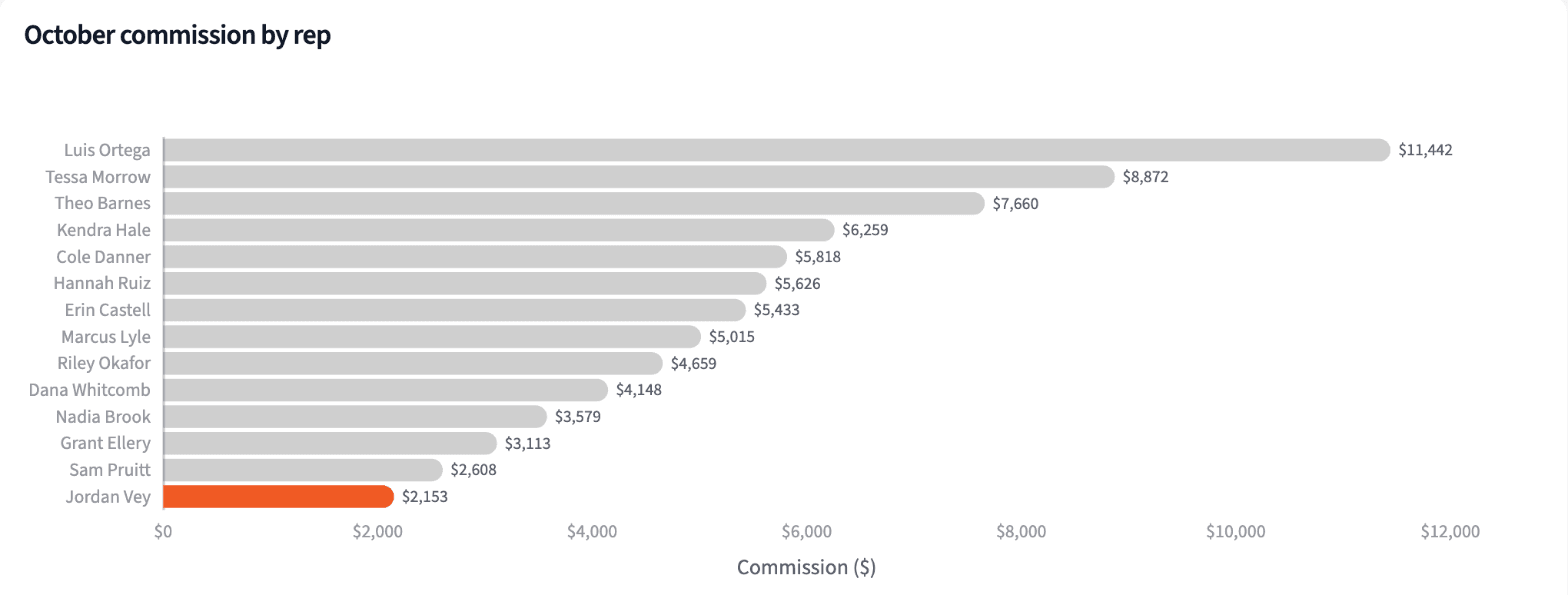
Commissionable net revenue is $677,769 and commission is $76,386.66: $51,659 for Regional at 12% and $24,728 for National accounts at 10%. Jordan Vey's rebills take $410.40 off his.
| Rep | Rate | Commissionable | Commission |
|---|---|---|---|
| Luis Ortega | 12% | $95,351 | $11,442.10 |
| Tessa Morrow | 10% | $88,723 | $8,872.29 |
| Theo Barnes | 12% | $63,835 | $7,660.22 |
| Kendra Hale | 12% | $52,162 | $6,259.48 |
| Jordan Vey | 12% | $17,943 | $2,153.16 |
| All 14 reps | $677,769 | $76,386.66 |
October 2026 commission, four largest and Jordan Vey.
Build the commission statement for each rep
Four numbers for payroll, and a statement every rep can check.
The narrative Querri writes:
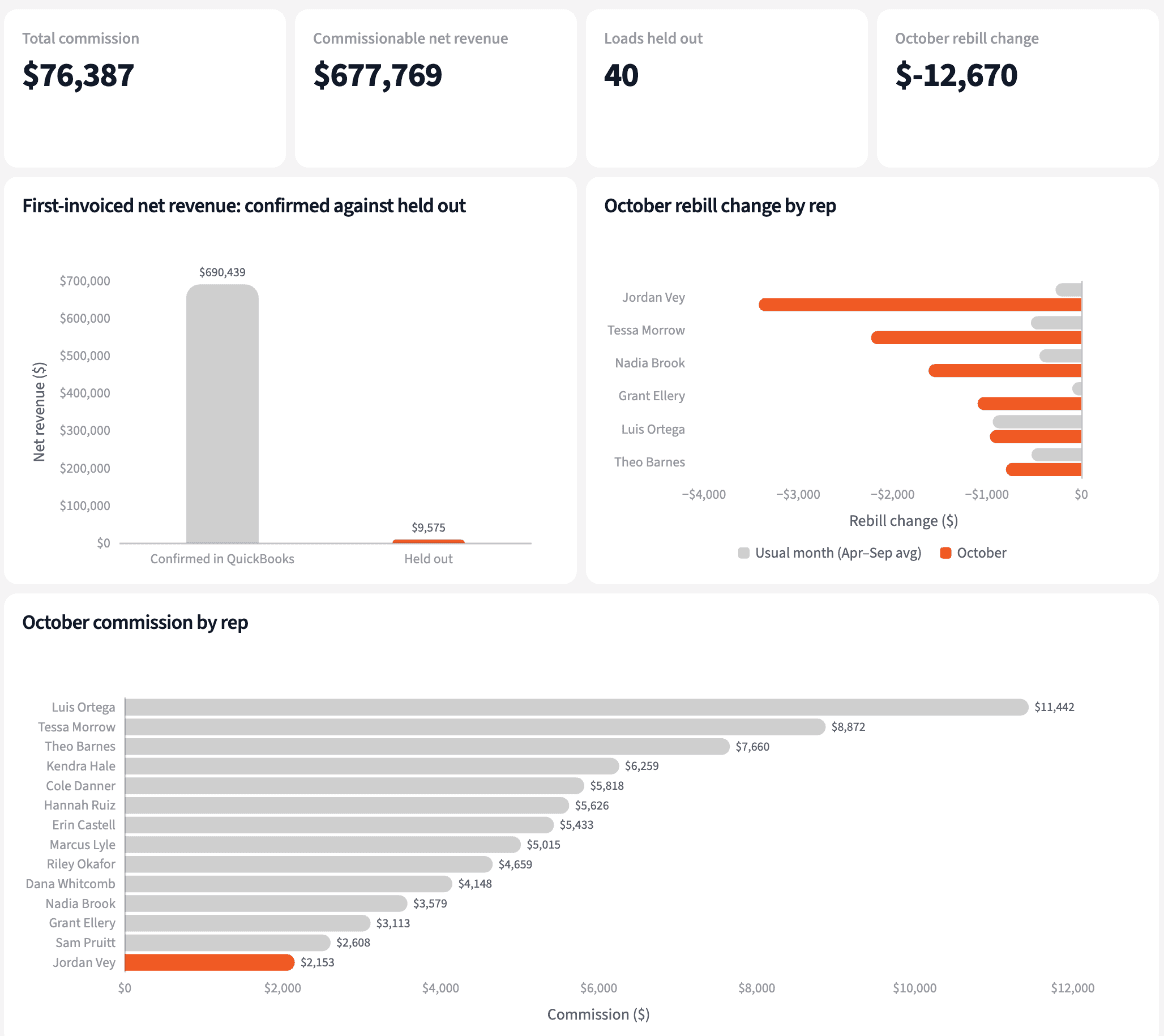
October commission is $76,386.66. Paying from the Tai invoice report alone would have paid $1,072.39 more, all on loads the books never invoiced.
What you can create or export:
- The list, to Excel, CSV or Google Sheets
- A live dashboard that refreshes with each QuickBooks sync
- A presentation for the meeting, to PDF or PowerPoint
| Rep | Commissionable | Commission |
|---|---|---|
| Luis Ortega | $95,350.85 | $11,442.10 |
| Tessa Morrow | $88,722.94 | $8,872.29 |
| Grant Ellery | $31,126.84 | $3,112.68 |
| Jordan Vey | $17,942.96 | $2,153.16 |
| All 14 reps | $677,768.96 | $76,386.66 |
Commission statement, October 2026 (four of 14 reps shown).
Send commission statements that add up the first time.
Try it on your own dataTips for a commission run nobody has to redo
Pay on what the books confirm
A load the TMS calls invoiced may not be in the accounting system yet. Pay when both agree, and the held loads pay next month without a correction.
Put rebills in the month they happen
Reopening last month's statement for a rebill makes every number move. Apply the change in the month it's dated and each statement stays closed.
Teach Querri your rules once. Every answer after that follows them.
Which loads count, when a rebill applies, what each rep's rate is: say each rule once and Querri applies it to every question on that data.
Show me how
Say it in chat
Settle a rule in conversation and the Librarian records it as a fact under Facts & Rules, attached to the table it governs. Every later question on that data applies it, whoever asks, and every view built afterwards carries it.
"A load earns commission only when it was first invoiced in Tai in the month and QuickBooks has an invoice for it. Save that as a rule for the Tai invoice history."
Or bring the document that already says it
Upload your commission plan document like any other file. Querri files a From a document card in the Inbox with the statements it found, each with its page and exact words; tick the ones to keep and they become facts. The rules this playbook depends on:
- This month's loads: first invoiced in Tai in the month, plus earlier held loads QuickBooks confirms this month
- Confirmed: a QuickBooks invoice names the load
- Rebills: counted in the month they're dated
- Commissionable: original invoice net revenue of confirmed loads plus the month's rebills
- Rate: from the commission plan, by rep
- Jordy Vey in Tai is Jordan Vey
"Read our commission plan and propose the rules it states about rates, timing, rebills and clawbacks. I'll review them in the Inbox."
Where the rules reach
A rule is attached to the data, not to one person's chat, so it follows the data everywhere:
- • Every question asked in chat, by anyone in sales operations
- • Every view the Librarian builds on that data
- • Every step of a project, including the code it writes
- • Dashboards and scheduled runs, each time they refresh
- • Claude and ChatGPT, when they ask Querri
You stay in control
Every rule is listed under Facts & Rules next to the data it governs, where you can edit or remove it. Rules from a document wait for your tick in the Inbox, and a Worth remembering card is how Querri offers one it noticed itself. Workspaces and roles decide who can change what. Company-wide rules go in Settings → Customize; the Library is where the rest lives.
The payoff on payday
Every rep gets a statement that ties to payroll, with held loads and rebills shown, not argued about. Changing a rate is a sentence.
Frequently asked questions
Which loads earn commission this month?
How are rebills handled?
What is commissionable net revenue?
Why does Tai say Jordy Vey?
What happens to the held-out loads?
Do I need a TMS connector?
Does Querri change anything in QuickBooks or payroll?
How often should this run?
Other popular resources
Playbook
Margin by rep and shipper
Which reps and shippers are pulling margin per load down?
Playbook
Lanes to sell
Which lanes should our sales effort go to?
Demo
Request a walkthrough
See Querri in action with your own data.
Pricing
Compare plans
Find the right plan for individuals, teams, or enterprise.