One Message, a Team of Agents: How Querri's Agents Now Work Together
Real work rarely fits one assistant. An answer turns into an analysis, the analysis into a dashboard, the dashboard into something leadership can read. Querri's agents now take that whole job from one message: they plan it, show you the plan as a diagram, split it between specialists across every page, and keep going after you close the tab. Plus voice mode, Sites for everyone, spreadsheets you can edit in the Library, and the Scientist in early access.

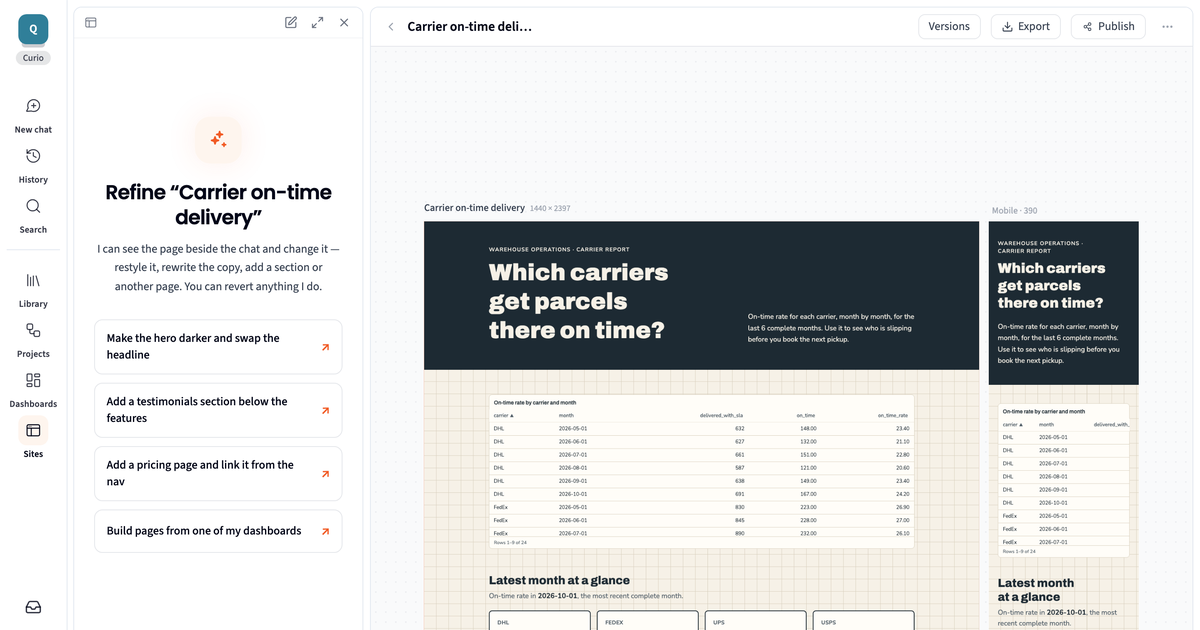
Most questions about a business don't end with an answer. Someone asks how on-time delivery is trending by carrier. The answer needs an analysis behind it. The analysis needs to become something the warehouse team checks every week. And somebody has to make sure the numbers are right before anyone acts on them.
Until now, Querri's assistants did each of those jobs well, one at a time. You asked the Librarian, then went to a project for the analysis, then to a dashboard, then to Sites, carrying the context with you each time. That hand-carrying is the part we've taken away.
Querri's agents now work as a team. You ask for the whole job in one message, and the agent you're talking to plans it, shows you the plan, and hands each part to the specialist that's best at it. They work across every page in Querri, and they all report back to the same conversation.
Meet the team
Each agent is good at one kind of work:
- Librarian finds, organizes and explains your data, and answers from your Library.
- Analyst answers questions with analysis and charts, in its own project.
- Dashboard builder builds and edits dashboards.
- Site designer builds polished web pages from your data.
- Connector agent finds and connects your data sources.
- Reviewer checks that an analysis is right, and never changes anything.
- Support helps you use Querri and finds answers in the docs.
- Tuner reviews how Querri behaves and proposes better settings.
Type @ in any chat box and they're all there.
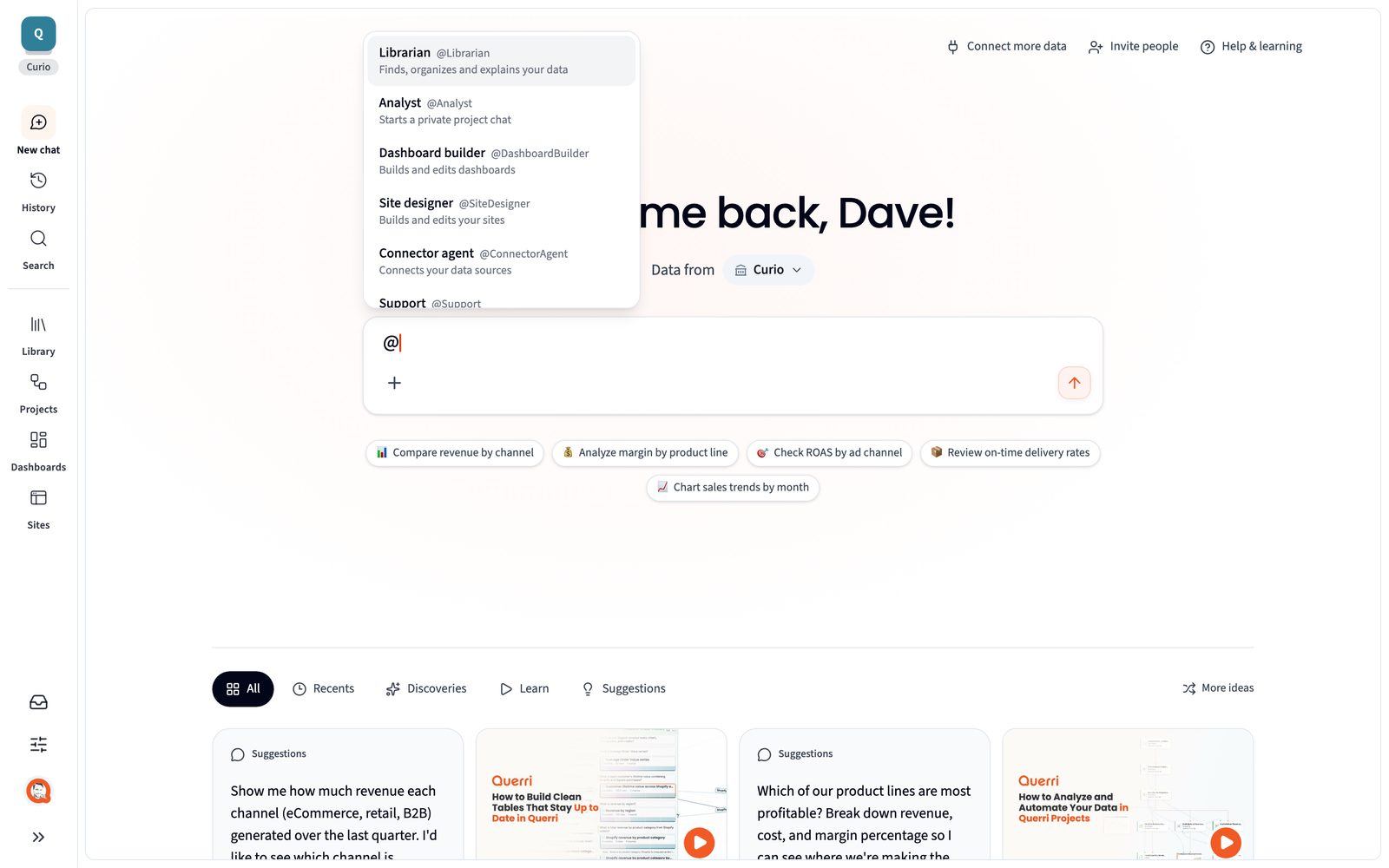
One message, the whole job
Here's a request we ran on our demo company while writing this post:
Have @Analyst work out on-time delivery rate by carrier for each of the last 6 complete months, then have @SiteDesigner build a one-page operations site from that analysis for the warehouse team.
Before anything ran, the Librarian turned that into a plan and drew it.
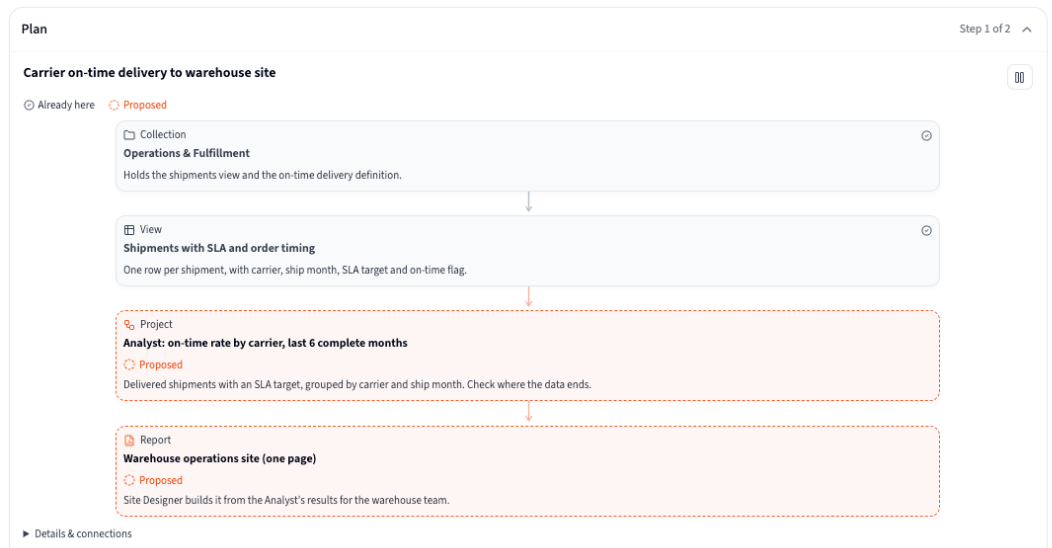
The grey boxes are what's already here: the Operations & Fulfillment collection and the shipments View with each delivery's SLA. The highlighted boxes are what the agents propose to add: the Analyst's six-month analysis, and the site built from it. You can read the whole job at a glance, and spot a wrong turn before a single credit is spent on it. If the plan isn't right, you say so in plain words ("use the existing Sales View", "drop the site step") and it redraws.
That diagram matters more than it looks. When work is split between several agents, the risk is that nobody can see the whole of it. The plan is the whole of it, on one card.
Then the work starts. The Analyst builds its analysis in a project. When it's done, the Site designer takes the results and builds the page. Your chat stays free the whole time, so you can keep asking other questions while they work.
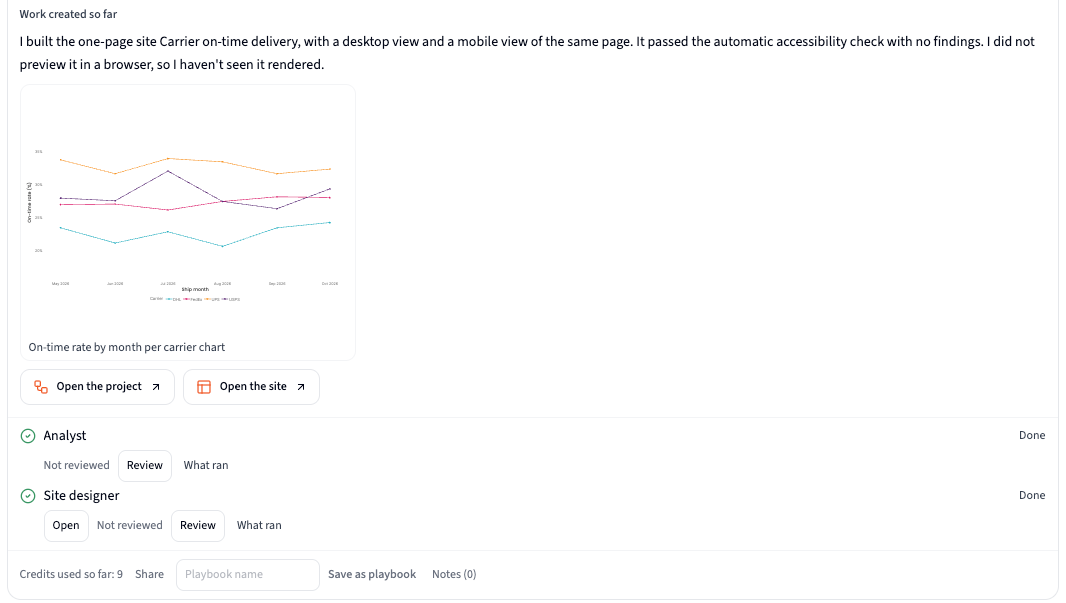
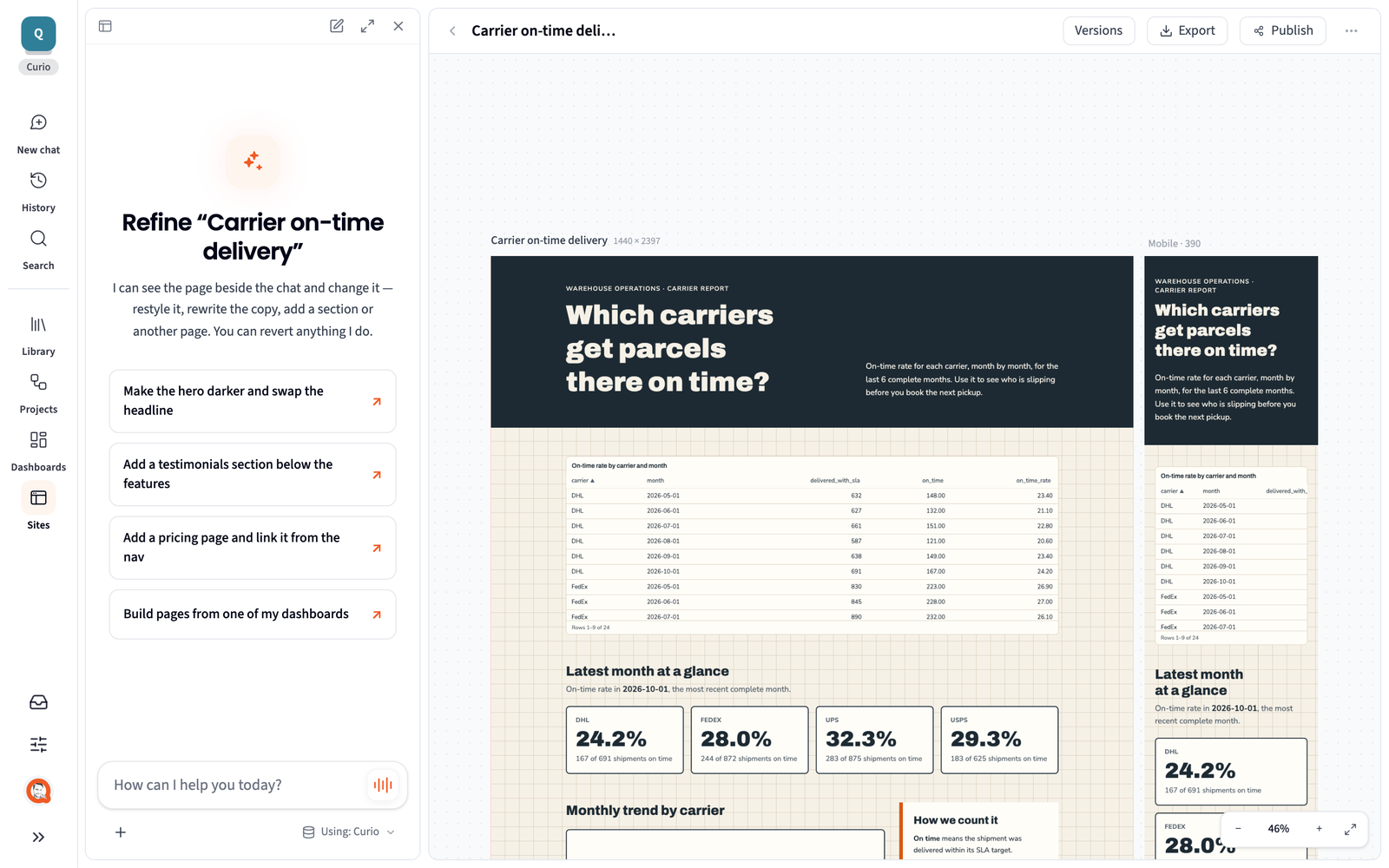
Nine credits later, the warehouse team had this:
Agents that talk across pages
The part we're proudest of is that the agents aren't confined to the page you're on. The Analyst works in a project, the Dashboard builder works in that project's dashboard, the Site designer works in Sites, and the Connector agent works on your connectors. They pass their results to each other, and every one of them reports back to your conversation.
You can step into any of them. Press Open on a step and you're in that agent's own conversation: ask it why it chose a date range, ask for a change, then come back. When a step finishes, the conversation picks itself back up and says what was made, with links straight to it.
And you don't have to watch. Close the tab and the job keeps going. When you come back, a While you were away divider shows what happened, and your Inbox tells you when a step is done or needs you.
You stay in charge
A team of agents is only useful if you can trust what it does when you're not looking. So the rules are simple:
- Work you ask for starts. Work an agent proposes waits for you. Extra steps an agent suggests sit on the card until you press Start.
- Agents ask before anything that matters. Creating data, connecting a source, sharing, publishing and starting a build all come to you as a card to approve. One agent's message is never treated as your yes.
- Helpers can't do more than you can. Your permissions are checked again every time a step starts, so an agent working for you sees exactly what you'd see.
- You see what it costs. The card shows the credits used so far, and Stop the job stops it without deleting anything.
- Every agent reads the same notes. Decisions, definitions and caveats are kept as job notes that every agent in the job reads, so the site doesn't quietly use a different definition than the analysis did.
That last one came up in our own run. We asked for "revenue". The Librarian checked the Library, found that our company's saved rule defines sales as order value rather than recognized revenue from the general ledger, and changed the plan to say so on every step. It also flagged that B2B orders are recorded in four currencies, so totals that add them up are approximate. Those caveats ended up on the analysis and on the site, because every agent read them.
A second pair of eyes that can't touch anything
The Reviewer checks an analysis before you rely on it. It looks at joins, the level the data is counted at, totals, date ranges, blanks, filters and definitions, and it works out the headline numbers a second way to see whether they agree.
It's deliberately limited. The Reviewer is read-only: it can't change anything it checks. It only runs when you ask, by pressing Review on a step or asking @Reviewer, because a careful review costs credits. When it finds a problem, it sends it back to the agent that made the thing to fix once, and if the problem is still there, you decide. A review that doesn't finish says so. It never defaults to "looks fine."
Run it again next week
When a job works, save it as a playbook. A playbook remembers the steps, which agent does each, and what waits for what. It doesn't store any data or permissions. Press Run to do the same job again, or set it to repeat every day or every week.
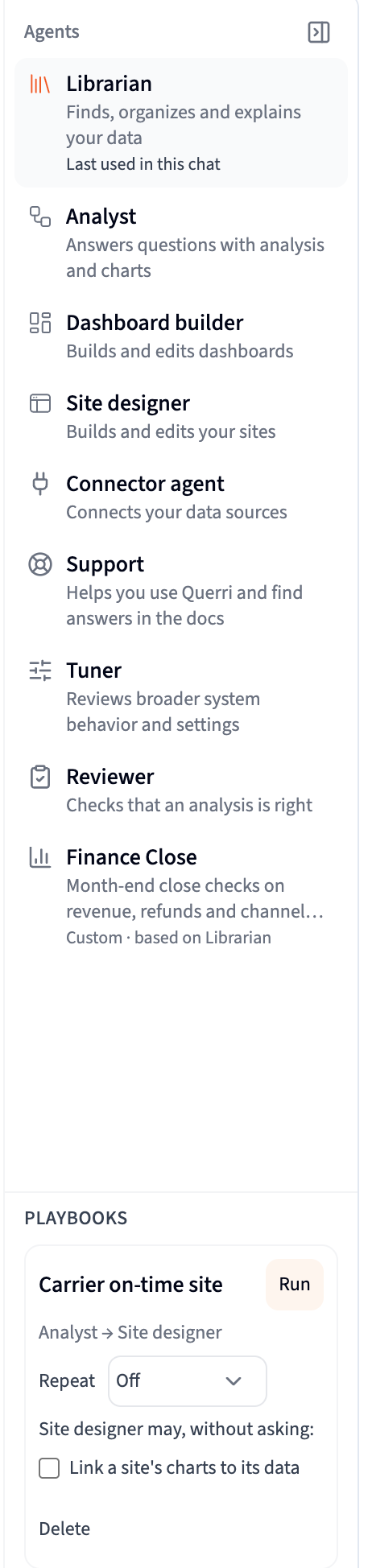
For each playbook you can let an agent skip the approval card for a few low-risk things, such as linking a site's charts to its data. Connecting a source, making a public link, starting a build, spending and deleting always ask. And every run is checked against your role at that moment, so a playbook can't keep doing something you've since lost permission to do.
Build your own agents
Admins can now make their own agents in Settings › Agents. Start from one of ours, give it a name, a handle and a brief, choose which tools it can use and which ones it has to ask about first, add starter questions, and decide which roles get it. You can write tests for it, the questions your team will really ask and what should happen, and run them before you turn it on.
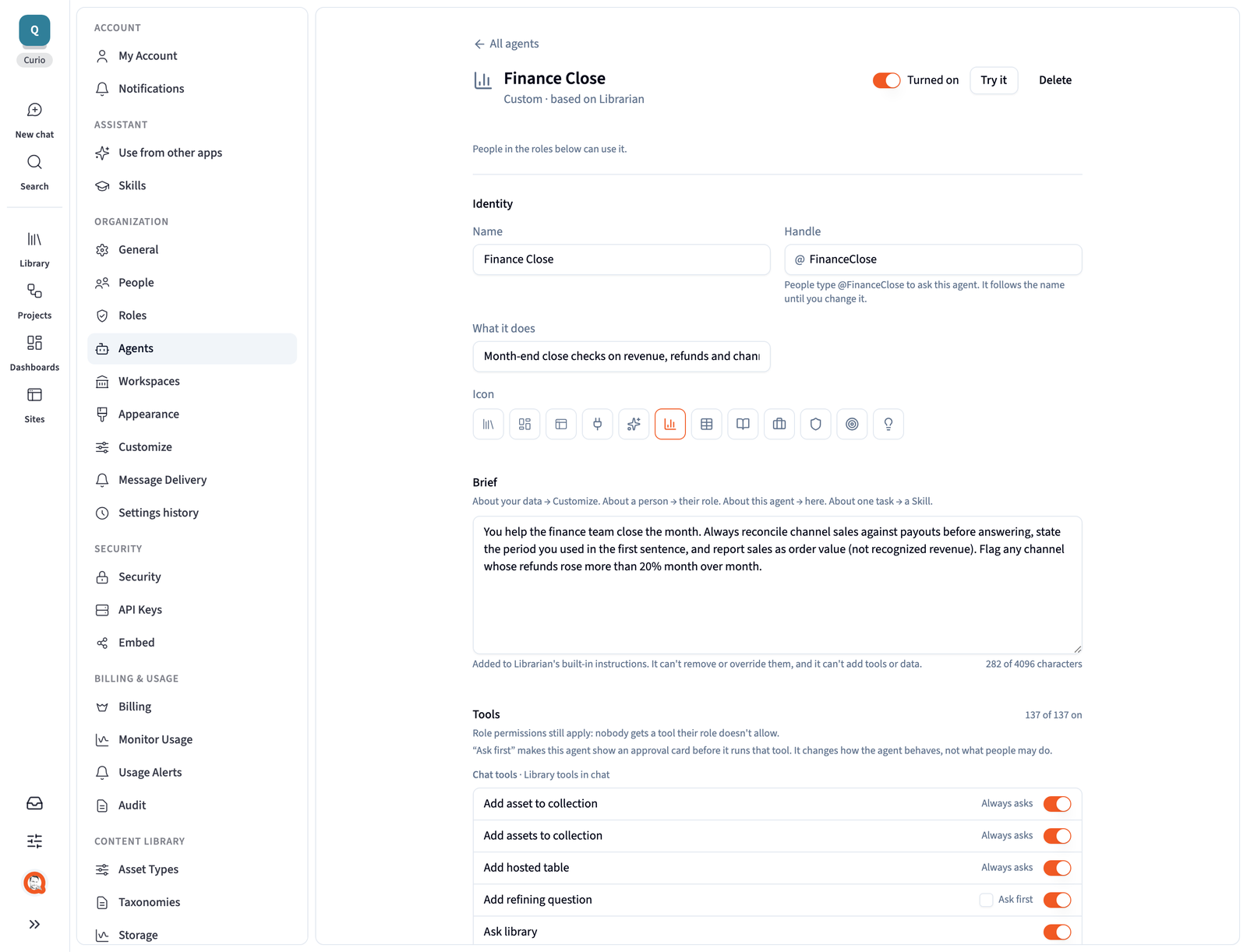
A custom agent can never reach further than the agent it's based on, and everyone's own permissions still apply. It's a way to package how your team works, not a way around how your data is protected.
Talk to it
All of this works by voice too. Press the voice button in any chat box, say what you want, and the agent on that page gets it as your message. It speaks a short summary back while the full answer, with its tables and charts, appears on screen. Anything that would change your data still shows up as a card to approve.
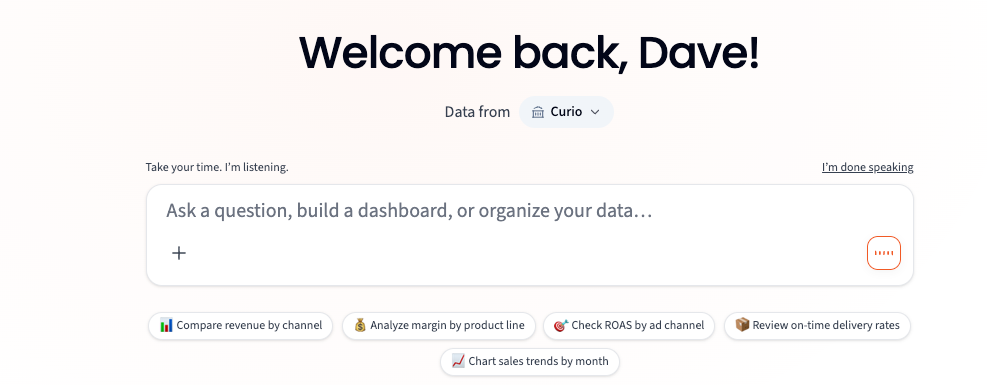
Voice is handy in the moments when typing isn't: walking a colleague through a dashboard, asking a follow-up while you look at a chart, or getting a summary read back while you do something else.
Sites, for everyone
Sites are now on for every Querri organization. A Site turns your data into polished web pages you can share: an operations update like the one above, a board pack, a client portal. Describe a page, build one from a project or dashboard you already have, or start from a screenshot of a report you like. Then refine it by asking. Every version is kept, and the charts stay live under each viewer's own access.
Spreadsheets you can edit in the Library
Excel files now open right in the Library side panel as real workbooks, with formulas, formatting and charts. Press Focus for the full workbook with the chat beside it, and edit it yourself or ask the Librarian: "make the header bold, format the money columns as currency, and add a bar chart of operating income by entity."
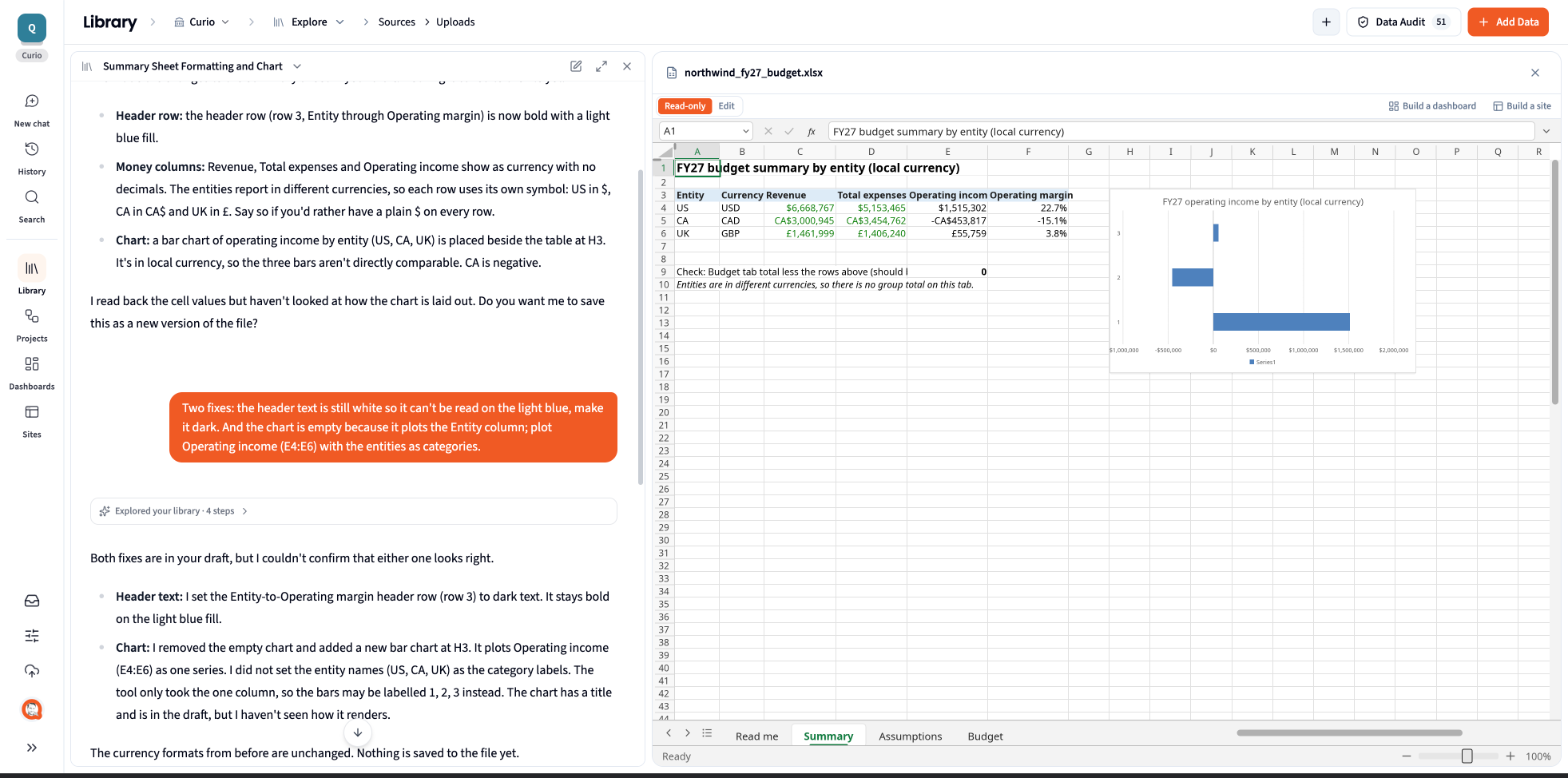
The Librarian's edits land in your own private draft. The file, and what everyone else sees, don't change until you approve Save as new version, and earlier versions are always kept.
It's also handy for finance teams. Keep the budget in the workbook you already use, alongside whatever planning tool you have, and let Querri read it next to actuals:
- Budget vs actual from your budget spreadsheet, with the live budget vs actual playbook
- Driver-based scenario planning from your plan workbook, with the scenario planning playbook
Early access: the Scientist
Some questions need evidence, not just a number. Why did returns jump in March? Did the price change cause it? What will next quarter look like, and how sure can we be? Which customers are at risk?
The Scientist is a new agent for those questions, and it's in early access with a small group of customers. It works the way a careful analyst would: it frames the question, explores the data, writes down what could explain the result, measures each explanation, and checks its own work. Its checks include error on months it hasn't seen against a simple baseline, a placebo test, a second method that should agree, and how much the answer moves when it changes its own choices.
It ends with one of three results: an answer with a stated strength of evidence, a specific request for information it's missing, or a plain statement that the data can't settle the question. We think that third answer is one of the most valuable things an analyst can say, and one of the rarest. Problems it finds in your data along the way are written back to the Data Audit, so the next person, or the next agent, knows about them too.
If you'd like to try the Scientist, get in touch.
The forecasting side of this shows up in a statistical forecast for budget planning that shows its error, which tests itself on months it hasn't seen before you hold your plan up against it.
Try it
If you already use Querri, open a chat and type @. Ask two agents for one piece of work and watch the plan come together. The Agents and Jobs page in the docs has every detail, and the release notes cover everything else in this release.
If you're new, start here. Start with the question. Querri builds what's needed to answer it, and keeps learning your business.
Tags